How to Sign Up for Binance (2026 Latest): Create a Cashback Account with KYC Verification

📚 Browse by Category
Complete Guide to Binance Registration 2026
Looking for how to sign up for Binance?
This guide walks you through the complete 2026 Binance registration process, from account creation to KYC identity verification and TetherSave cashback integration, with actual screenshots.
What You Need to Sign Up for Binance
Before starting, please prepare these 3 things:
1. Email Address
- A valid email address for your Binance account
2. ID Document (for KYC Verification)
Prepare one of the following:
- Passport
- Driver's License
- National ID Card
3. Smartphone
Required for 2-factor authentication (2FA), ID photo capture, and facial verification.
Binance Registration (Step-by-Step Guide)
Step 1: Access TetherSave Exclusive Registration Link
👉 Create TetherSave Cashback Account
👉 Go to Binance Exchange Details Page
Signing up through this link automatically activates your TetherSave cashback benefits.
Step 2: Select Experience Level and Enter Email
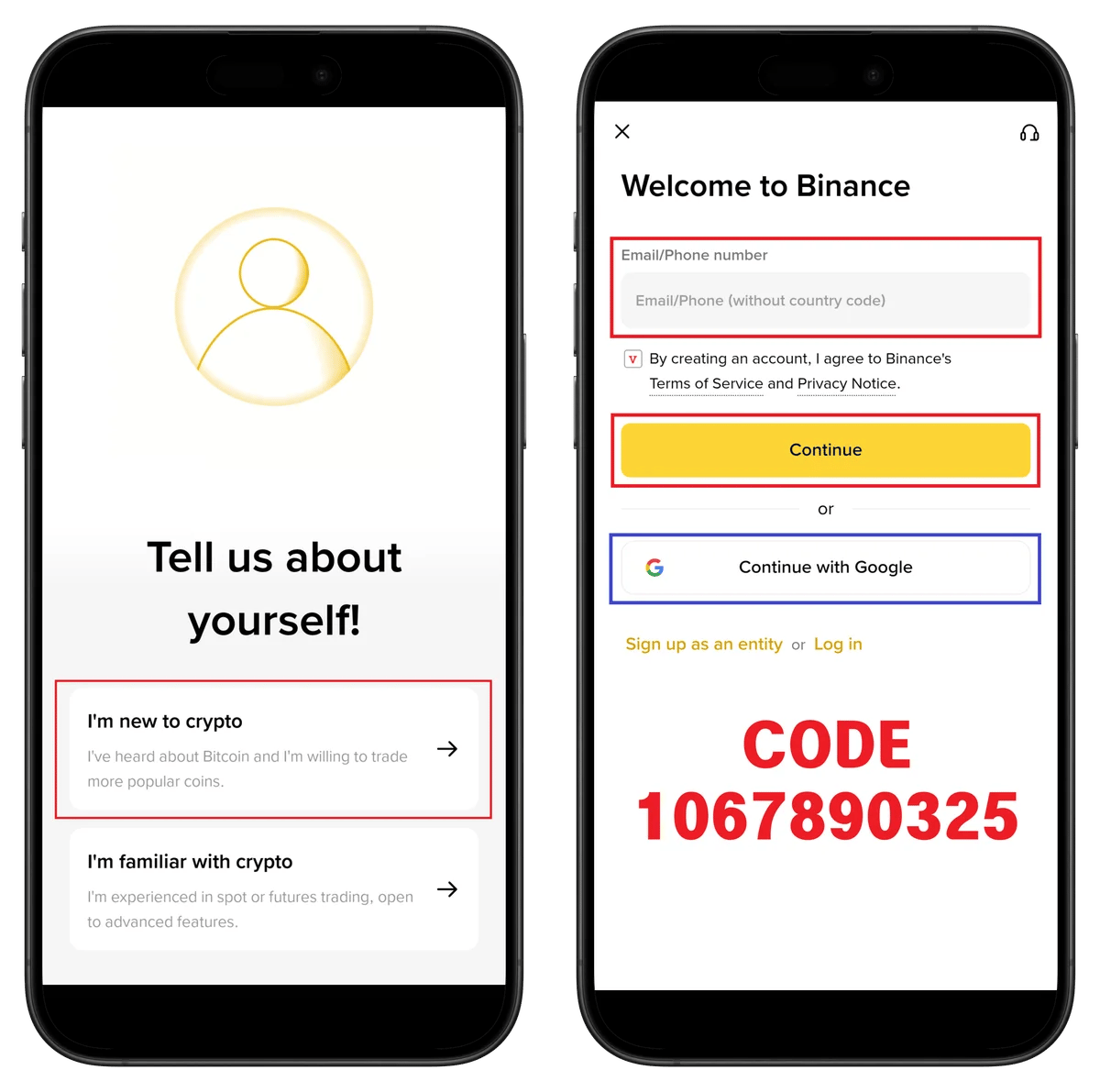
- Select your crypto experience (Beginner/Experienced)
- Enter your email address
- Check the terms agreement
- Click Continue
💡 Quick registration with Google account is also available.
Step 3: Agree to Terms and Verify Email
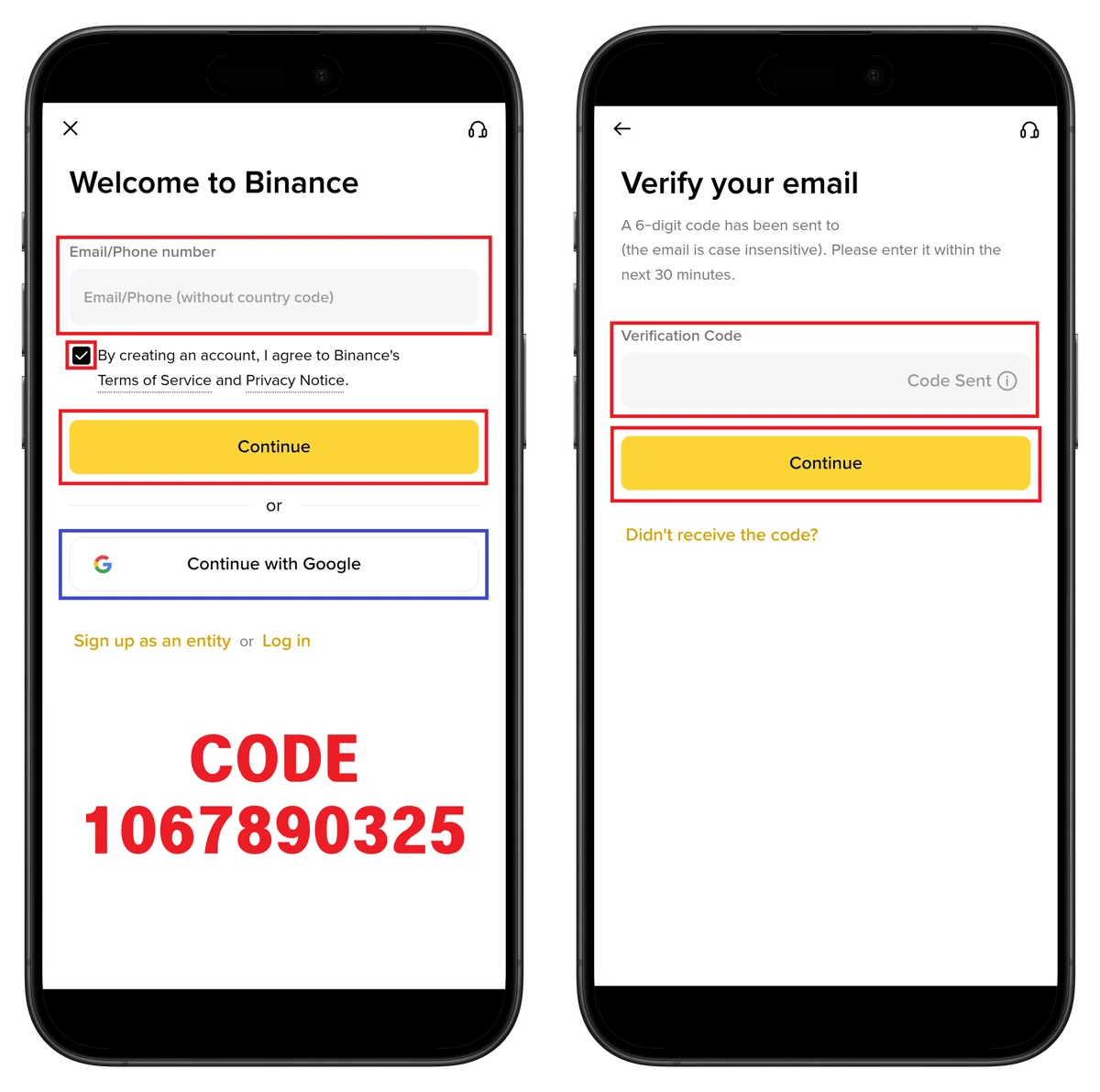
- Enter the 6-digit verification code sent to your email
- Click Continue
⚠️ The verification code is valid for 30 minutes.
Step 4: Set Your Password
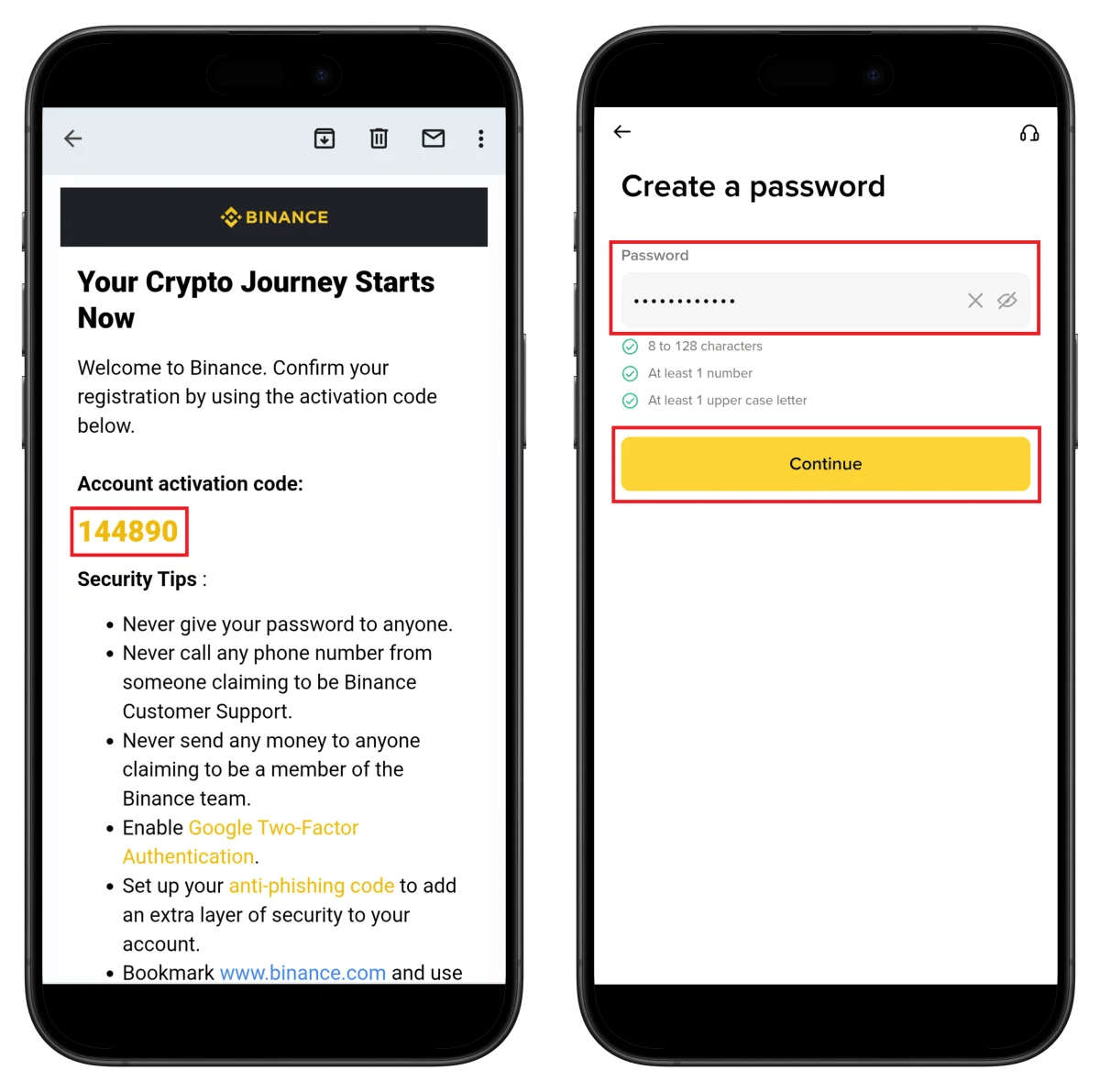
- Enter password (8-128 characters, at least 1 number, at least 1 uppercase letter)
- Click Continue
Step 5: Start KYC Verification
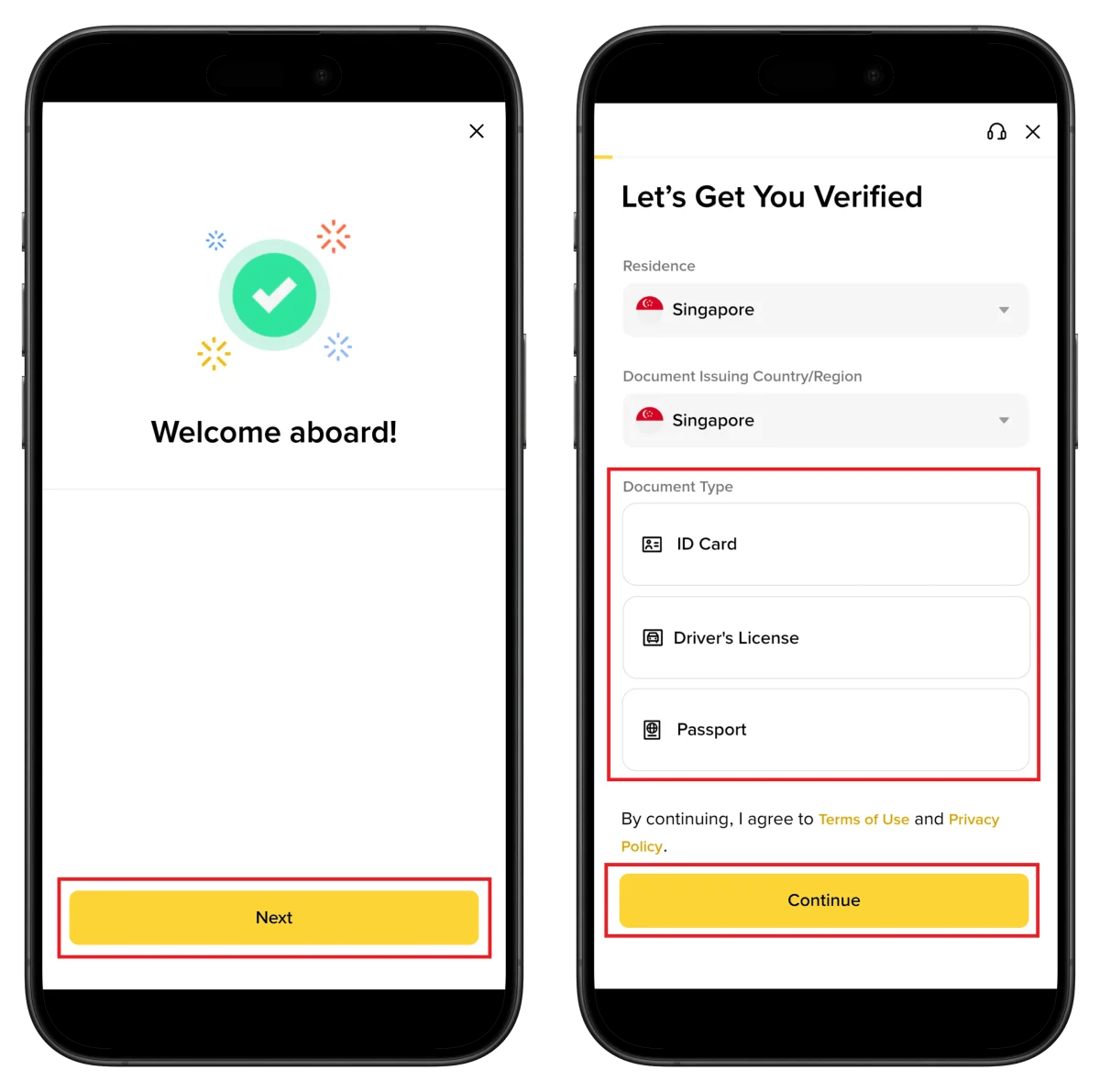
- Select country of residence
- Select ID document issuing country
- Select document type (Passport recommended)
- Click Continue
⚠️ Withdrawals and trading are restricted without KYC verification.
Step 6: Choose ID Upload Method

- Upload Photos - Upload existing photos
- Take Pictures - Capture directly with camera
⚠️ Only original ID documents are accepted. (No copies or screenshots)
Step 7: ID Photo and Facial Verification
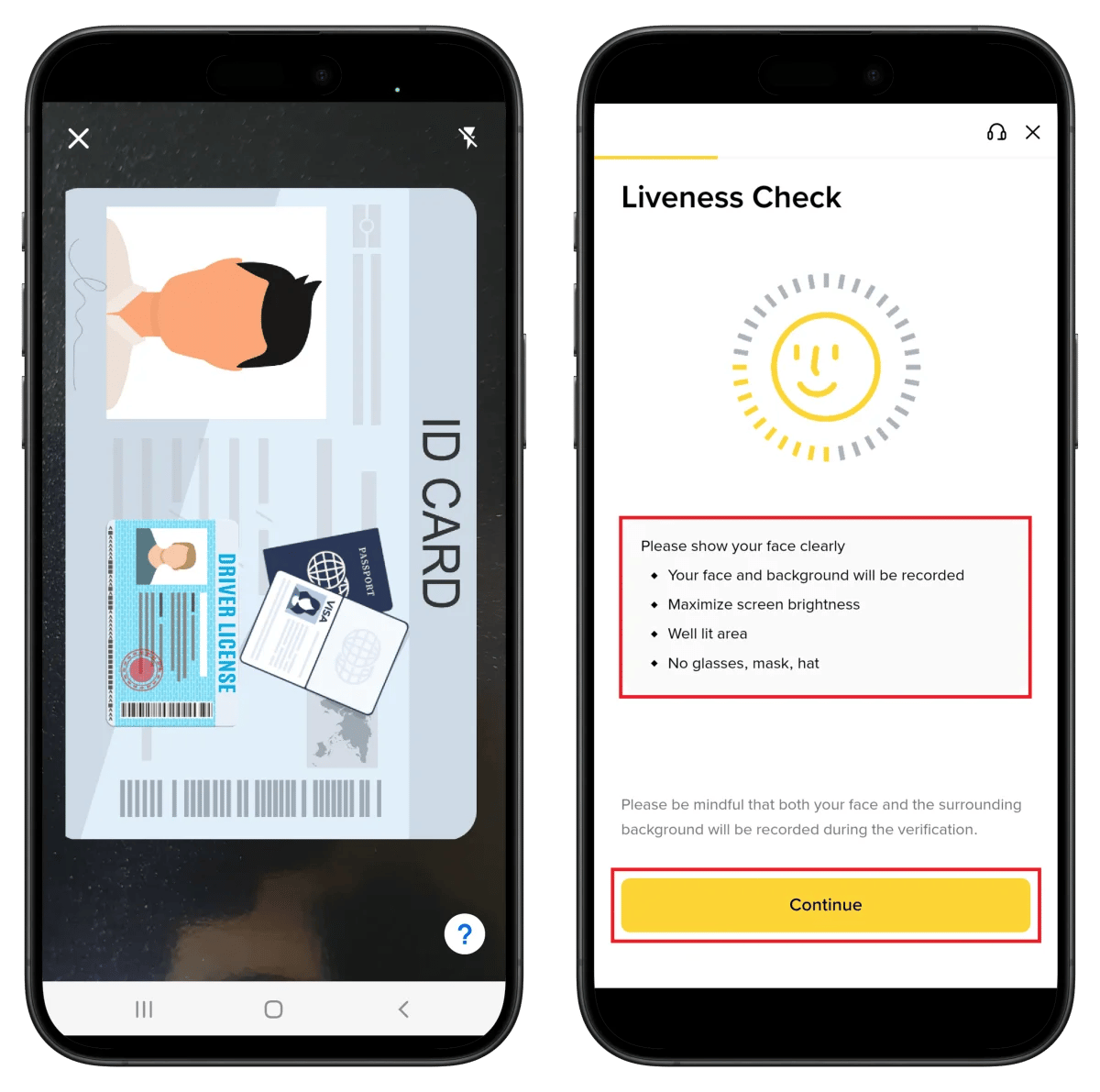
- Capture your ID within the frame
- Complete facial verification (Liveness Check)
💡 Take photos in bright lighting without glasses, mask, or hat.
Step 8: Enter Personal Information
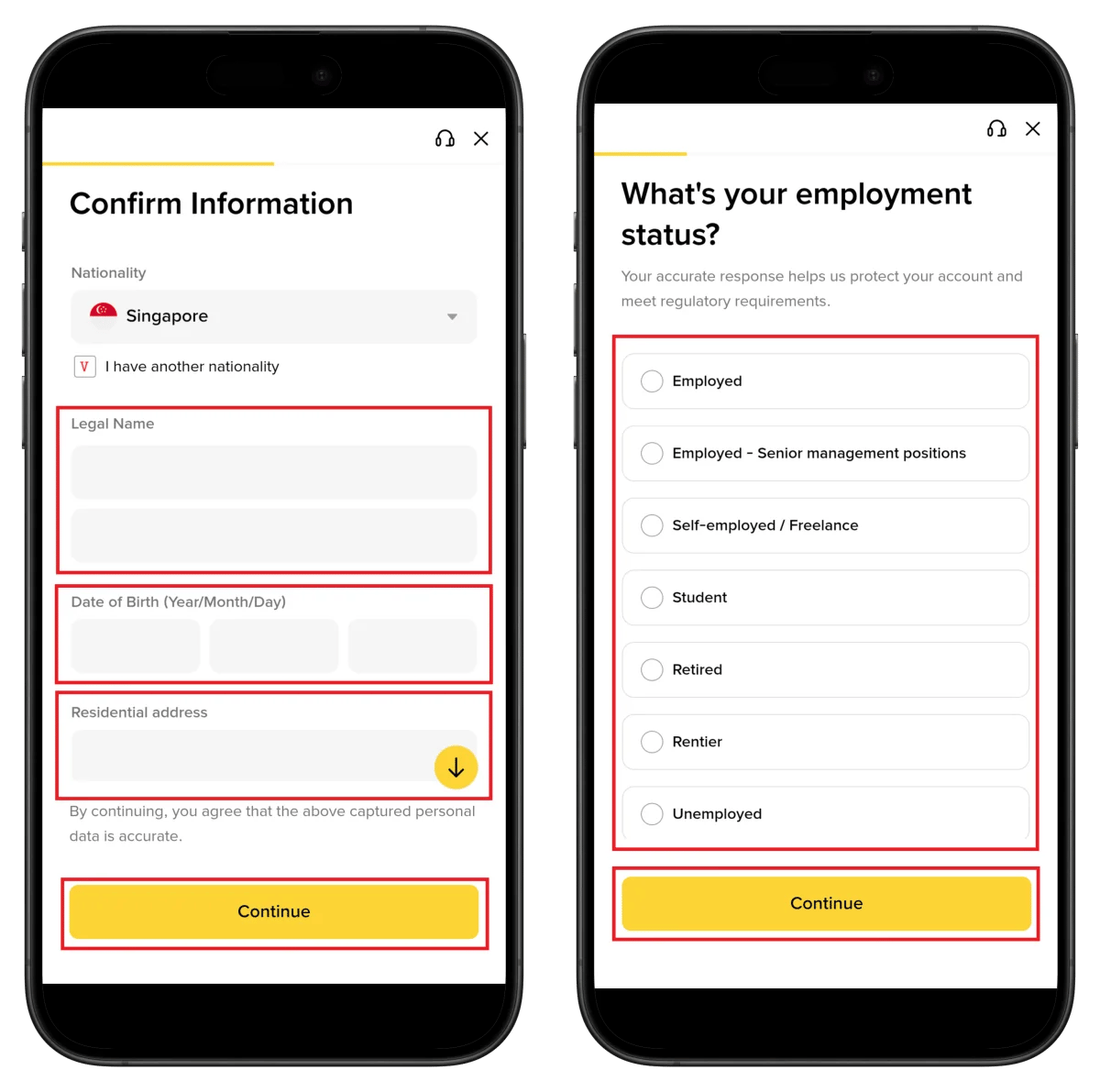
- Select nationality
- Enter name as shown on ID
- Enter date of birth
- Enter residential address
- Select employment status
- Click Continue
Step 9: Select Employment Industry
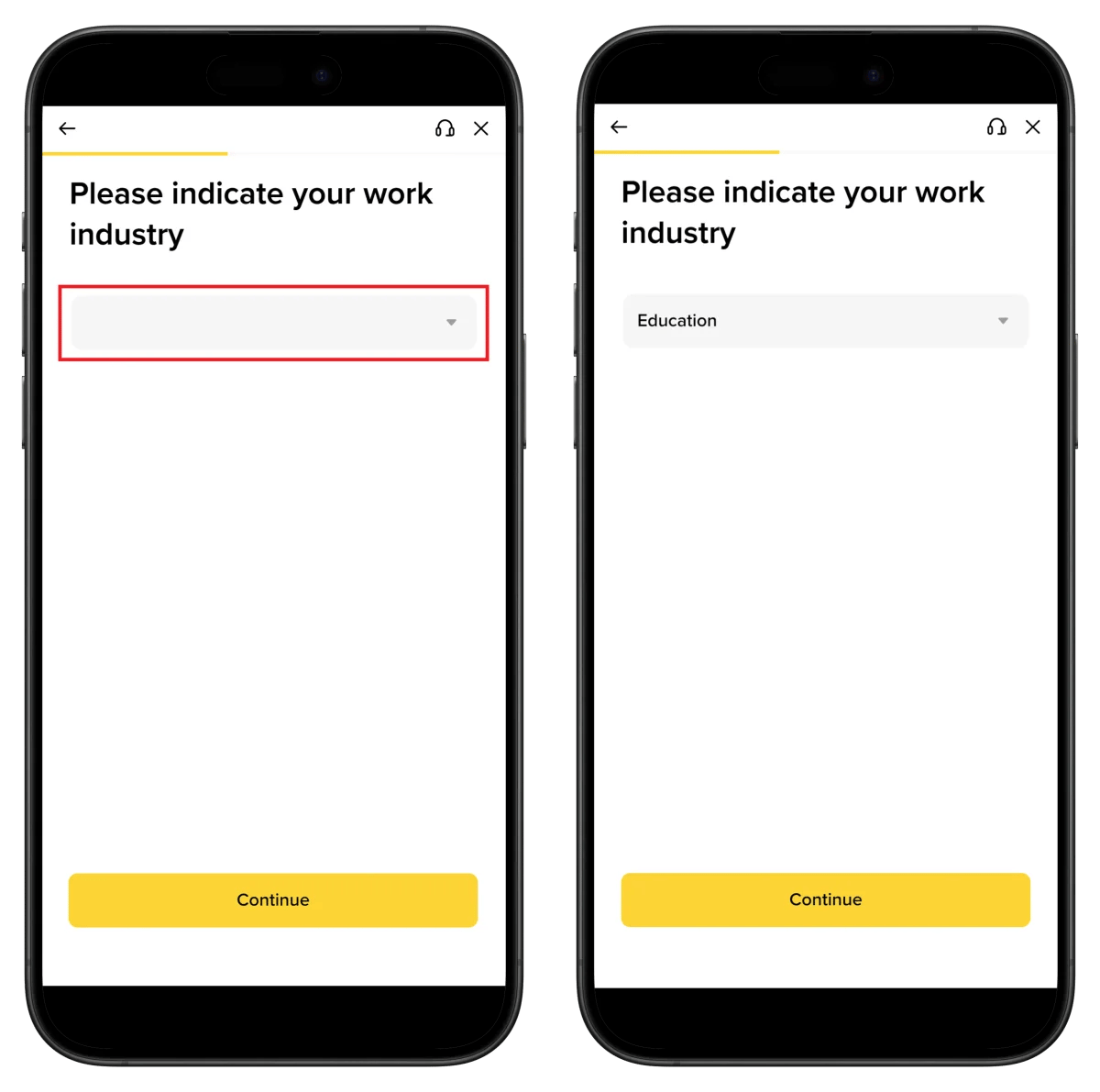
- Select your industry (Education, Finance, Technology, etc.)
- Click Continue
Step 10: Verification Under Review
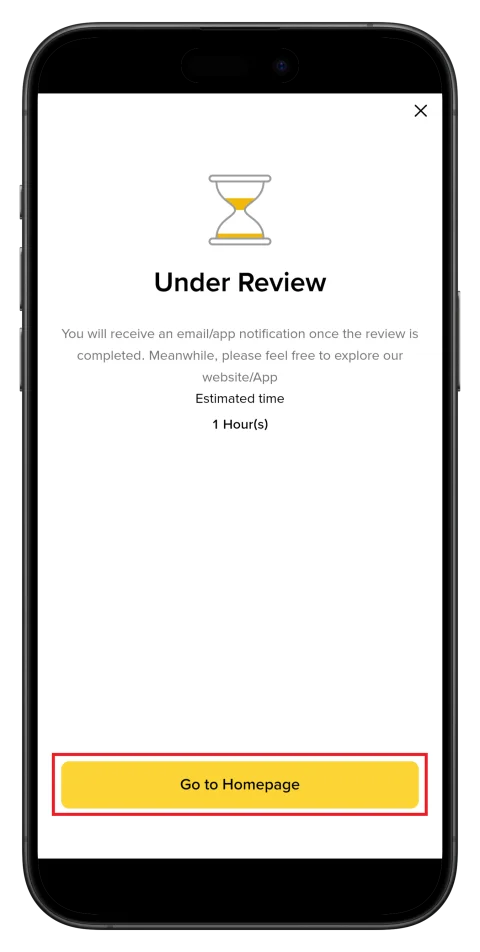
Your documents are being reviewed after submission.
⏱️ Estimated time: About 1 hour
🎉 You'll receive an email/app notification when verification is complete.
How to Find Your Binance UID
To connect cashback with TetherSave, you need your Binance UID (unique identification number).
- Click profile icon on app or web
- Find your UID number (numeric)
- Enter this UID in TetherSave
👉 Detailed Guide: How to Find Binance UID
How to Connect TetherSave Cashback
Once you've completed Binance registration and found your UID, connect to TetherSave to start earning cashback.
- Binance Sign Up - Register Here
- Sign up for TetherSave - Register Here
- Go to My Page → Connect Exchange menu
- Select Binance
- Enter your UID
- Connection Complete!
Frequently Asked Questions (FAQ)
Q: How long does Binance KYC verification take?
Usually completed within 1 hour. Most applications are approved quickly if documents are clear.
Q: What benefits do I get from signing up through TetherSave referral link?
By signing up through TetherSave, you can receive cashback on a portion of your trading fees.
Q: What if my ID verification is rejected?
Check the rejection reason and resubmit with clearer photos. Using a passport is recommended.
Q: What if Liveness Check (facial verification) fails?
Try again in bright lighting without glasses, mask, or hat. Setting screen brightness to maximum helps.
Q: What verification is needed to trade on Binance?
Basic KYC (ID + facial verification) completion enables most trading and withdrawal functions.
Written as of January 2026.
Related Posts

How to Sign Up for Gate.io (2026 Updated): Create a Cashback Account with KYC Verification

How to Sign Up for BingX (2026 Latest): Create a Cashback Account with KYC Verification