How to Sign Up for Gate.io (2026 Updated): Create a Cashback Account with KYC Verification

📚 Browse by Category
Complete Gate.io Registration Guide 2026
Looking for how to sign up for Gate.io?
This guide walks you through the complete 2026 Gate.io sign-up process, from account creation to KYC verification and TetherSave cashback integration, with actual screenshots.
What You Need to Sign Up for Gate.io
1. Email Address
- A valid email address for Gate.io registration
2. Identity Document (for KYC Verification)
- Passport
- Driver's License
- ID Card
3. Smartphone
Required for 2FA setup, ID photos, and selfie verification.
How to Sign Up for Gate.io (Step-by-Step)
Step 1: Access TetherSave Exclusive Sign-Up Link
👉 Create TetherSave Cashback Account
👉 Go to Gate.io Exchange Details Page
Signing up through this link automatically connects you to TetherSave cashback benefits.
Step 2: Enter Email and Select Country
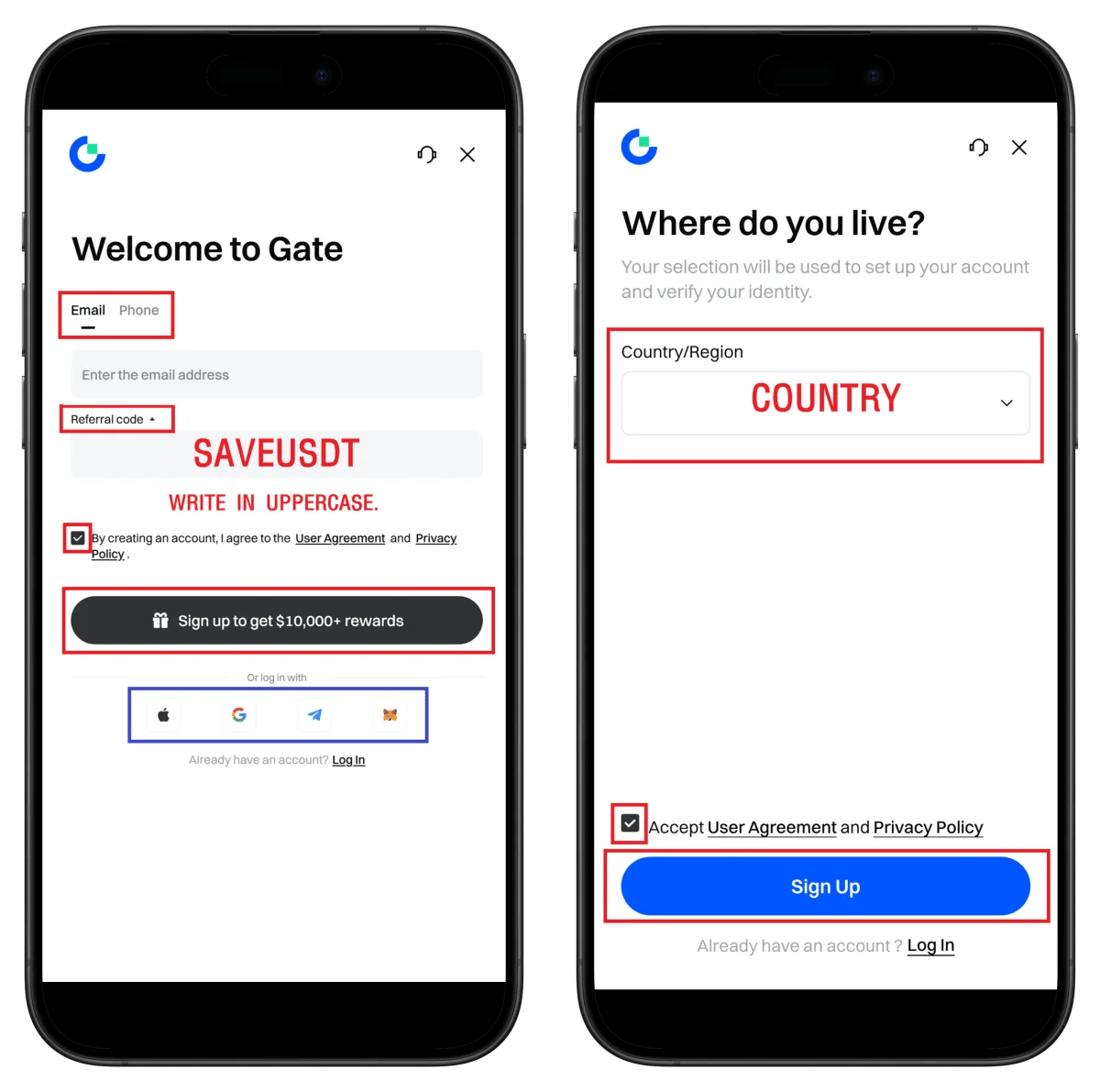
- Enter email address
- Confirm referral code SAVEUSDT
- Check terms agreement
- Click Sign up
- Select residence country and click Sign Up
💡 Quick sign-up with Apple, Google, or Telegram also available.
Step 3: Email Verification and Password Setup
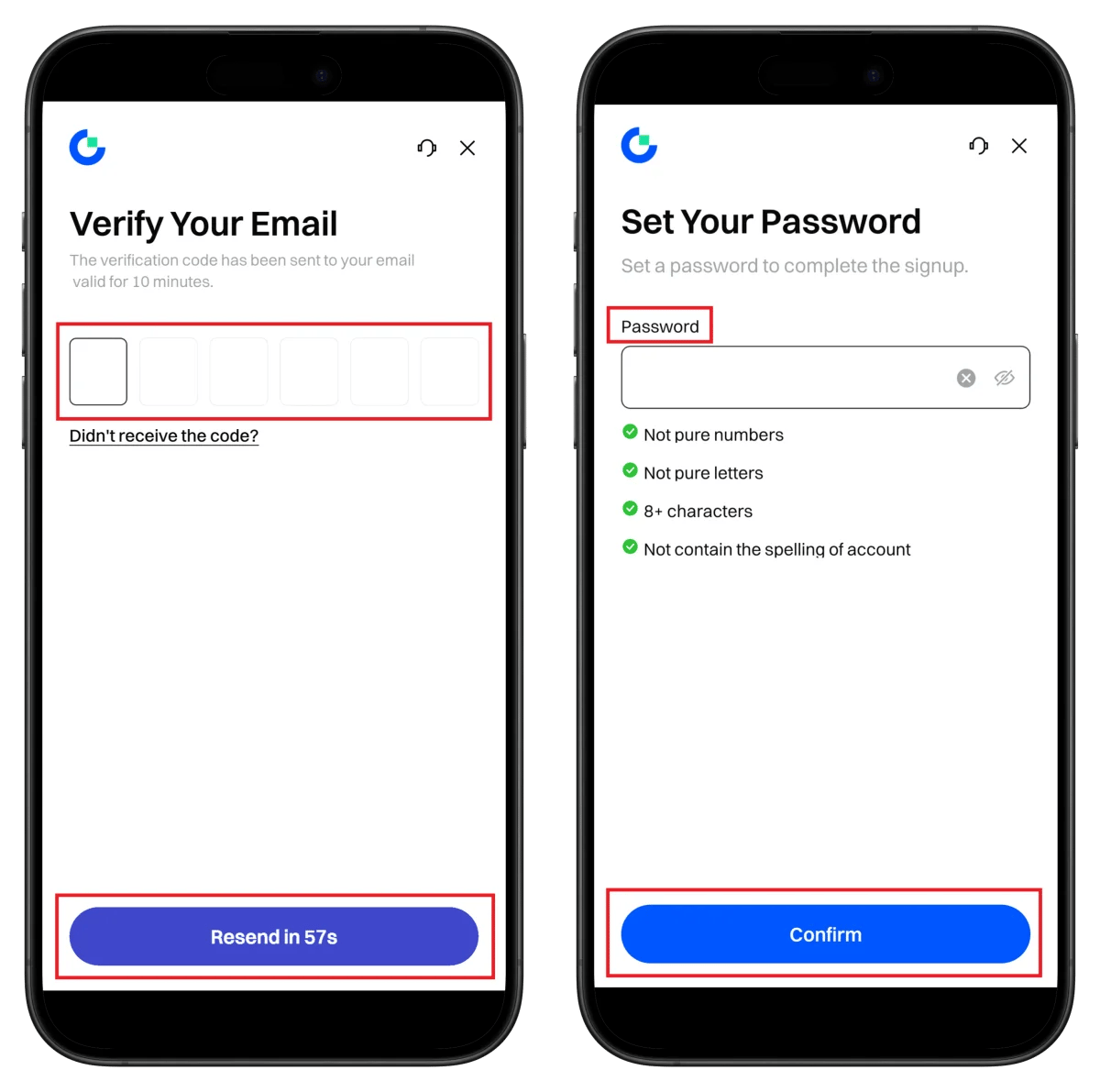
- Enter verification code received via email
- Set password (8+ characters, numbers + letters)
- Click Confirm
⚠️ Verification code is valid for 10 minutes.
Step 4: Registration Complete and Start Verification
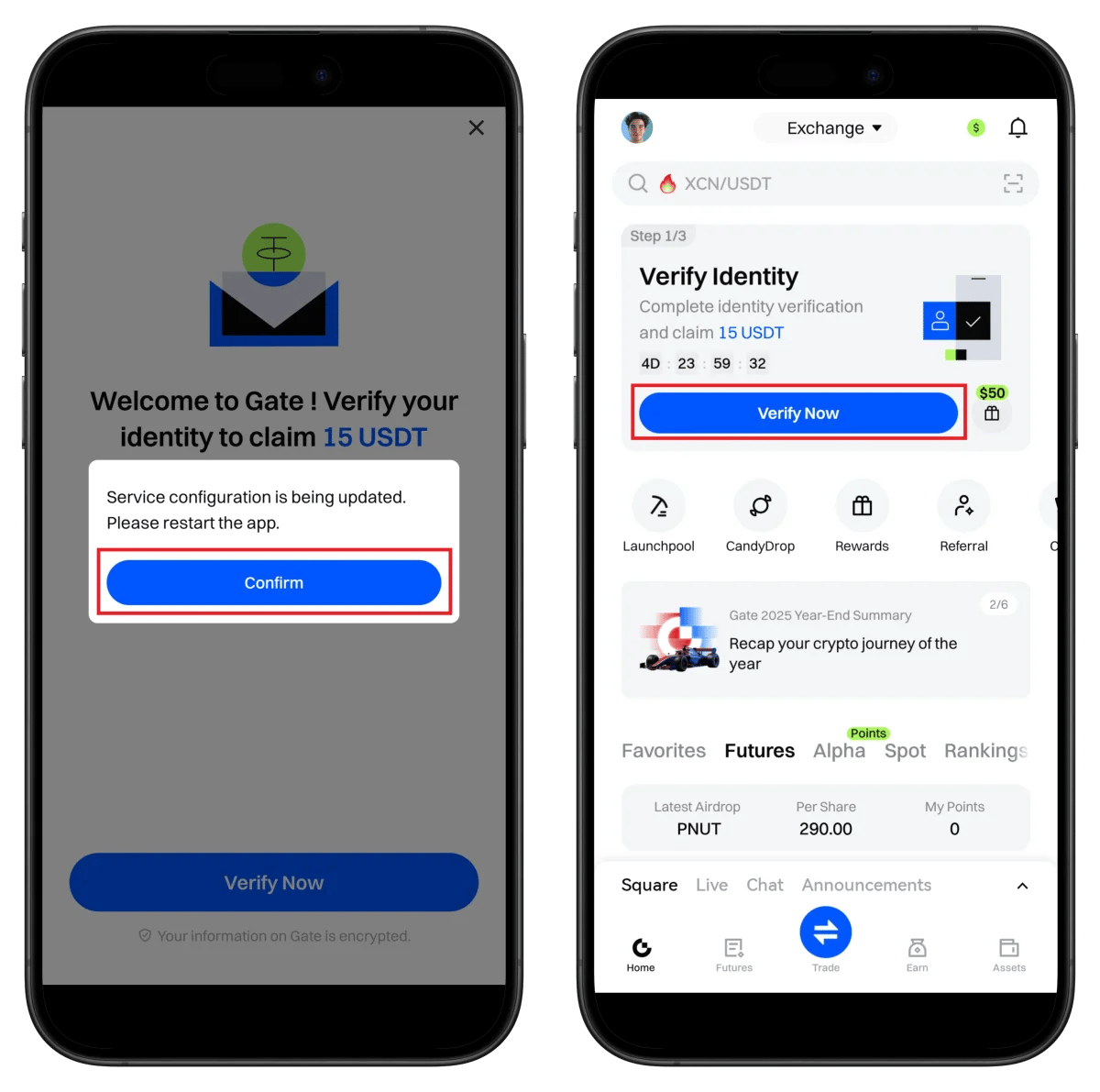
- Click Confirm
- Click Verify Now to proceed with KYC
💡 Get 15 USDT bonus upon KYC completion!
Step 5: Start KYC Verification from Profile
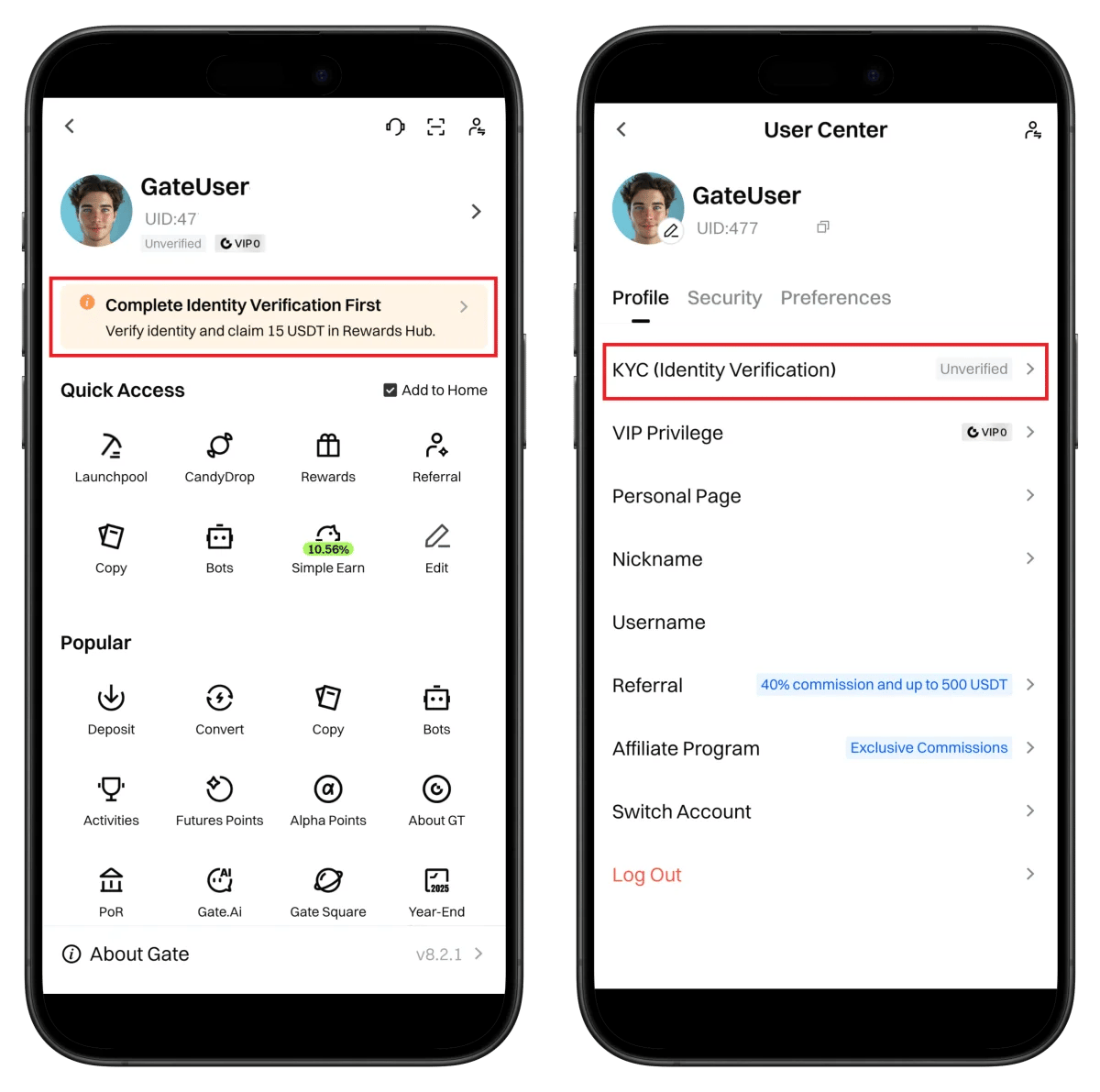
- Check your UID in profile (needed for TetherSave integration)
- Click KYC (Identity Verification)
Step 6: Select ID Document Type
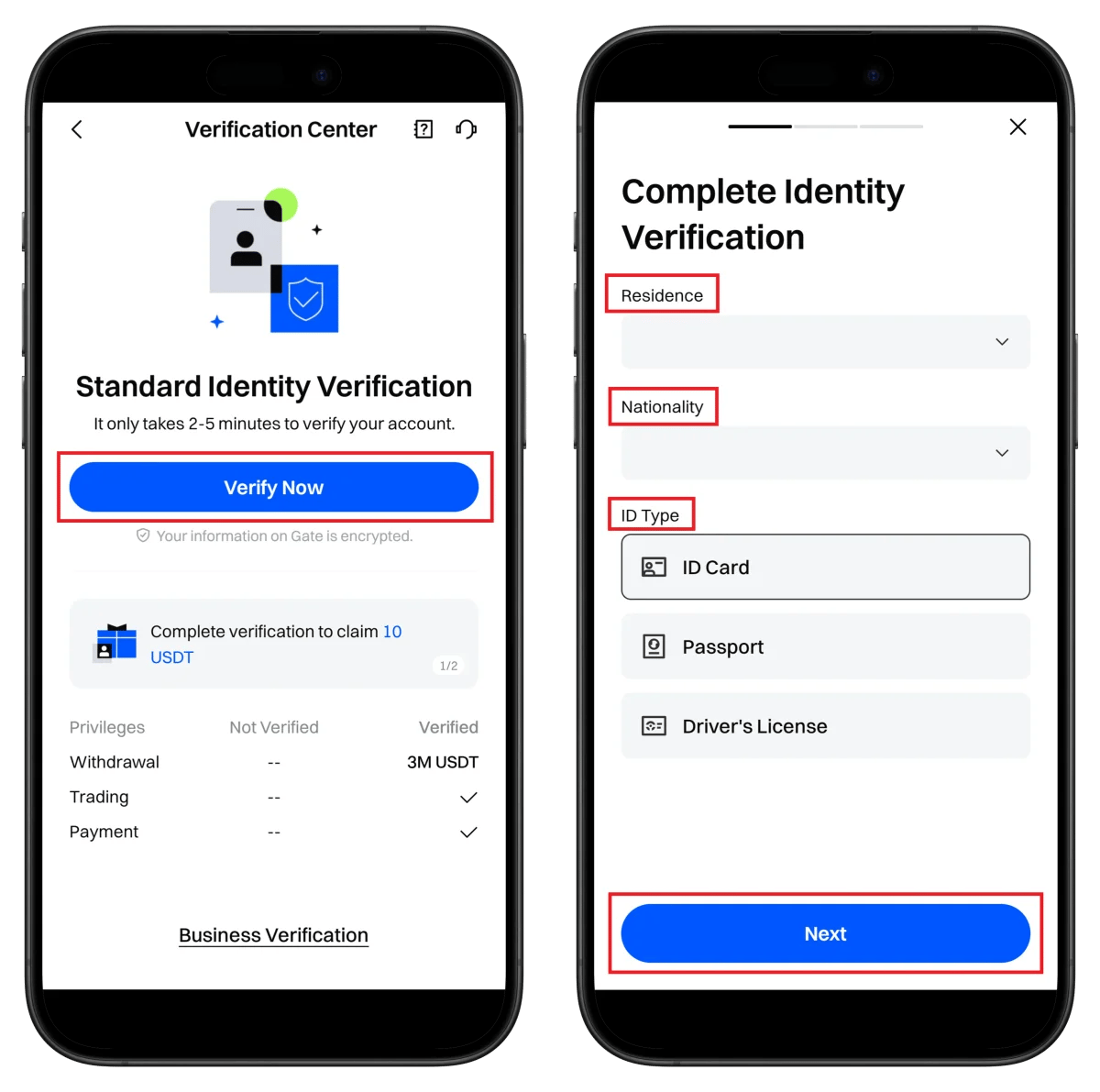
- Click Verify Now
- Select residence country/nationality
- Select ID document type (Passport recommended)
- Click Next
Upon verification: 3,000,000 USDT withdrawal limit
⏱️ Estimated time: About 2-5 minutes
Step 7: ID Preparation and Upload Instructions
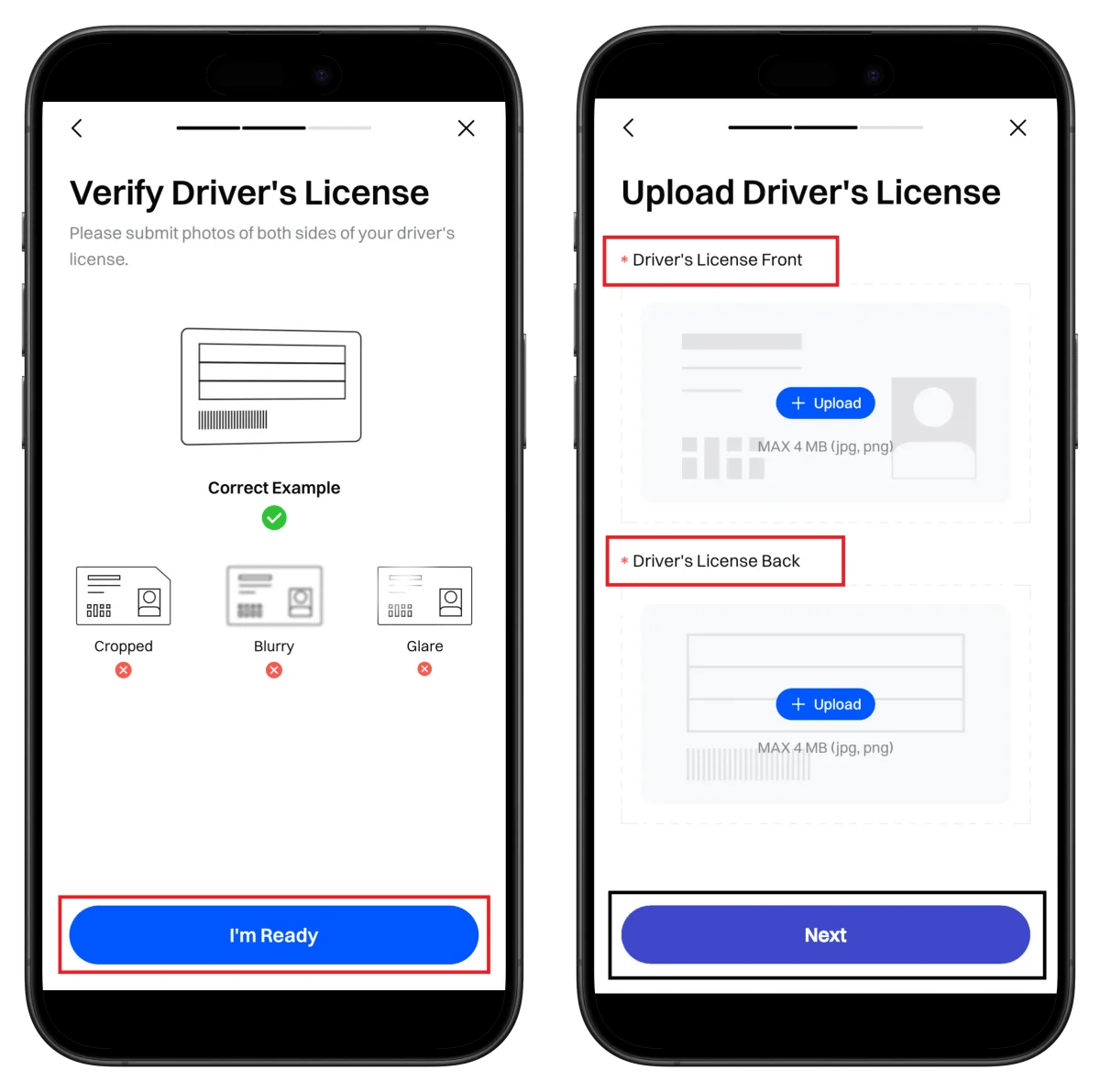
- Check correct examples (no cropping/blur/reflection)
- Click I'm Ready
Step 8: Capture ID Front Side
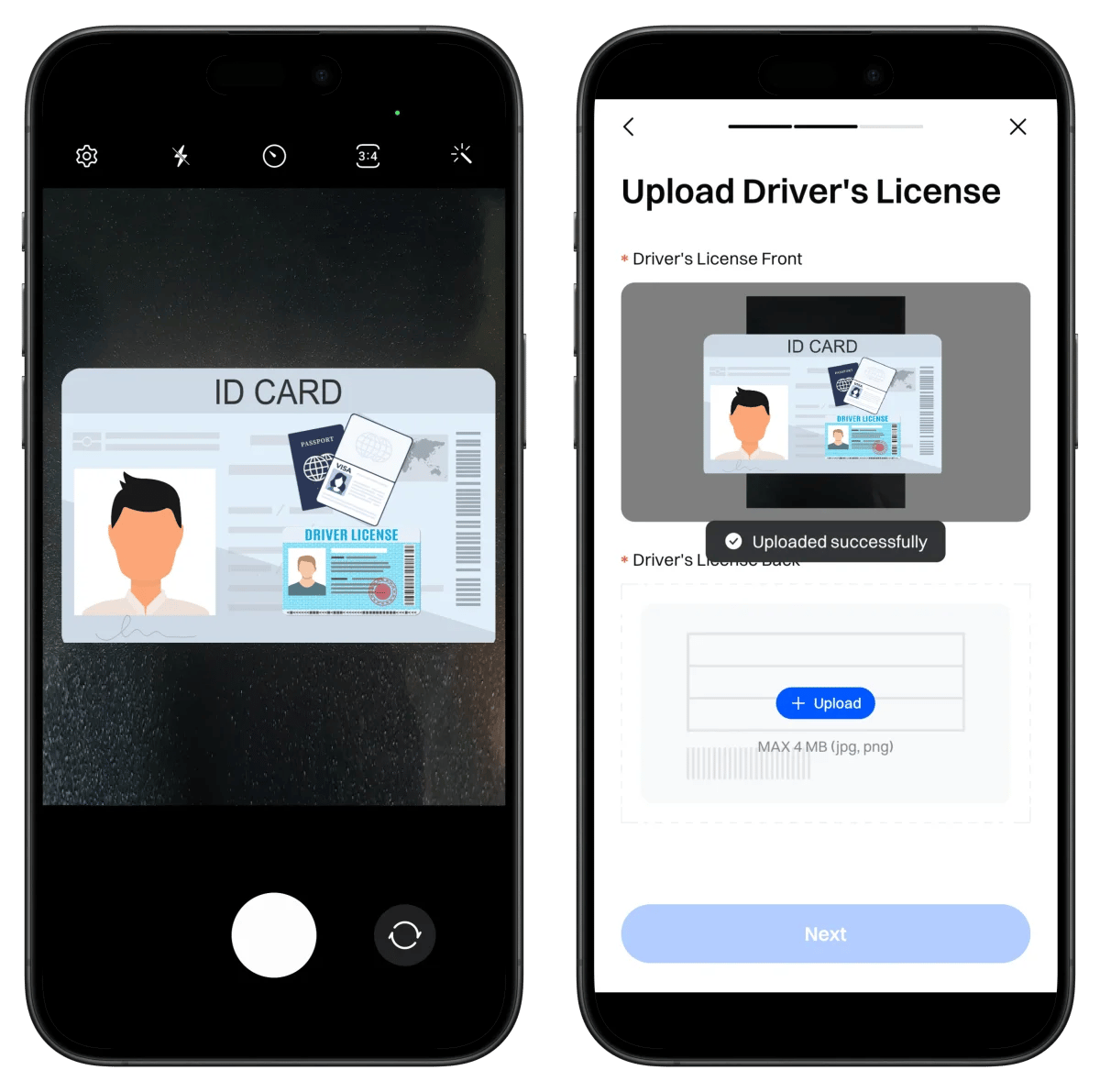
- Capture ID front within the frame
- Confirm upload complete
Step 9: Capture ID Back Side
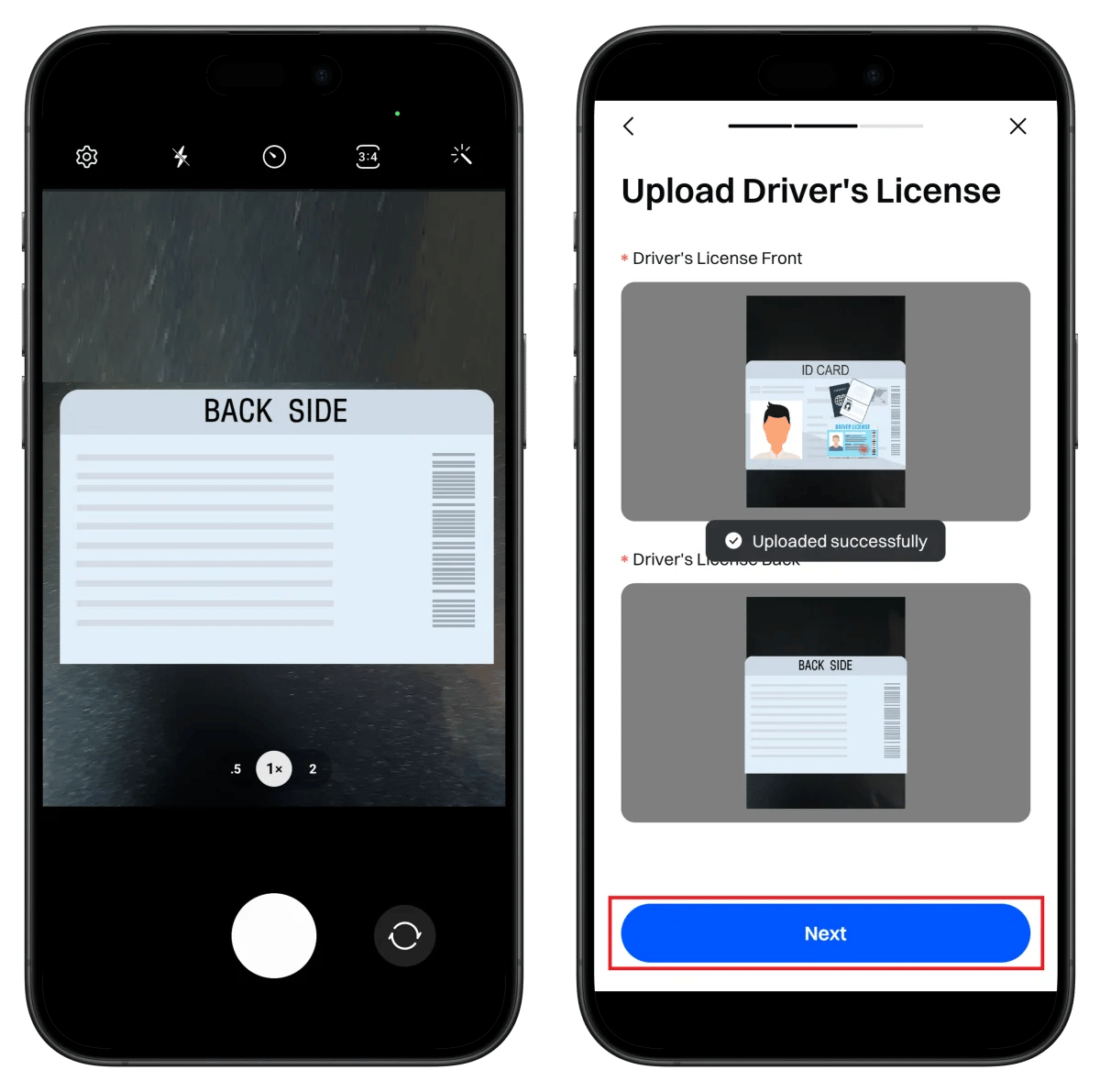
- Capture ID back side
- Click Next
Step 10: Take Selfie
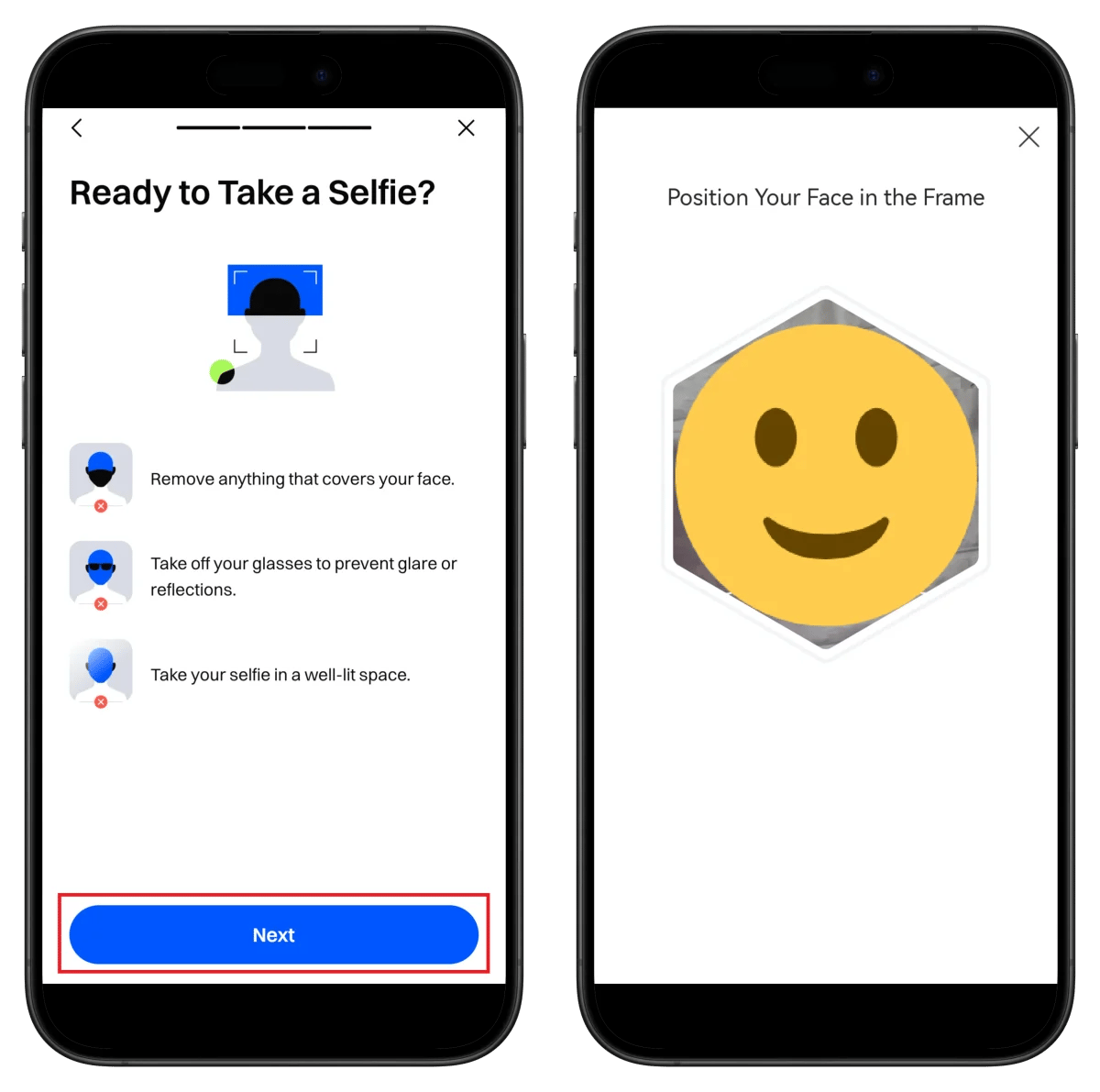
- Remove face coverings, take off glasses
- Click Next
- Position face in frame, auto-capture proceeds
Step 11: Enter Basic Information and Review
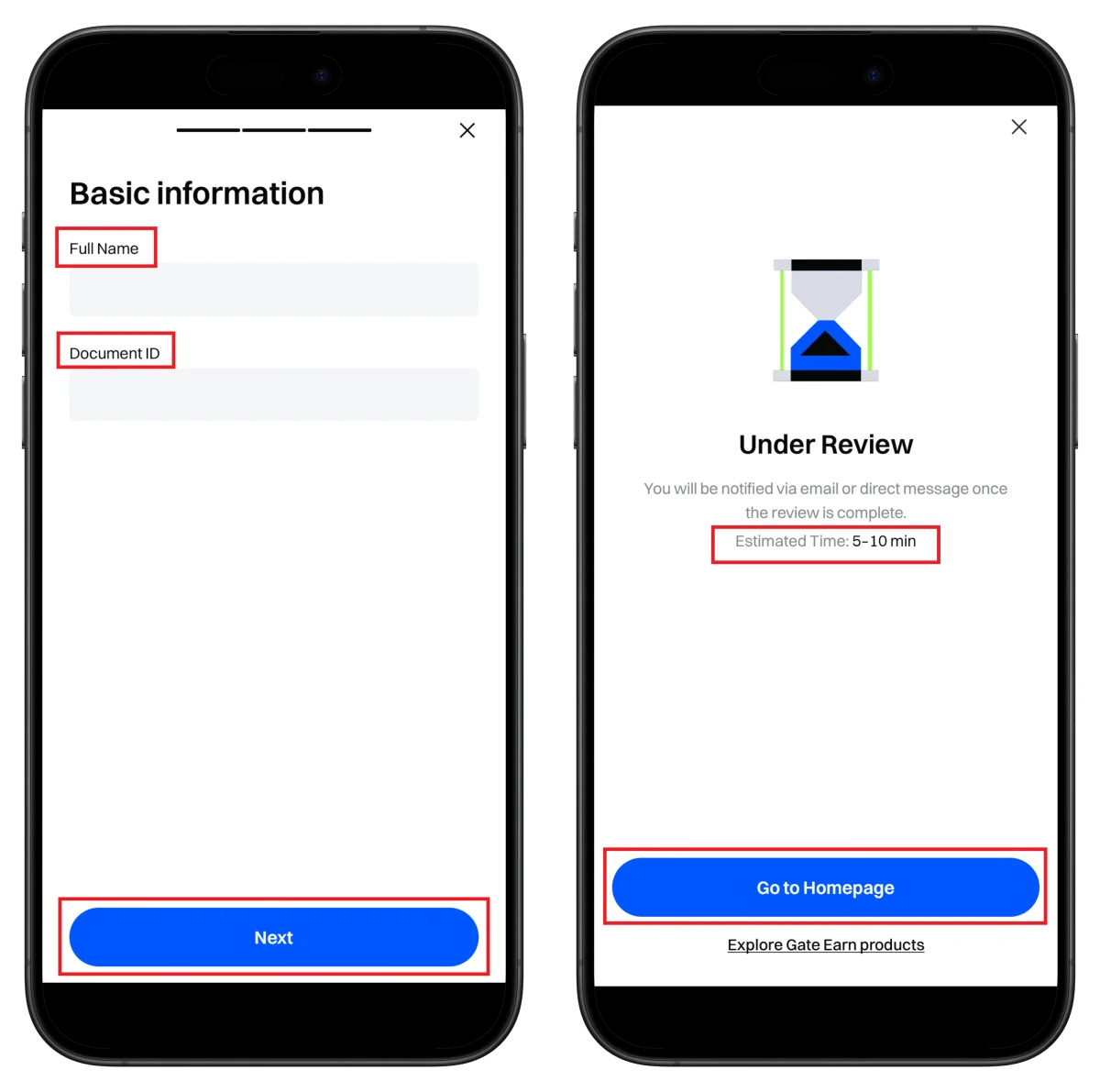
- Enter name as shown on ID
- Enter ID number
- Click Next
⏱️ Estimated review time: 5-10 minutes
Step 12: Verification Complete
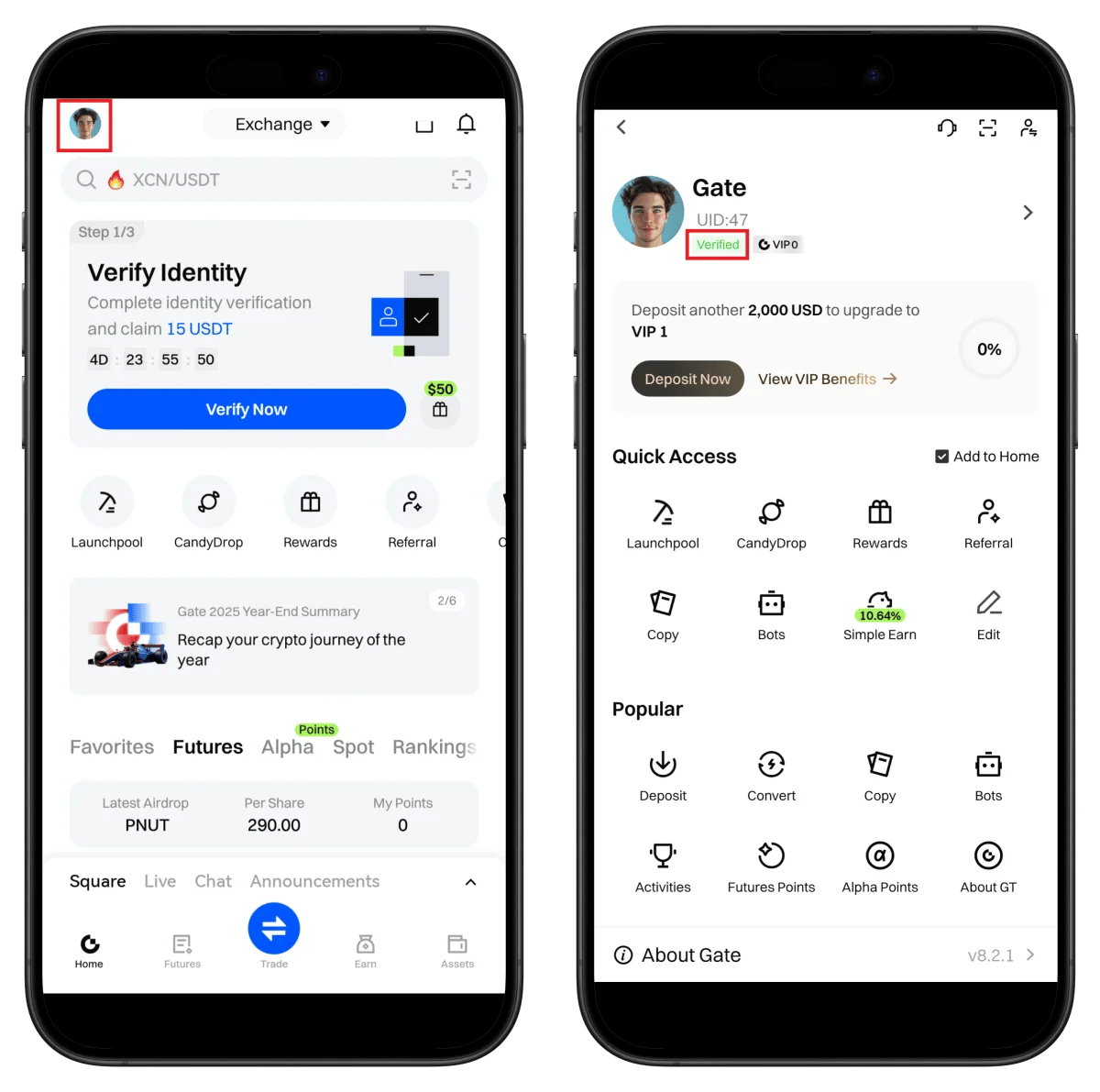
- Verified badge displayed on profile
- Check UID number (needed for TetherSave integration)
🎉 KYC verification complete!
How to Find Your Gate.io UID
To connect cashback to TetherSave, you need your Gate.io UID (unique identifier).
- Log in to Gate.io app or website.
- Tap the profile icon in the top left.
- Check the UID number displayed at the top of your profile.
👉 Detailed Guide to Find Gate.io UID
How to Connect TetherSave Cashback
- Gate.io Sign Up - Sign Up
- Sign up for TetherSave - Sign Up
- Go to My Page → Exchange Connection menu
- Select Gate.io
- Enter your verified UID
- Connection complete!
Frequently Asked Questions (FAQ)
Q: How long does Gate.io KYC verification take?
Usually completed within 5-10 minutes. Manual review may take up to 24 hours if required.
Q: What benefits do I get by signing up through the TetherSave referral link?
By signing up through TetherSave, you can receive cashback on a portion of your trading fees. You also get Gate.io's $10,000+ reward benefits.
Q: What should I do if my ID verification is rejected?
Check the rejection reason and resubmit with clearer photos. Passport use is recommended. Ensure photos are not cropped, blurry, or reflective.
Q: What is the withdrawal limit after completing Gate.io verification?
Upon completing Standard Identity Verification, daily withdrawal limit is set to 3,000,000 USDT.
Q: What are the password requirements?
Cannot be pure numbers or pure letters only, must be 8+ characters, and cannot contain your account name.
Written as of January 2026.
Related Posts

How to Sign Up for BingX (2026 Latest): Create a Cashback Account with KYC Verification

How to Sign Up for Bitget (2026 Latest): Create a Cashback Account with KYC Verification