How to Sign Up for BitMEX (2026 Latest): Create a Cashback Account (Including KYC Verification)

📚 Browse by Category
Complete Guide to BitMEX Registration 2026
Looking for how to sign up for BitMEX?
This guide covers the complete 2026 BitMEX registration process, from KYC identity verification to TetherSave cashback integration, with actual screenshots.
What You Need to Sign Up for BitMEX
Please prepare these 3 things before starting:
1. Email Address
- A valid email for BitMEX registration
2. ID Document (for KYC)
Prepare one of the following:
- Passport
- Driver's License
- ID Card
- Residence Card
3. Smartphone
Needed for 2FA setup and ID document photos.
BitMEX Registration Steps
Step 1: Access TetherSave Referral Link
👉 Create BitMEX Cashback Account (Referral Code: vipcode)
👉 View BitMEX Exchange Details
Signing up through this link automatically connects TetherSave cashback benefits.
💡 Referral code vipcode is auto-applied. Verify the code is entered on the signup screen.
Step 2: Sign Up and Select Account Type
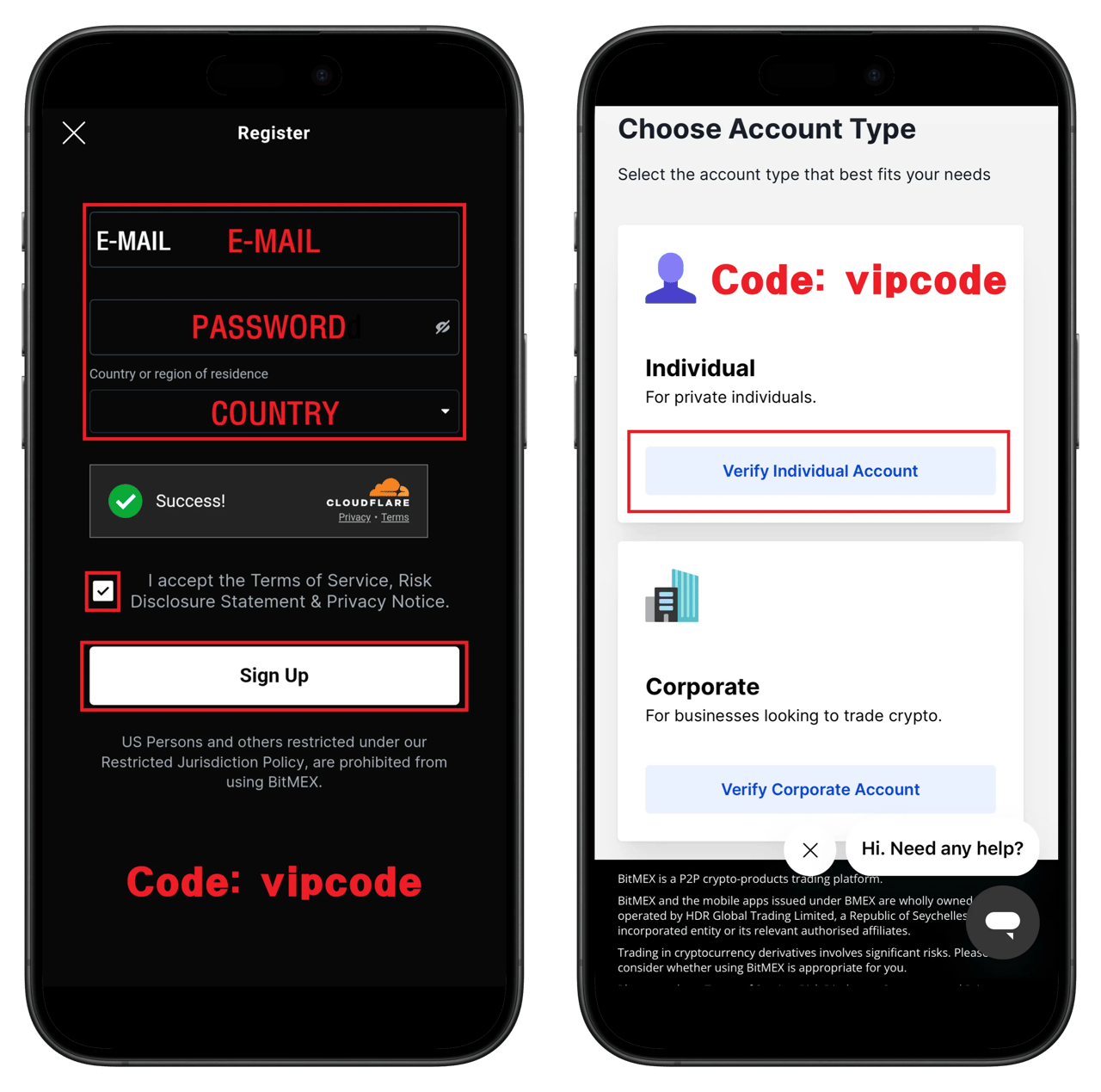
- Enter email address
- Enter password
- Select country of residence
- Verify referral code: vipcode
- Check terms agreement
- Click Sign Up
- Select account type: Individual
💡 Most users select the Individual account.
Step 3: Start KYC Verification
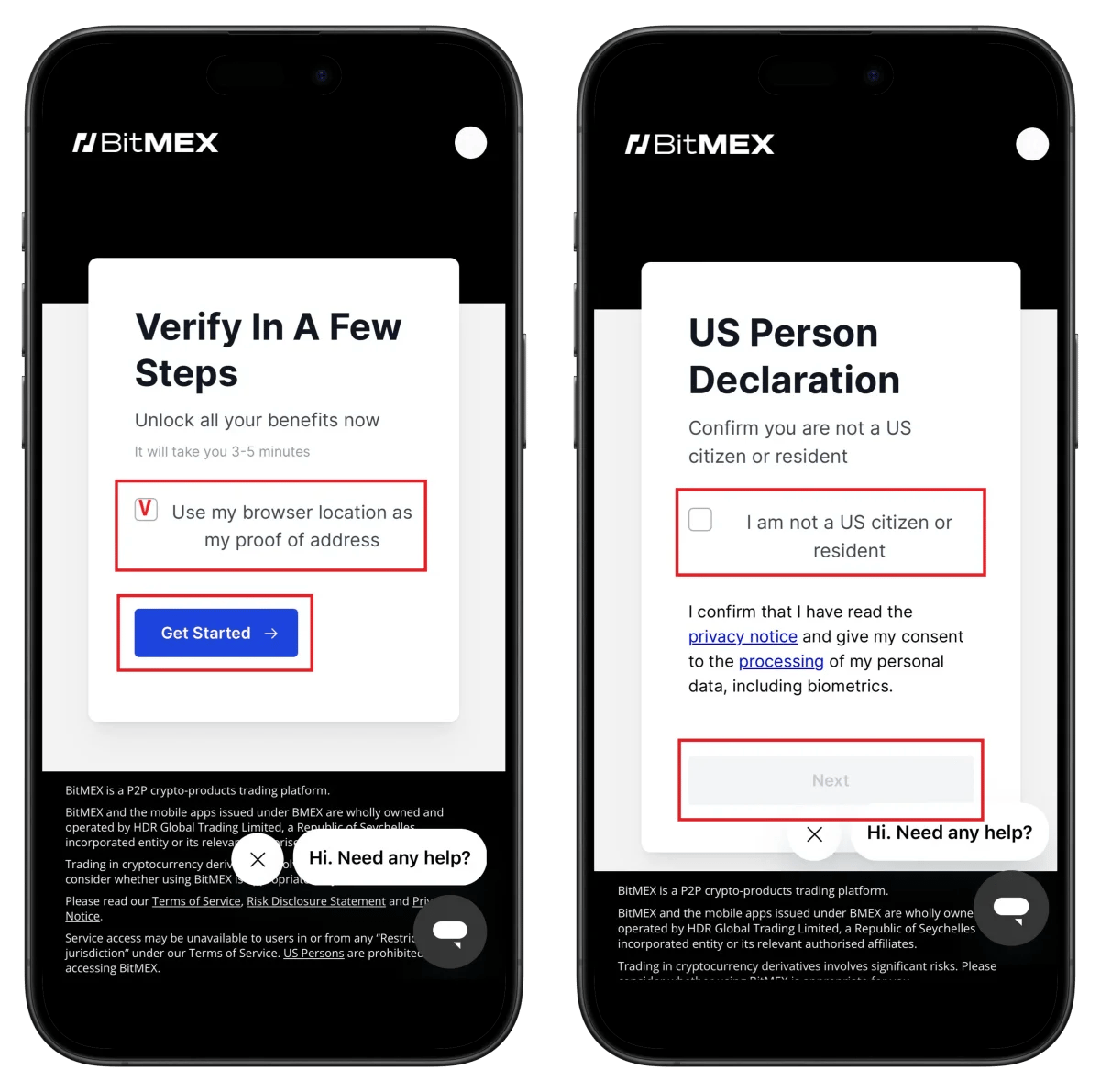
- Click Get Started
- Check I am not a US citizen or resident
- Click Next
⚠️ US citizens or residents cannot use BitMEX.
⏱️ Time required: 3-5 minutes
Step 4: Select ID Document Type
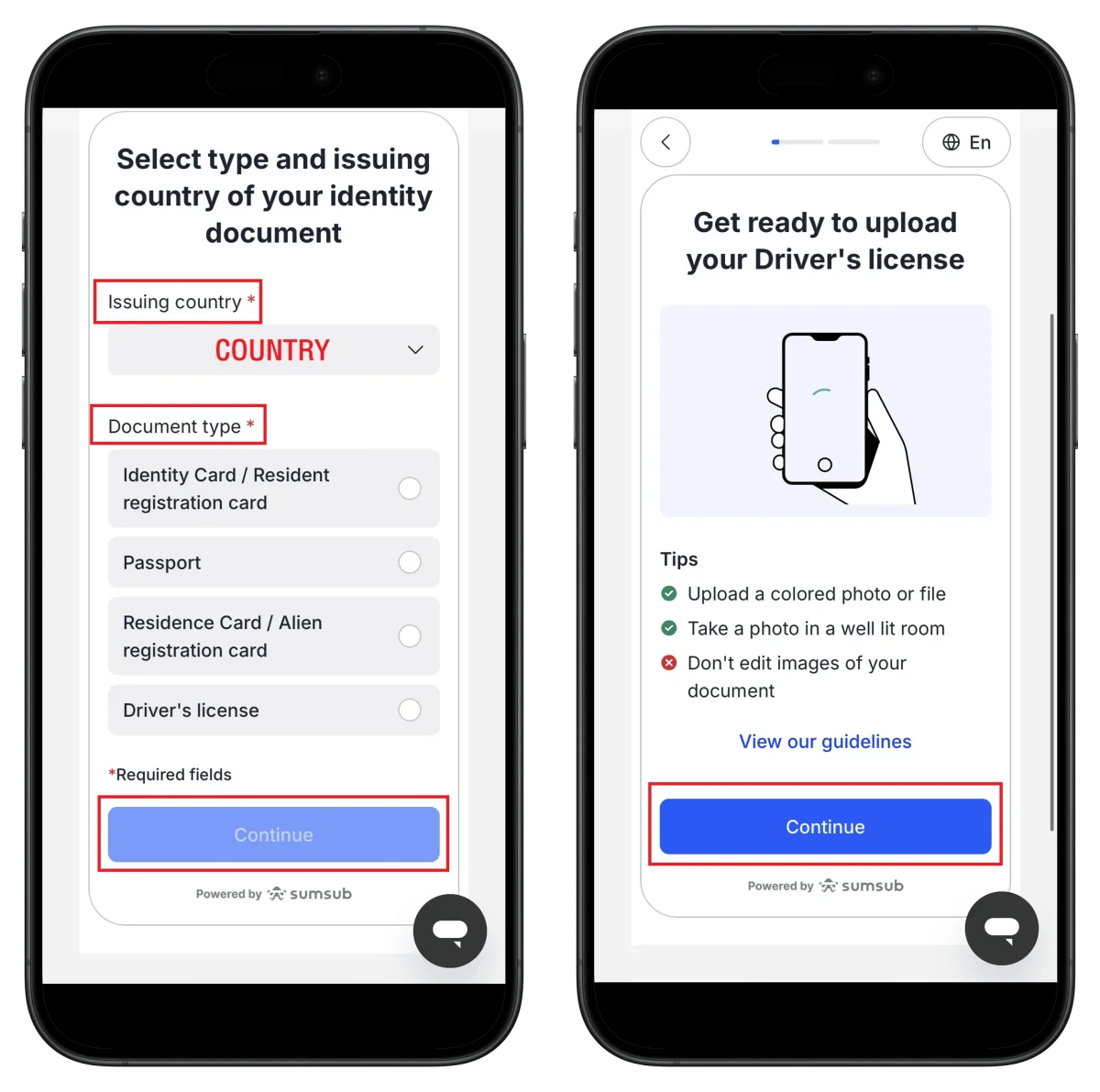
- Select document issuing country
- Select ID type (passport recommended)
- Click Continue
💡 Take color photos in good lighting. Image editing is prohibited.
Step 5: Take ID Photo
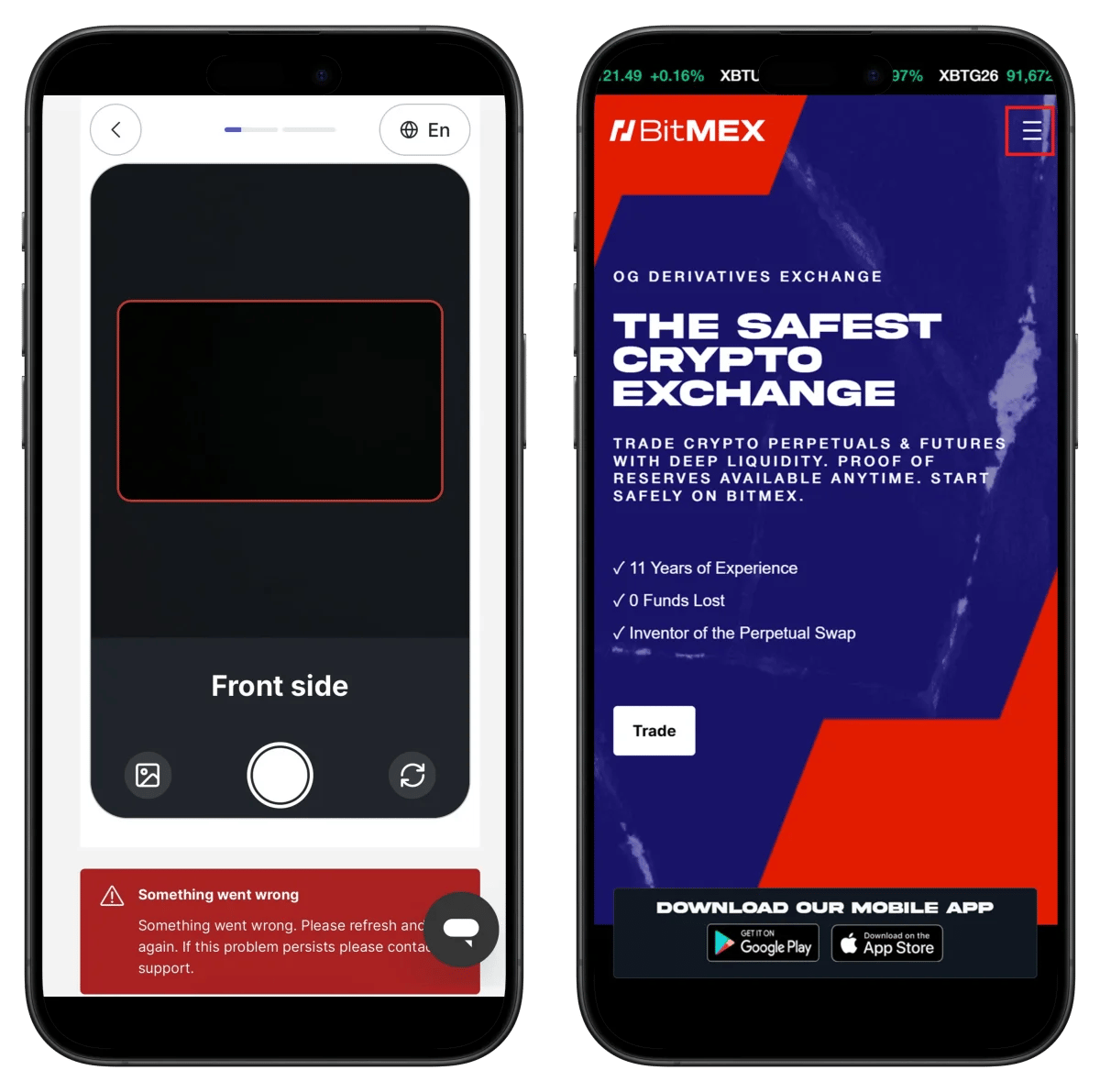
- Take front of ID
- Align ID within frame
⚠️ If error occurs, refresh and try again.
Step 6: Account Settings
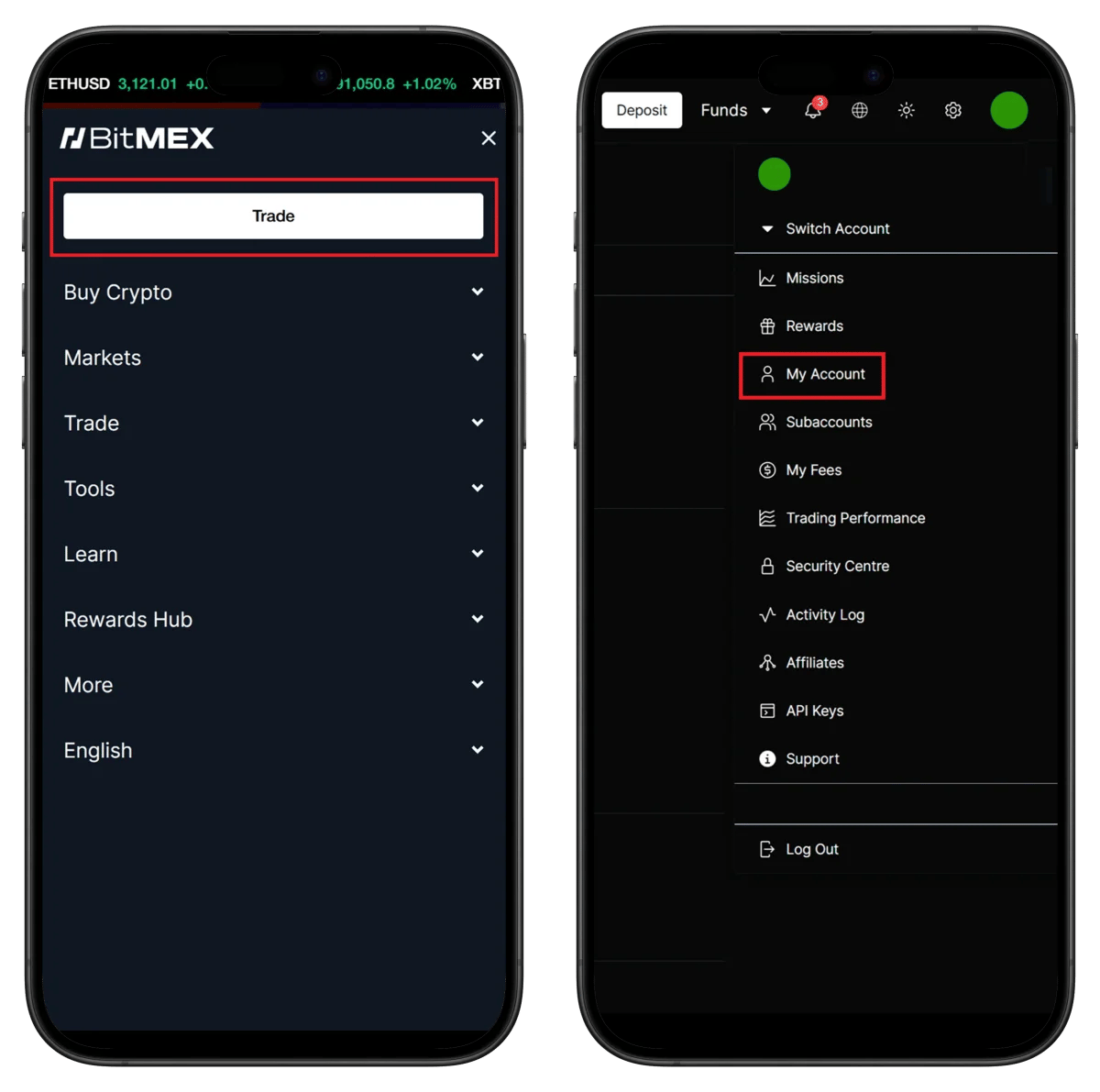
- Click My Account in menu
- Verify account information
Step 7: Confirm Verification Complete
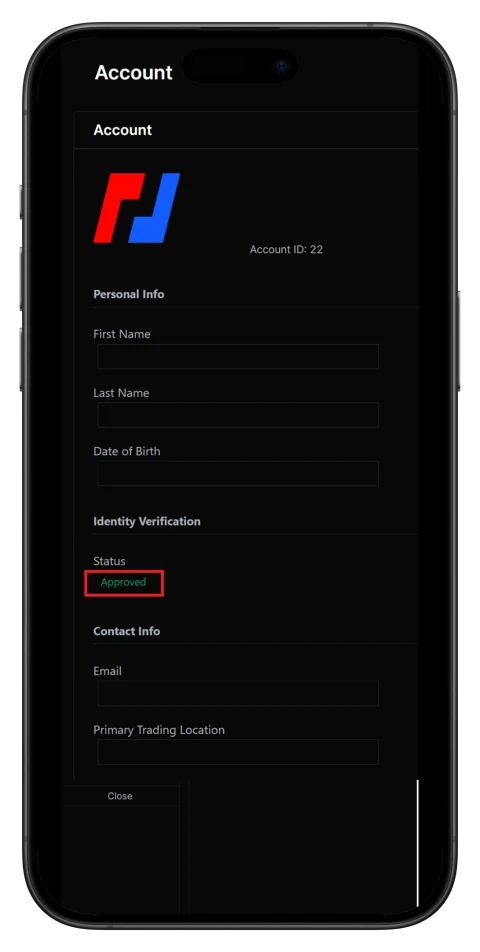
- Status: Approved ✅ Verification complete
- Check Account ID (needed for TetherSave connection)
🎉 KYC verification is complete and all features are now available.
How to Find BitMEX UID
To connect cashback on TetherSave, you need your BitMEX UID (unique identifier).
- Check Account ID in My Account
- Enter this UID in TetherSave
How to Connect TetherSave Cashback
After completing BitMEX signup and UID check, connect to TetherSave to receive cashback.
- Sign up for TetherSave - Sign Up
- Go to My Page → Exchange Connection
- Select BitMEX
- Enter your UID
- Connection complete!
FAQ
Q: How long does BitMEX KYC verification take?
Through Sumsub verification, it usually completes within 3-5 minutes.
Q: What benefits do I get signing up with TetherSave referral?
Signing up with referral code vipcode lets you receive cashback on trading fees.
Q: What if ID verification is rejected?
Check the rejection reason and resubmit with a clearer photo. Passport is recommended.
Q: What kind of exchange is BitMEX?
BitMEX is a derivatives exchange with 11 years of history, the first to introduce Perpetual Swaps.
Q: Can I use BitMEX from the US?
No, US citizens or residents cannot use BitMEX.
Written as of January 2026.
Related Posts

How to Sign Up for Gate.io (2026 Updated): Create a Cashback Account with KYC Verification

How to Sign Up for BingX (2026 Latest): Create a Cashback Account with KYC Verification