How to Sign Up for BVOX (2026): Create a Cashback Account with KYC Verification

📚 Browse by Category
Complete BVOX Registration Guide 2026
Looking for BVOX registration guide?
This guide covers the entire process from BVOX account creation, KYC verification, to TetherSave cashback connection with step-by-step screenshots.
Preparation for BVOX Registration
1. Email Address
- Valid email to use for BVOX registration
2. Identity Document (for KYC Verification)
- Passport
- Driver's License
- ID Card
- Residence Permit
3. Smartphone
Required for 2FA setup, document photography, and selfie verification.
BVOX Registration Step-by-Step Guide
Step 1: Access TetherSave Exclusive Registration Link
👉 Create TetherSave Exclusive Cashback Account
👉 Go to BVOX Exchange Detail Page
Register through the link above to automatically connect TetherSave cashback benefits.
Step 2: Enter Email and Password
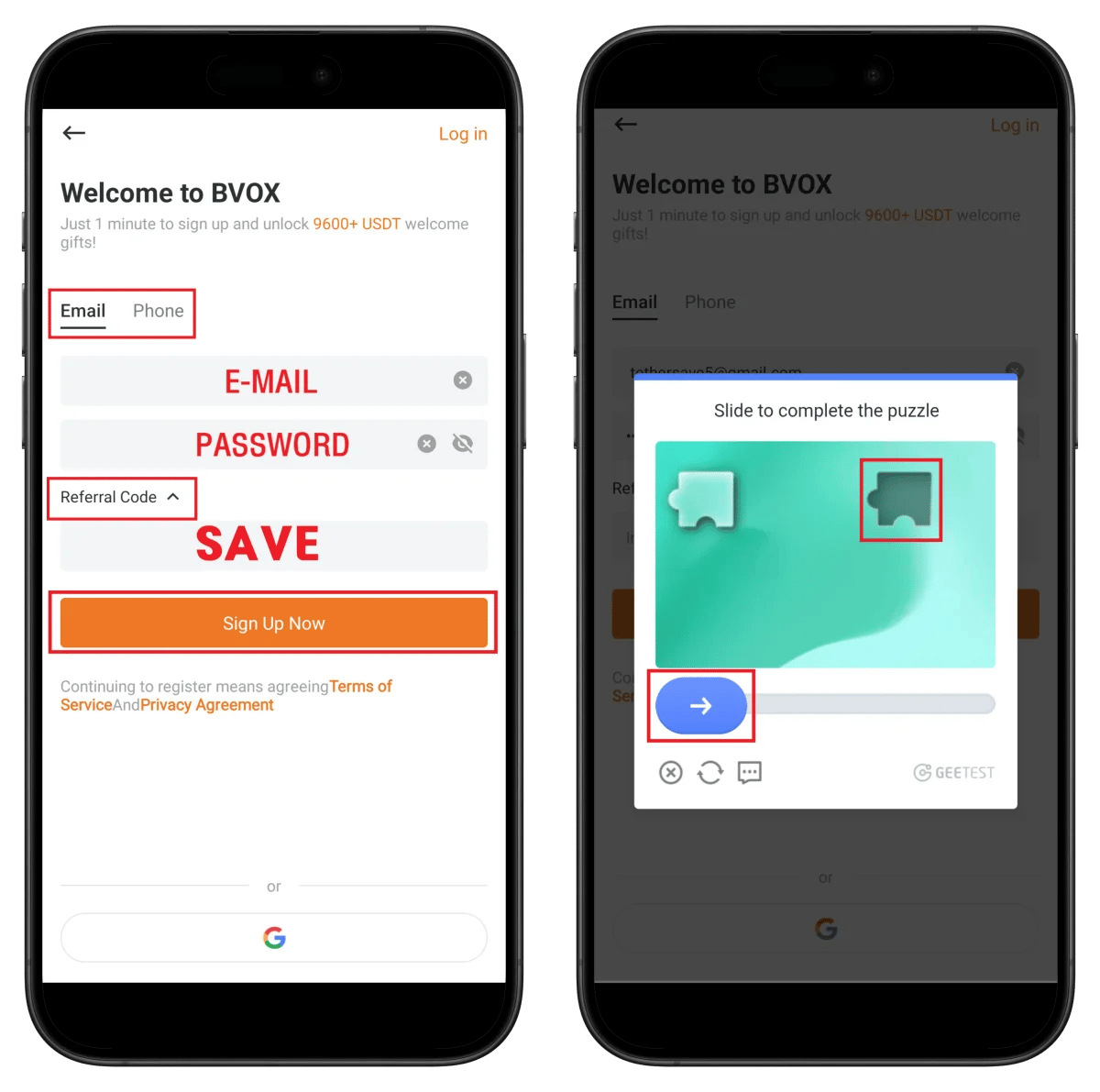
- Enter your email/password
- Verify referral code SAVE is filled
- Click Sign Up Now
- Slide the puzzle to complete verification
💡 New users can receive 9600+ USDT welcome gift!
Step 3: Enter Email Verification Code
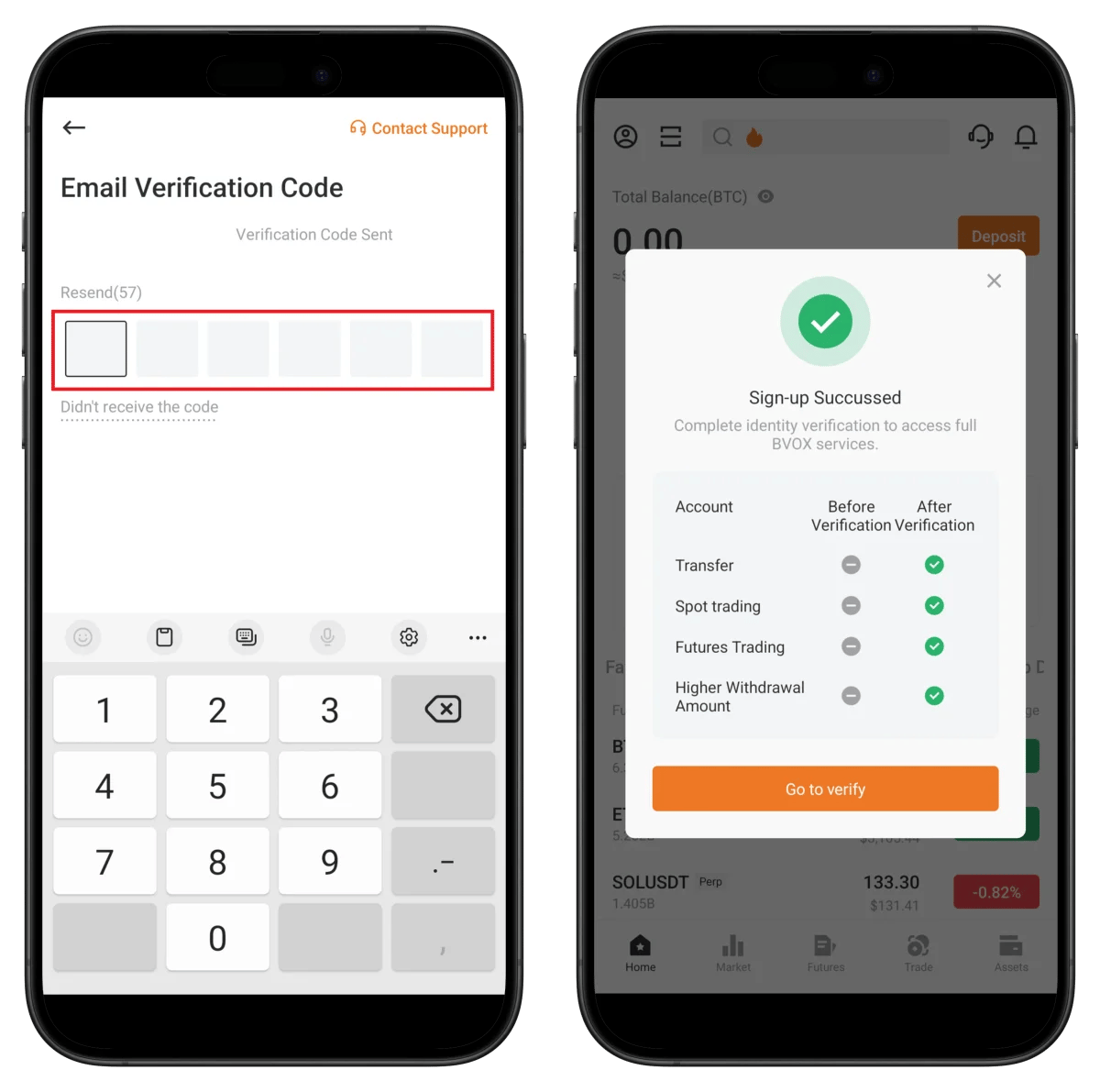
- Enter the 6-digit code sent to your email
- Confirm Sign-up Succeeded popup
- Click Go to verify to proceed with KYC
Features activated after verification:
- Transfer, Spot Trading, Futures Trading ✅
Step 4: Start KYC and Select Country of Residence
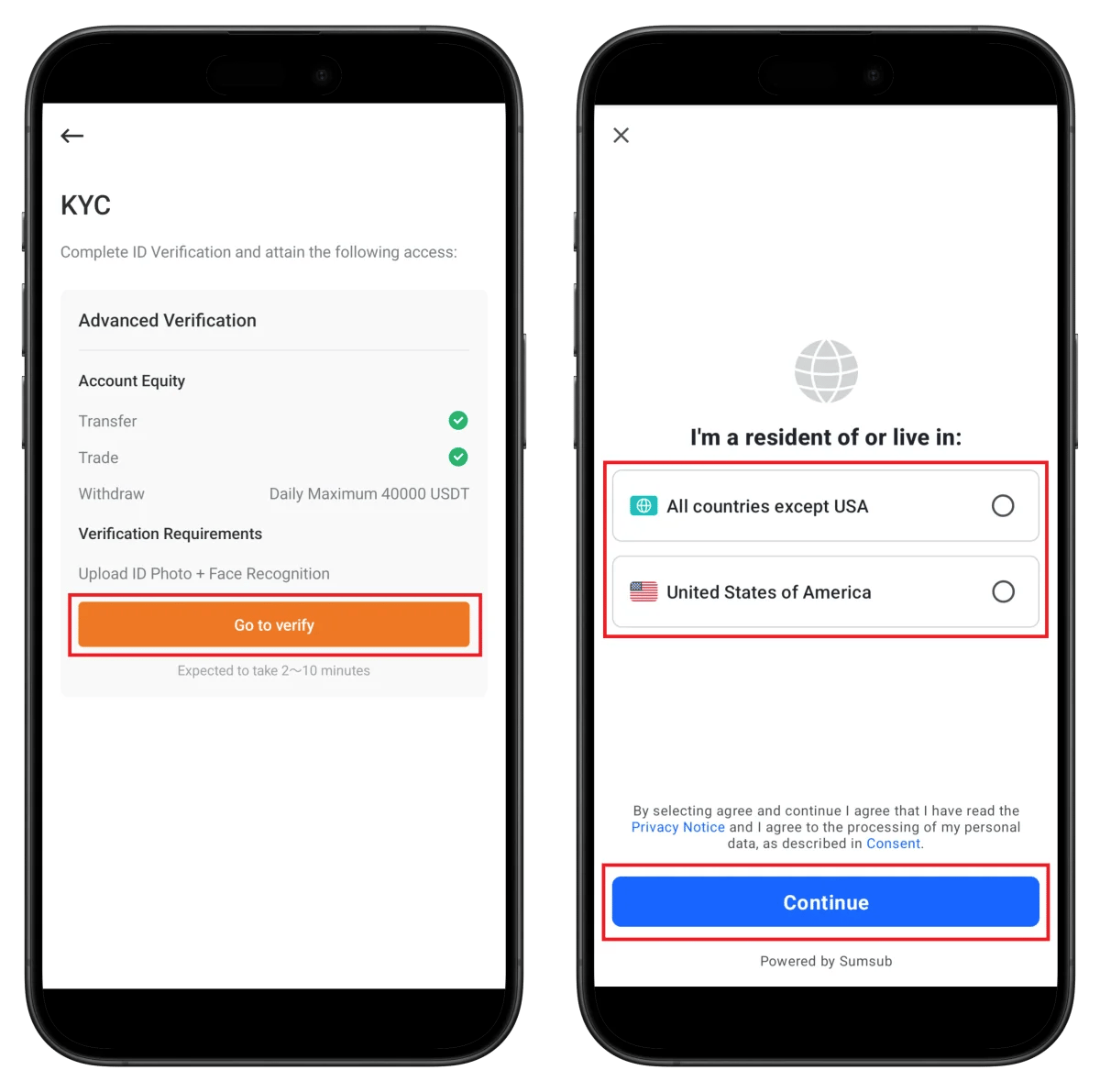
- Click Go to verify
- Select your country of residence (All countries except US / US)
- Click Continue
Withdrawal limit after verification: 40,000 USDT daily
⏱️ Estimated time: 2-10 minutes
Step 5: Select ID Document Type

- Click Continue
- Select document issuing country
- Select ID type (Passport recommended)
Step 6: Photo and Upload ID Document
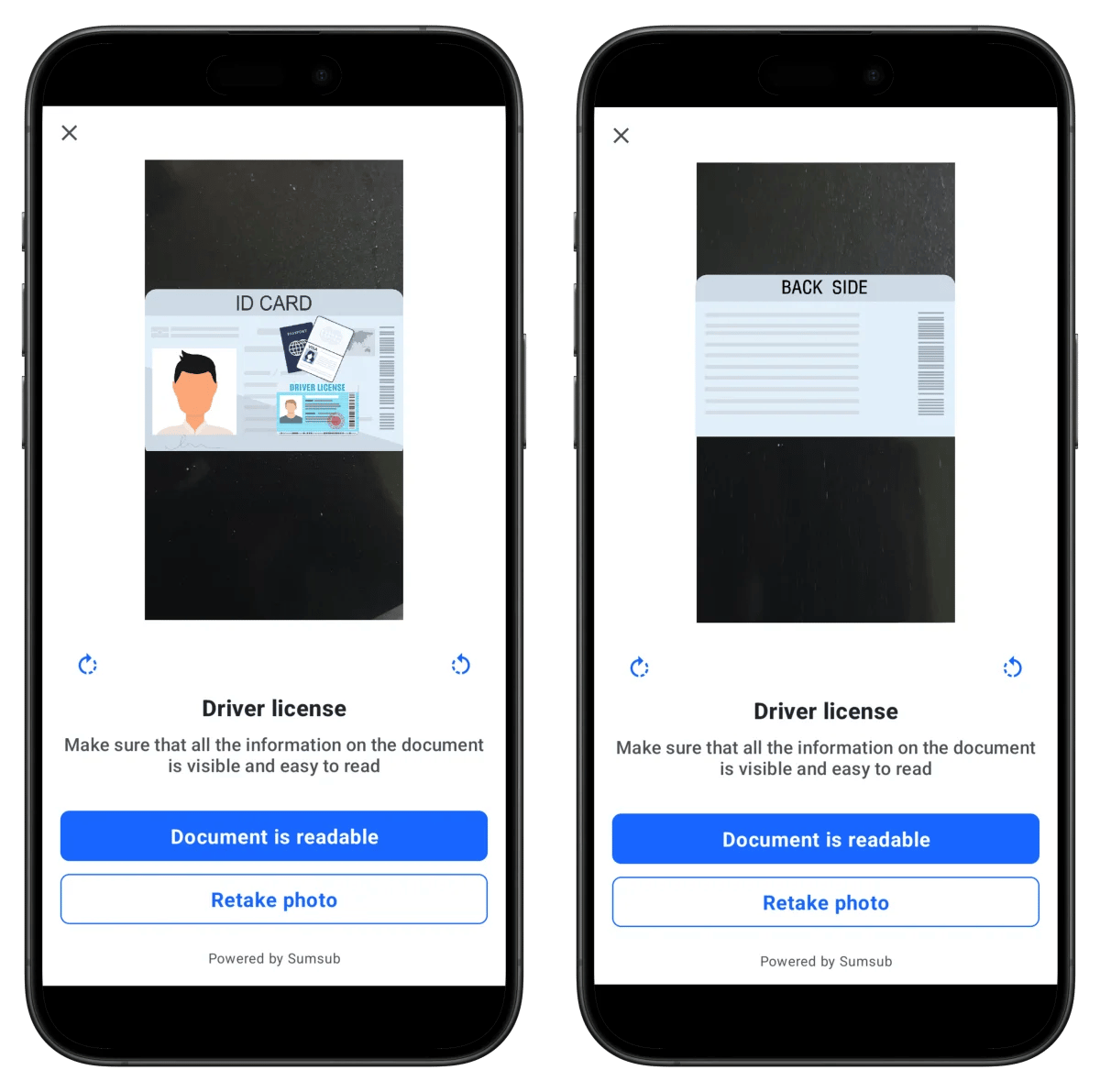
- Take photo of ID front side
- Click Document is readable
- Take photo of ID back side
💡 Ensure all information is clearly visible in the photo.
Step 7: Take Selfie
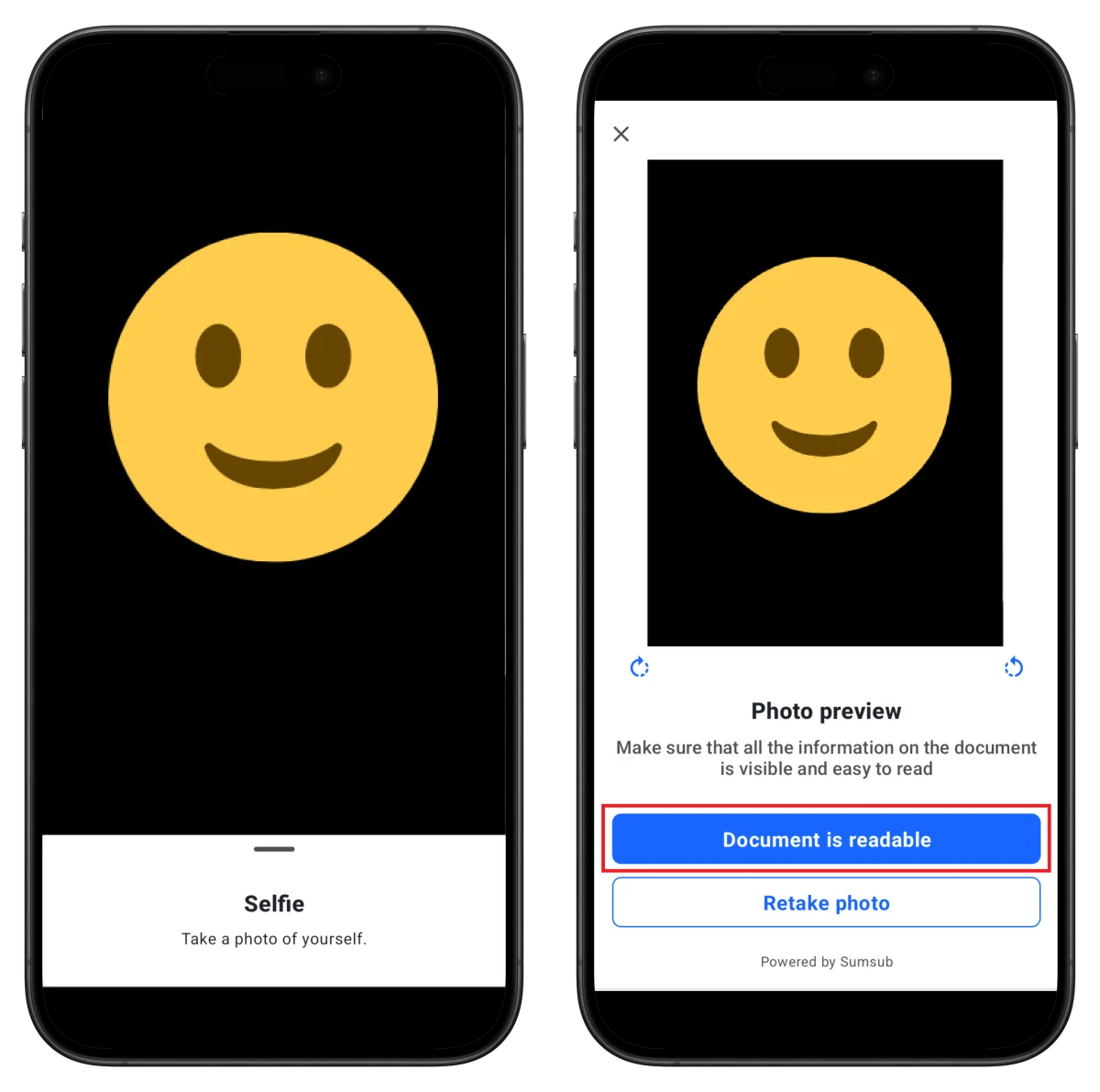
- Position your face within the frame
- Take a selfie
- Click Document is readable
Step 8: Review in Progress and Completion
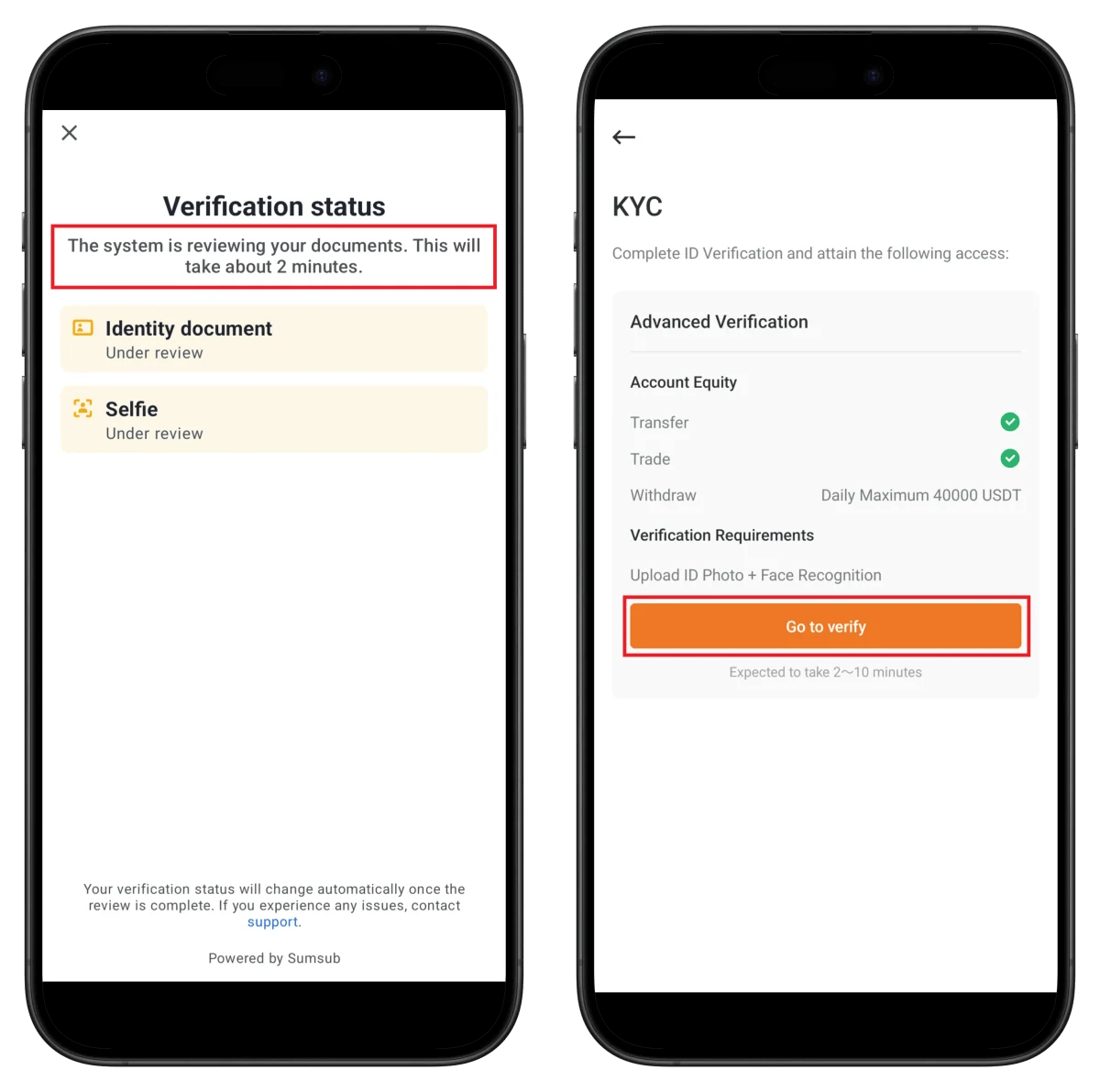
- Identity document: Under review
- Selfie: Under review
✅ All items will be checked when verification is complete
- Transfer ✅, Trade ✅
- Withdrawal: 40,000 USDT daily
How to Find Your BVOX UID
You need your BVOX UID (unique identification number) to connect cashback to TetherSave.
- Log in to the BVOX app or web.
- Check your UID in your profile or account settings.
How to Connect TetherSave Cashback
- BVOX Sign Up - Sign Up
- Sign up for TetherSave - Sign Up
- Go to My Page → Exchange Connection Menu
- Select BVOX
- Enter your verified UID
- Connection Complete!
Frequently Asked Questions (FAQ)
Q: How long does BVOX KYC verification take?
Using the Sumsub automatic verification system, it usually completes within 2-10 minutes. Manual review may take up to 24 hours.
Q: What benefits do I get from signing up with TetherSave referral link?
By signing up through TetherSave, you can receive cashback on a portion of your trading fees. You can also receive BVOX's 9600+ USDT welcome gift.
Q: What should I do if document verification is rejected?
Check the rejection reason and resubmit with a clearer photo. Passport is recommended. All information must be clearly visible.
Q: What is the withdrawal limit after BVOX verification?
After completing Advanced Verification, the daily withdrawal limit is set to 40,000 USDT.
Q: What if the puzzle verification keeps failing?
Try clearing your browser cache or using a different browser. Using the mobile app is also a good option.
Written as of January 2026
Related Posts

How to Sign Up for Gate.io (2026 Updated): Create a Cashback Account with KYC Verification

How to Sign Up for BingX (2026 Latest): Create a Cashback Account with KYC Verification