CoinW Sign Up Guide (2026 Latest): Create a Cashback Account (Including KYC Verification)

📚 Browse by Category
CoinW Sign Up Complete Guide 2026
Looking for how to sign up for CoinW?
This article provides a detailed guide from the 2026 latest CoinW registration process to KYC identity verification and TetherSave cashback integration, with actual screenshots.
CoinW Sign Up Requirements
Please prepare these 3 items before starting registration:
1. Email Address
- A valid email is required for CoinW registration
2. ID Document (for KYC Verification)
Prepare one of the following:
- Passport
- Identity Card
- Residence Card
- Driver's License
3. Smartphone
Required for 2FA setup, ID photo capture, and selfie verification.
CoinW Sign Up Steps (Step-by-Step Guide)
Step 1: Access TetherSave Exclusive Sign Up Link
👉 Create TetherSave Cashback Account
👉 Go to CoinW Exchange Details Page
Signing up through this link automatically connects you to TetherSave cashback benefits.
Step 2: Enter Account Information and Security Verification
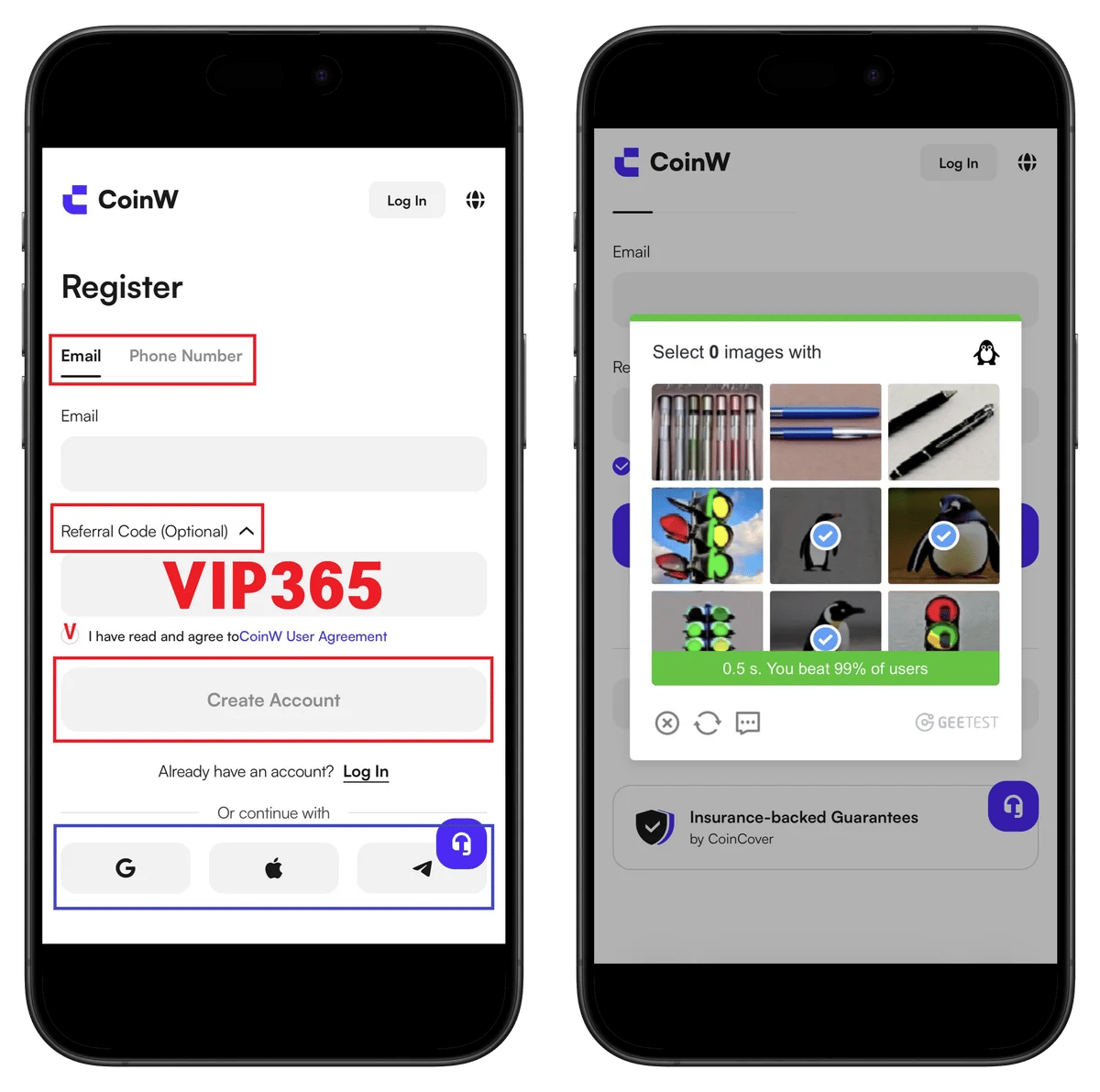
- Enter your email address
- Verify referral code VIP365
- Check terms agreement
- Click Create Account
- Security verification: Select images matching the specified category
Step 3: Email Verification and Password Setup
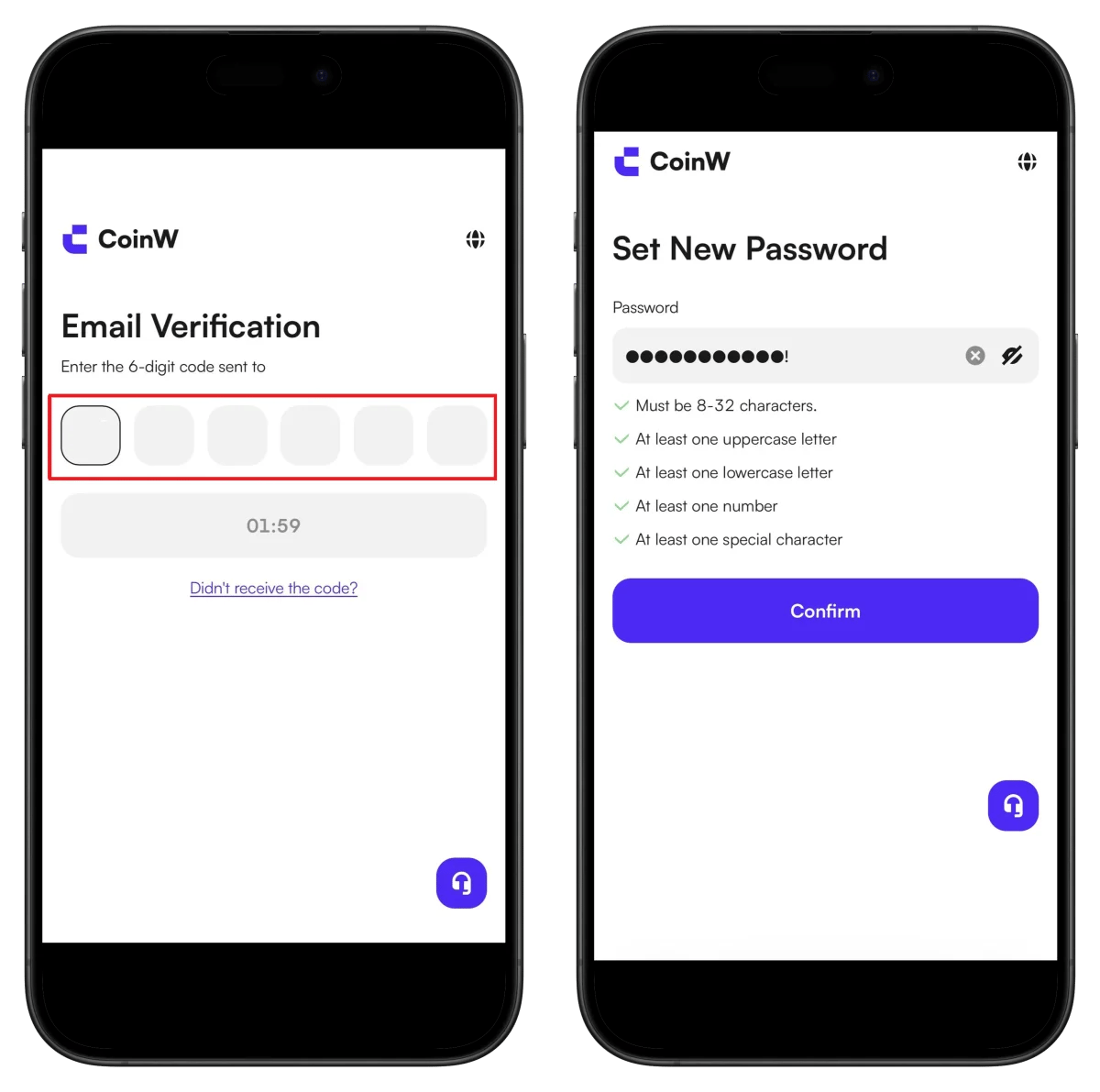
- Enter the 6-digit verification code sent to your email
- Set password (8-32 characters, uppercase + lowercase + numbers + special characters)
- Click Confirm
⚠️ The verification code is valid for 2 minutes.
Step 4: Stay Signed In Setting and Profile Access
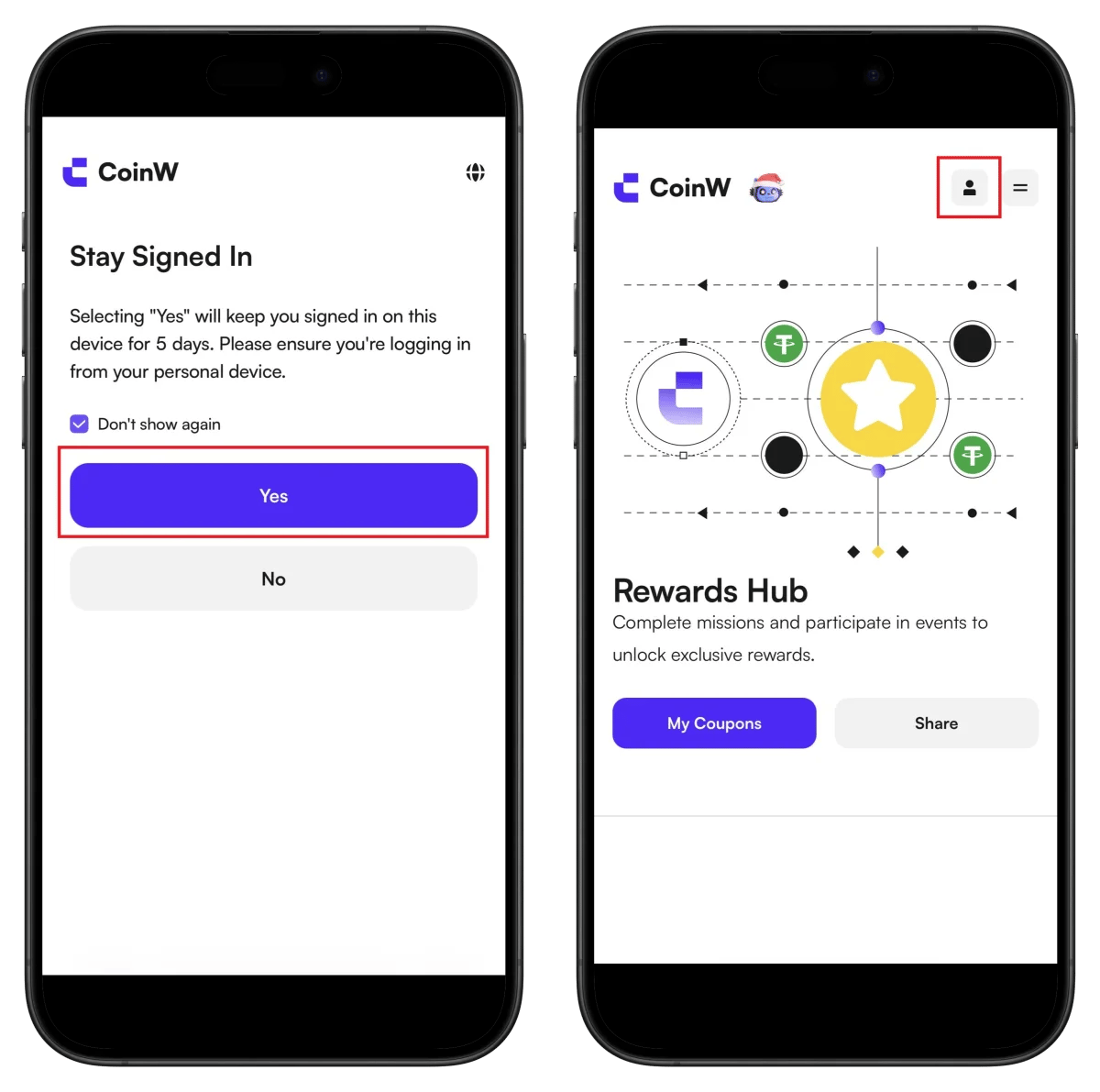
- Click Yes (stay signed in for 5 days)
- Click the profile icon in the top right
Step 5: Start KYC Identity Verification
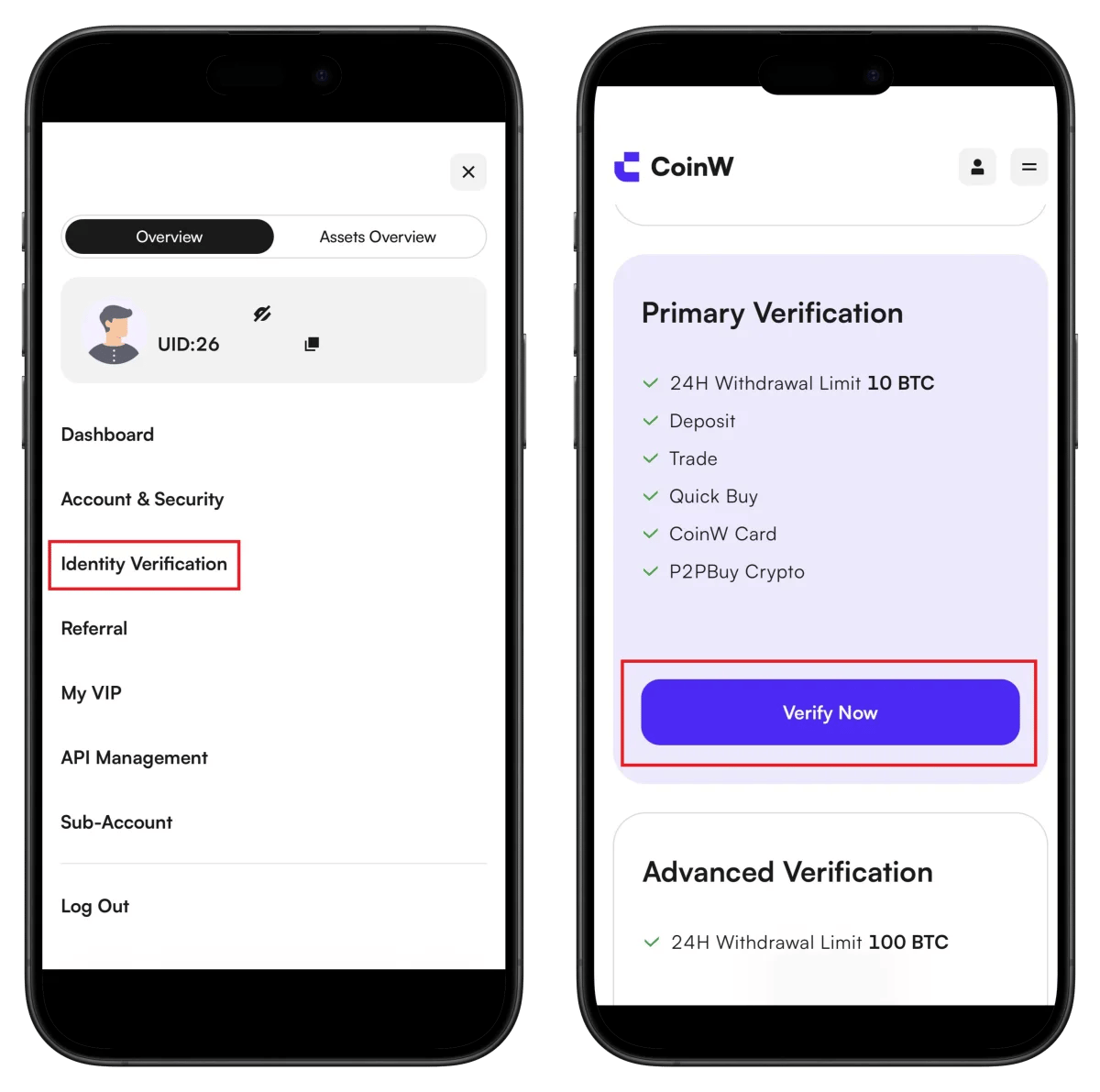
- Check your UID in the profile menu (needed for TetherSave integration)
- Click Identity Verification
- Click Verify Now
Benefits after verification: 24H withdrawal limit 10 BTC
Step 6: Select Country and ID Type
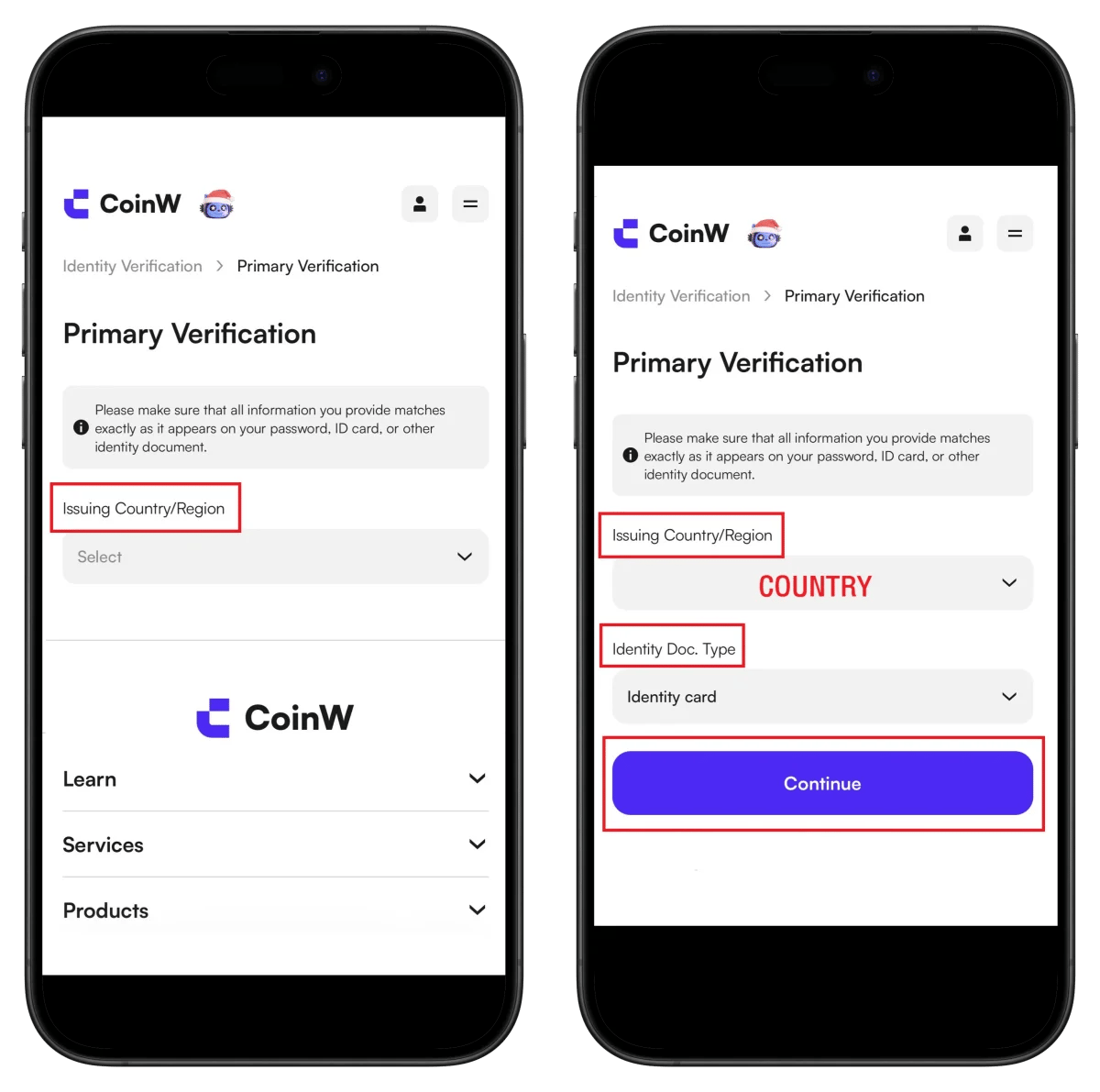
- Select ID issuing country
- Select ID type (Passport recommended)
- Click Continue
Step 7: Start Sumsub Verification Service
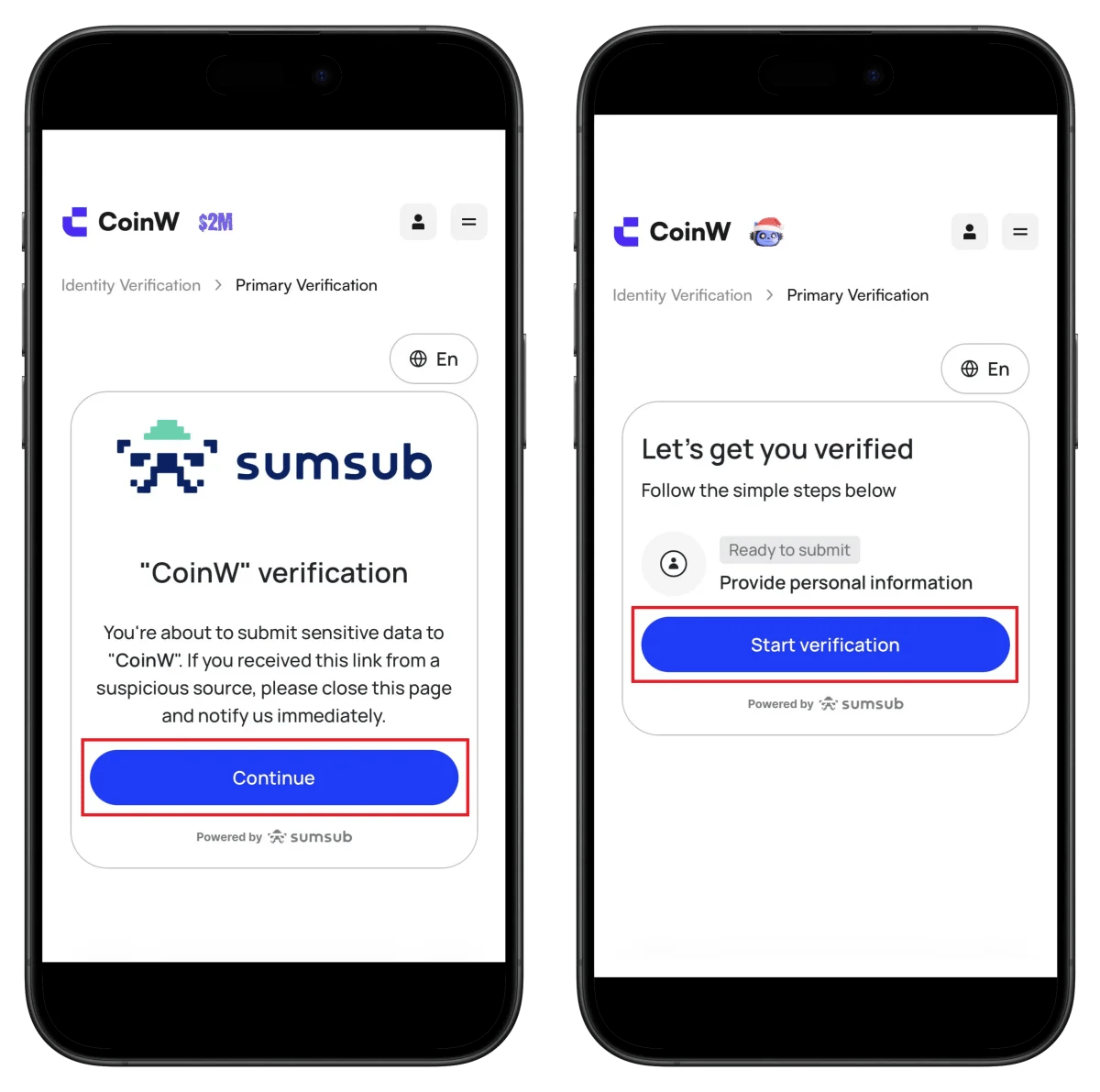
- Click Continue
- Click Start verification
Step 8: Privacy Agreement and Country Selection
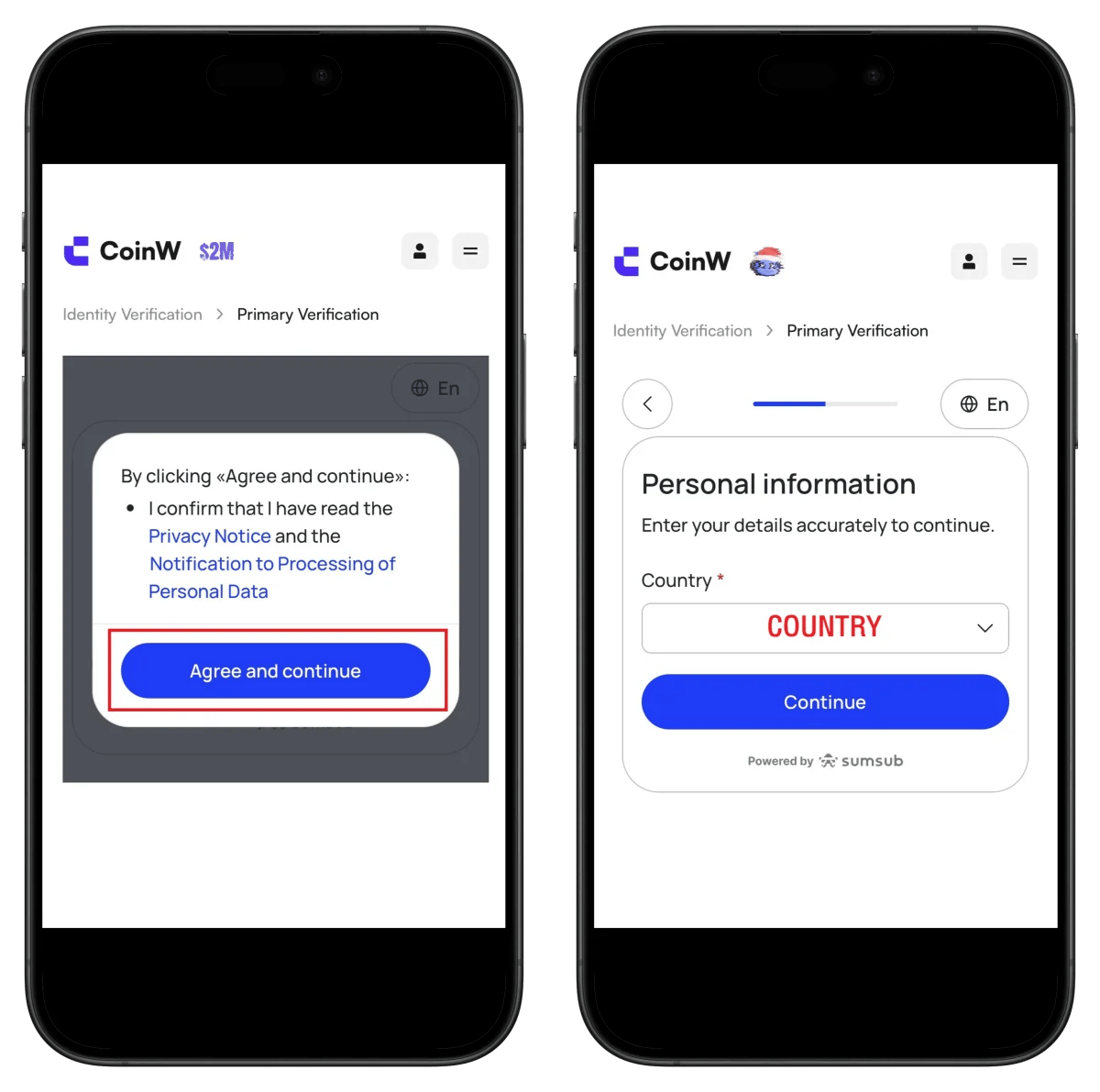
- Click Agree and continue
- Select country and click Continue
Step 9: Select ID Type and Start Verification

- Click Start verification
- Select ID issuing country
- Select ID type
Step 10: Upload ID Document
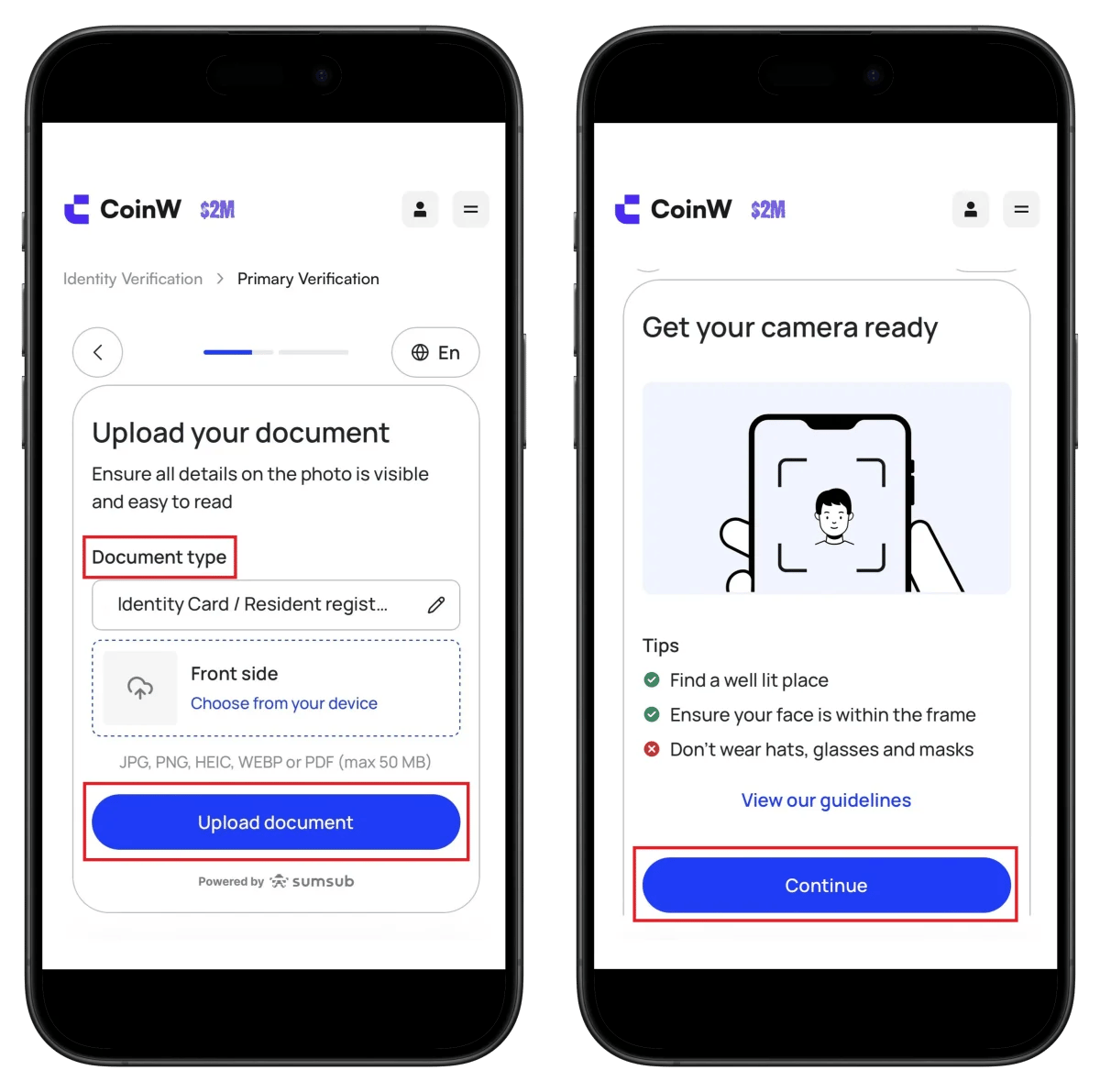
- Upload front of ID
- Click Upload document
- Prepare for face verification (bright location, no hat/glasses/mask)
- Click Continue
Step 11: Face Verification (Selfie)
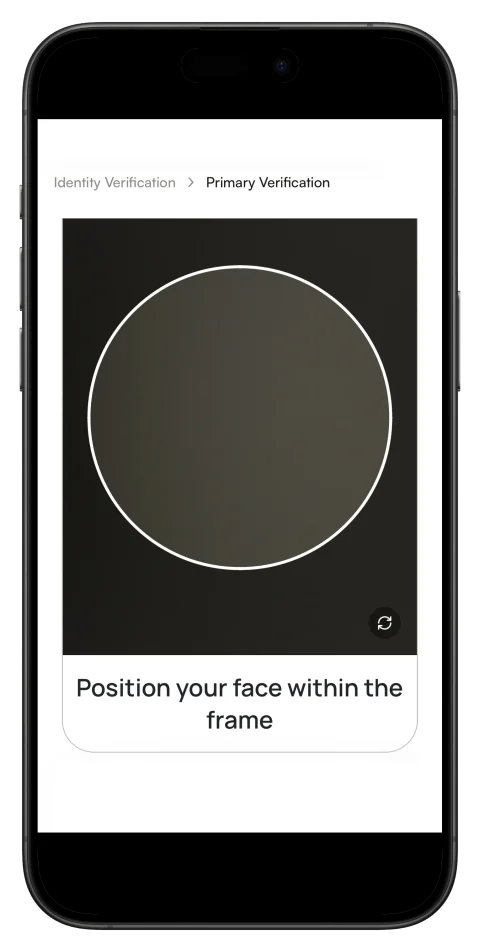
- Position your face within the circular frame
- Automatic capture proceeds
⏱️ KYC review: Usually completed within 24 hours
How to Find CoinW UID
You need your CoinW UID (unique identifier) to connect cashback with TetherSave.
How to Connect TetherSave Cashback
After completing CoinW signup and UID verification, you can now connect to TetherSave and receive cashback.
- CoinW Sign Up - Register here
- TetherSave Sign Up - Register here
- Go to My Page → Exchange Connection menu
- Select CoinW
- Enter your confirmed UID
- Connection complete!
Written as of 2026.
Related Posts

How to Sign Up for Gate.io (2026 Updated): Create a Cashback Account with KYC Verification

How to Sign Up for BingX (2026 Latest): Create a Cashback Account with KYC Verification