How to Sign Up for LBank (2026 Update): Create a Cashback Account with KYC Verification

📚 Browse by Category
Complete Guide to LBank Registration 2026
Looking for how to sign up for LBank?
This guide walks you through the complete LBank registration process in 2026, from account creation to KYC verification and TetherSave cashback integration, with real screenshots.
What You Need to Register for LBank
1. Email Address
- A valid email address for LBank registration
2. Identity Document (for KYC Verification)
- Passport
- Driver's License
- Identity Card
- Residence Permit
3. Smartphone
Required for ID document photography.
How to Sign Up for LBank (Step by Step)
Step 1: Access TetherSave's Exclusive Registration Link
👉 Create a TetherSave Cashback Account
👉 Go to LBank Exchange Details Page
Signing up through this link automatically connects you to TetherSave cashback benefits.
Step 2: Enter Email and Password
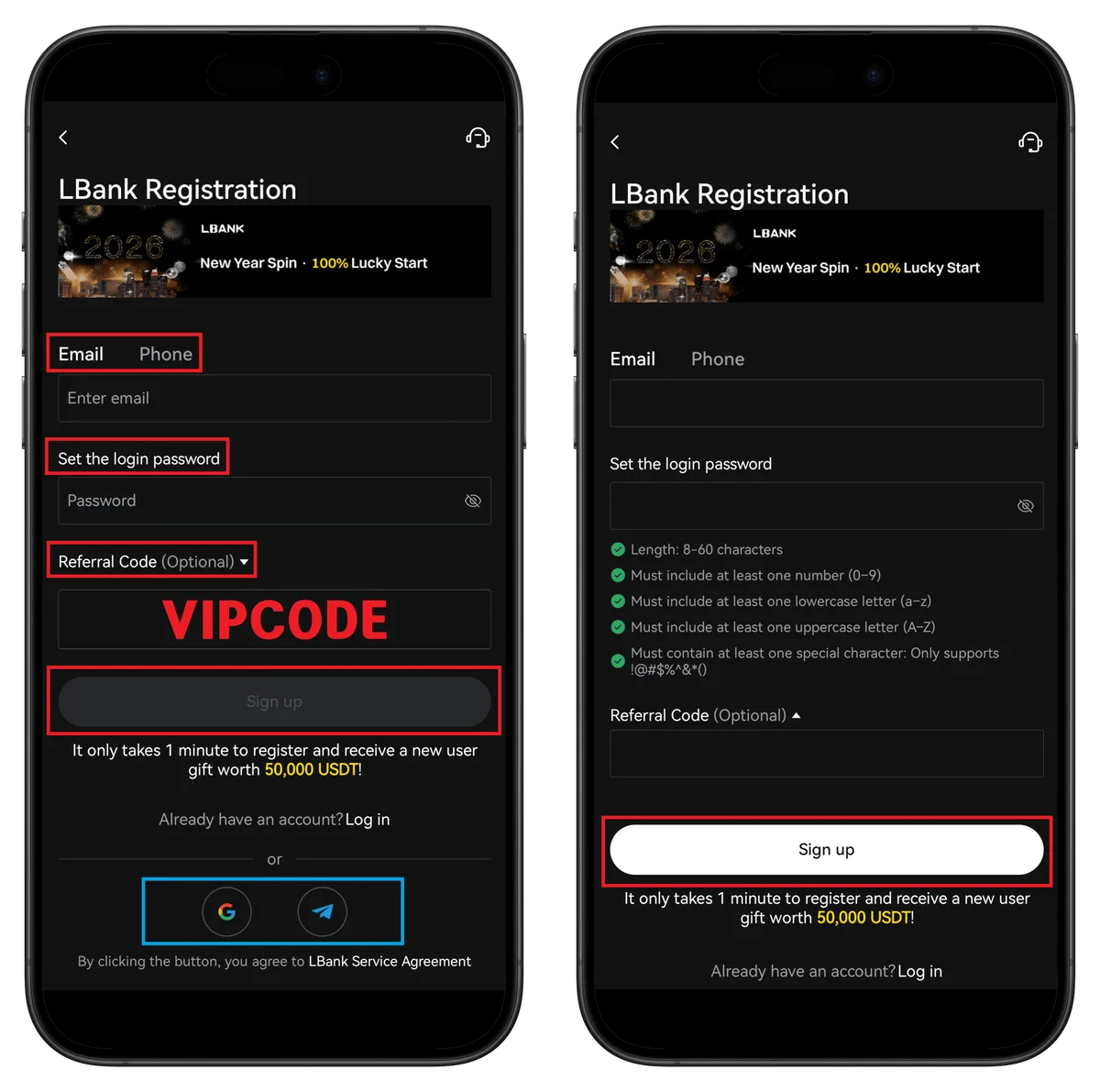
- Enter email address
- Set password (8-60 characters, uppercase + lowercase + number + special character)
- Confirm referral code TETHER
- Click Sign up
💡 Quick registration with Google or Telegram is also available.
Step 3: Enter Email Verification Code
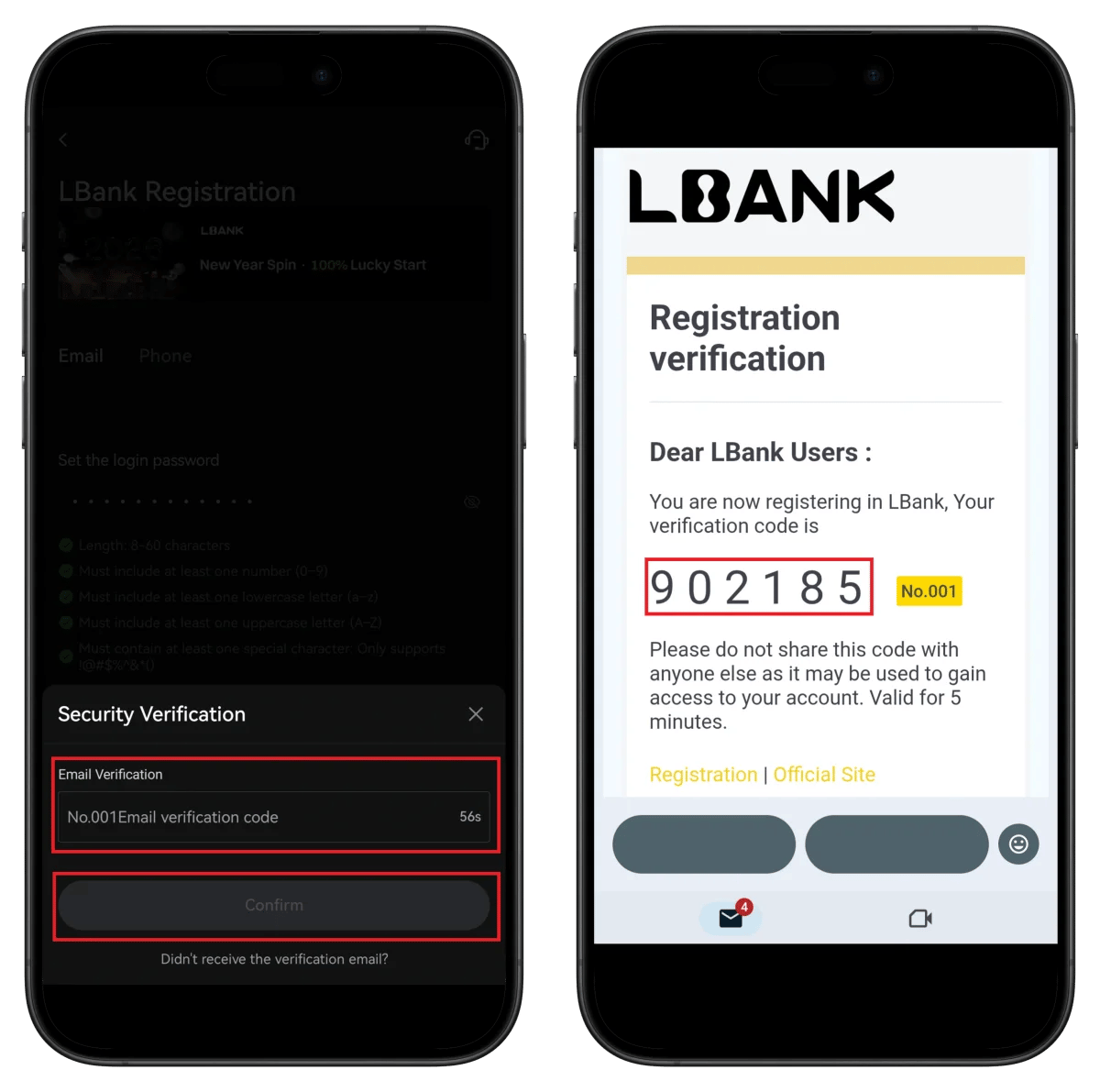
- Enter the 6-digit verification code from your email
- Click Confirm
⚠️ The verification code is valid for 5 minutes.
Step 4: Set Up Passkey (Optional)
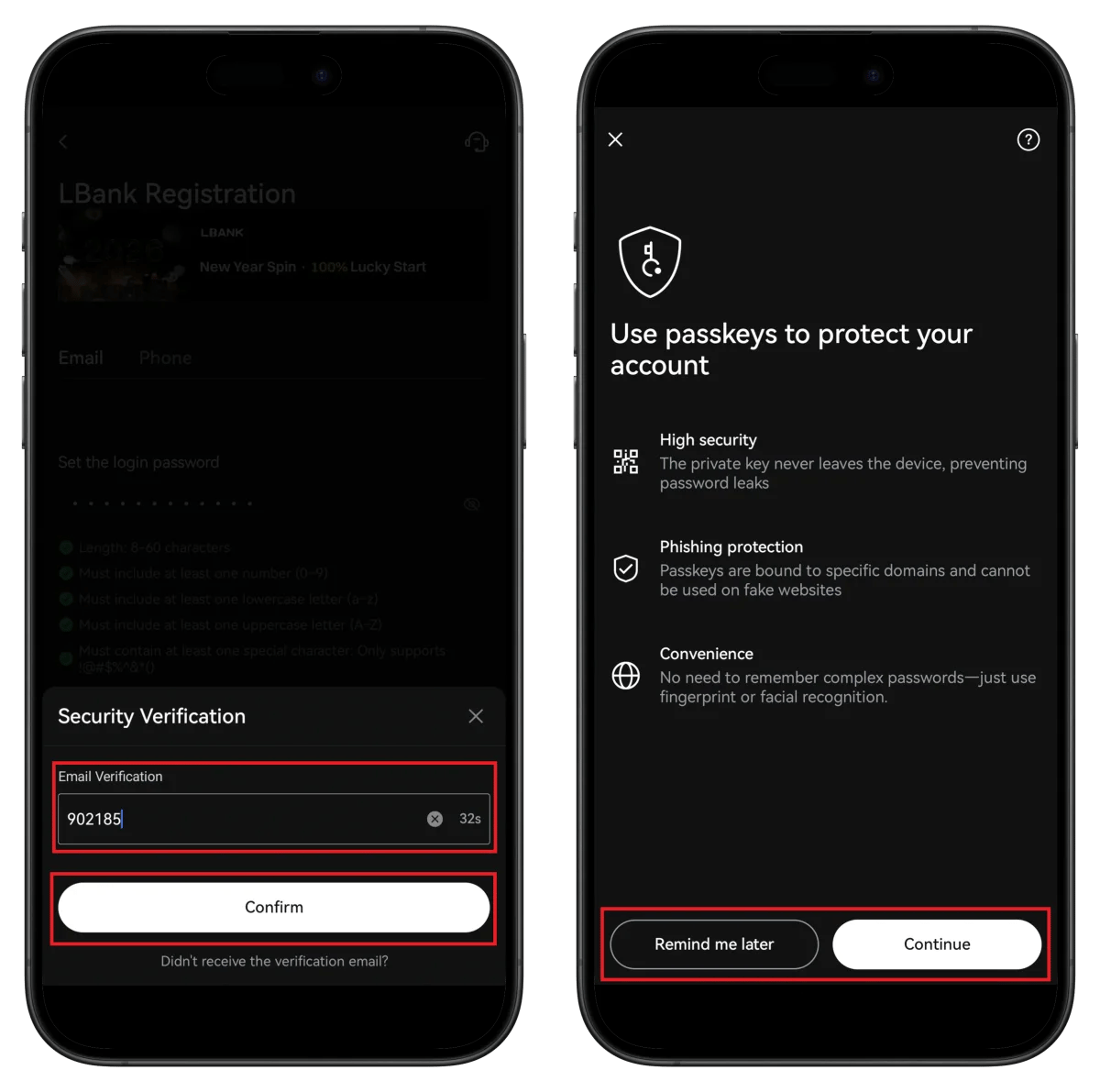
- Select Continue or Remind me later
💡 Passkey can be enabled later in settings.
Step 5: Start Identity Verification from Profile
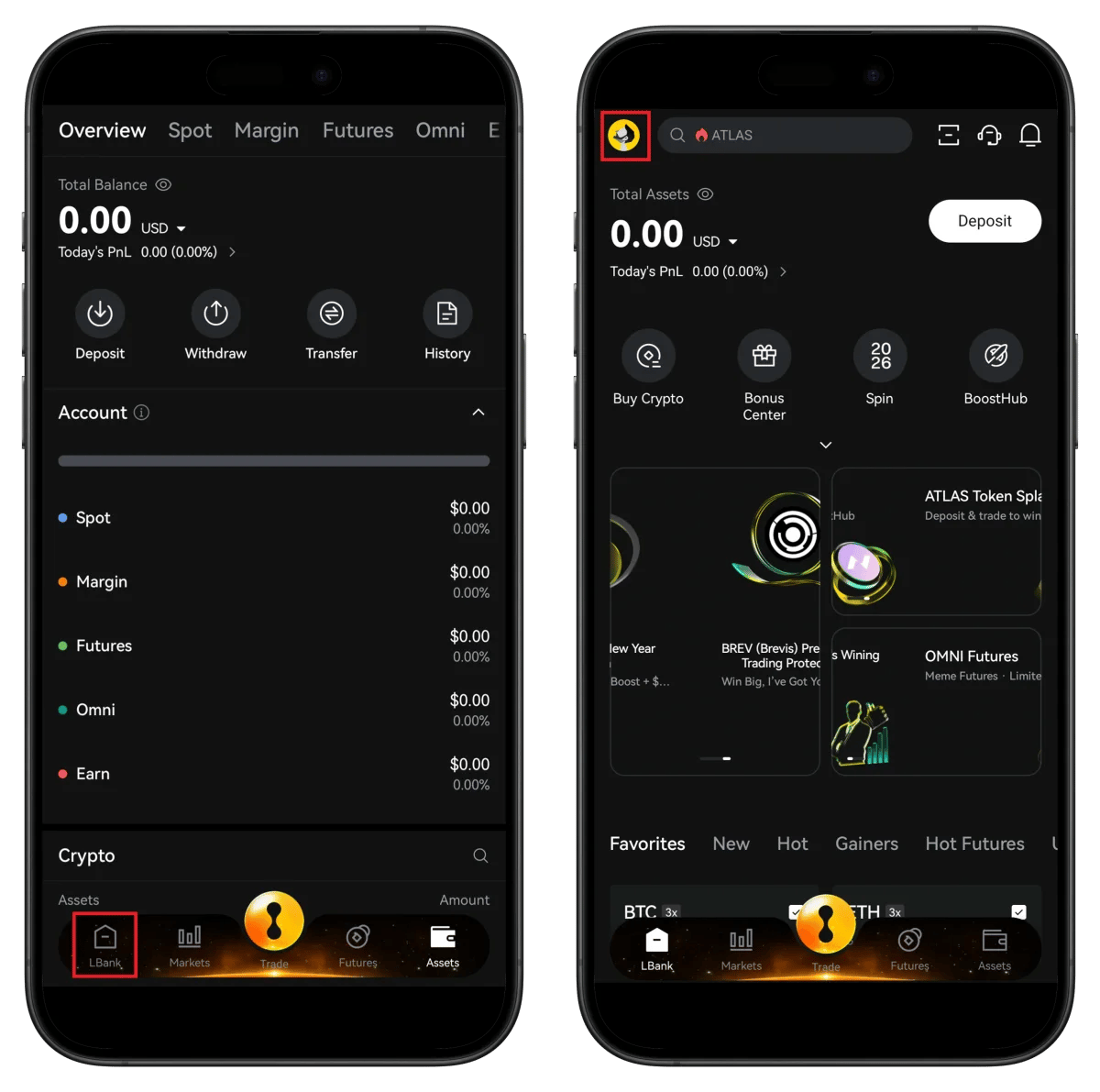
- Tap the profile icon
- Click Unverified to start verification
Step 6: Select Country and ID Type
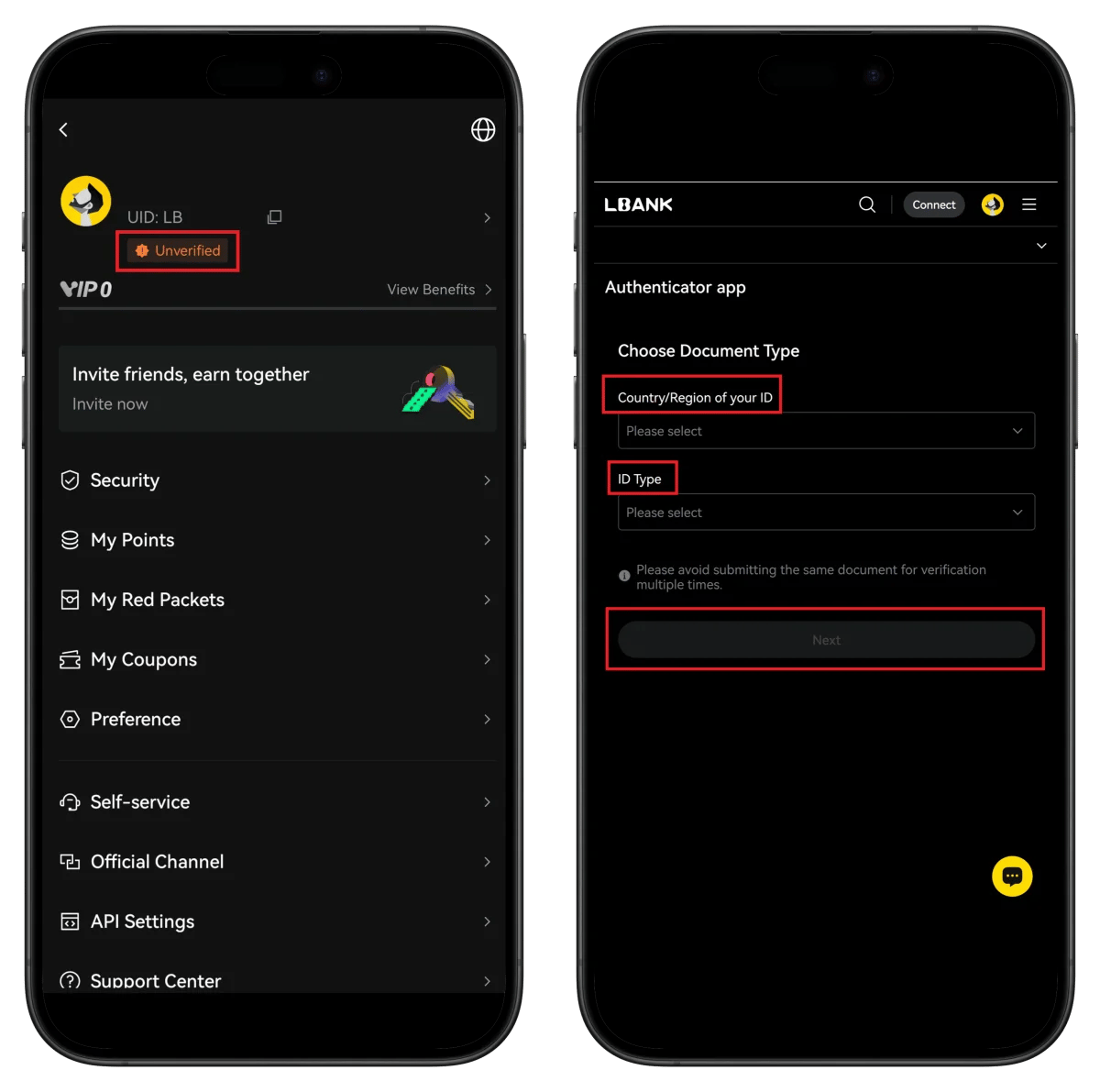
- Check your UID in profile (needed for TetherSave integration)
- Select the country that issued your ID
- Select ID type
- Click Next
Step 7: Connect to Sumsub Verification Service

- Select country of residence
- Click Continue
- Reconfirm ID issuing country/type
- Click Continue
Step 8: Prepare ID Document Photography
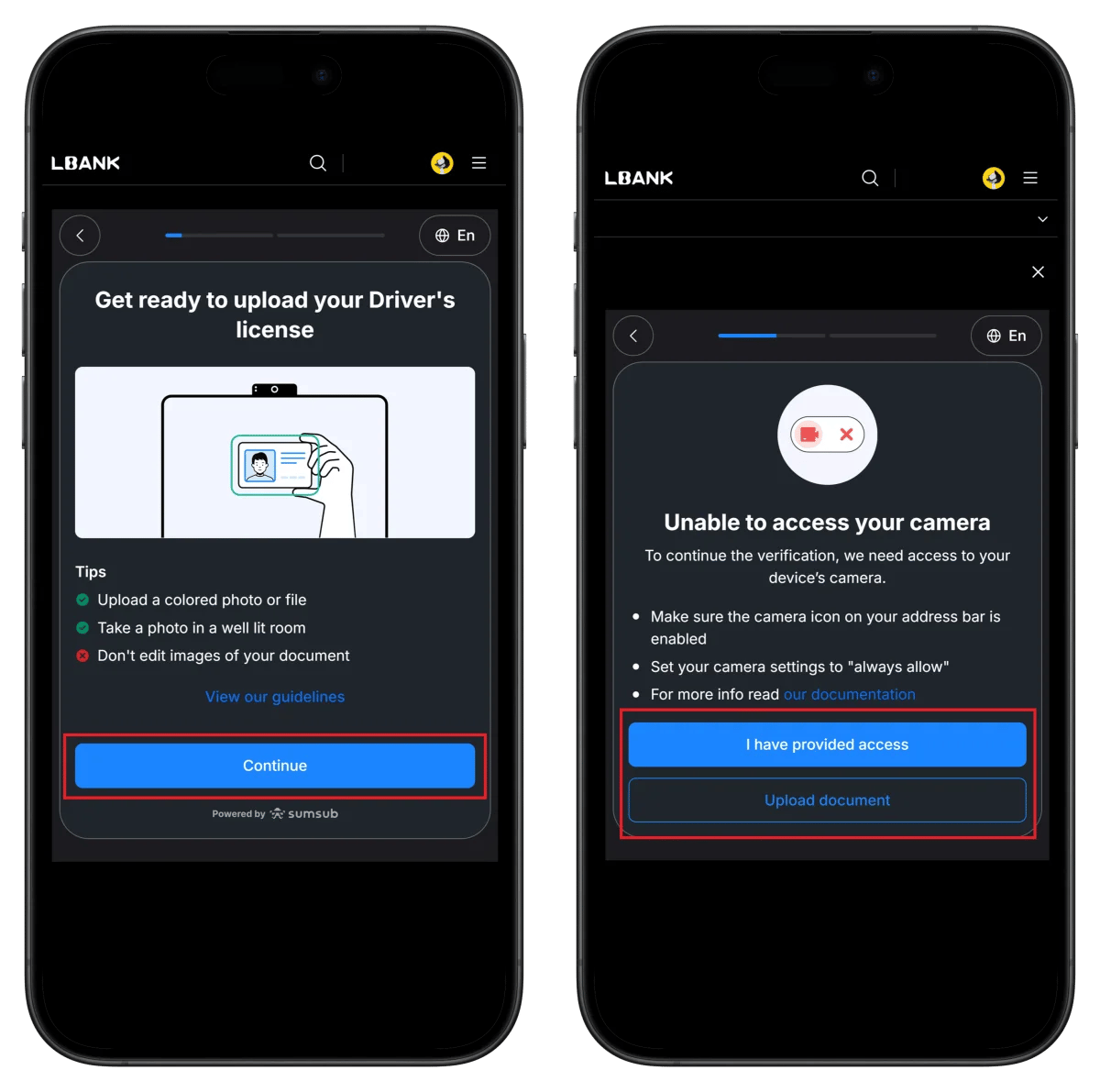
- Check photography guidelines (color photo, bright location, no editing)
- Click Continue
Step 9: Upload ID and Complete Verification
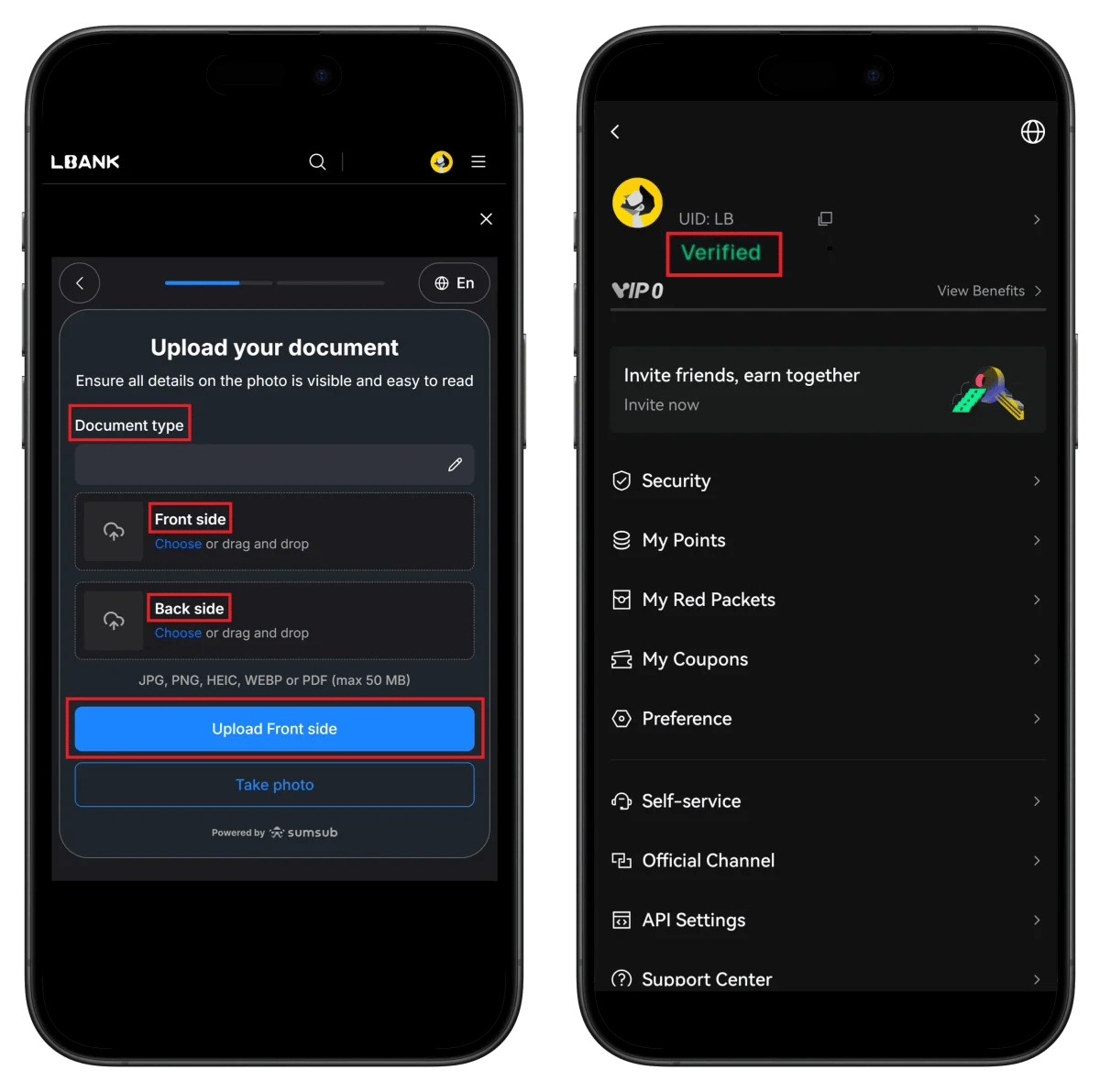
- Upload front/back of ID document
- Verified badge displays on profile
🎉 KYC verification complete!
How to Find Your LBank UID
To connect cashback to TetherSave, you need your LBank UID (unique identifier).
👉 Detailed Guide to Finding LBank UID
How to Connect TetherSave Cashback
- LBank Sign Up - Register
- Sign up for TetherSave - Register
- Go to My Page → Exchange Connection menu
- Select LBank
- Enter your verified UID
- Connection complete!
Frequently Asked Questions (FAQ)
Q: How long does LBank KYC verification take?
Using the Sumsub automated verification system, it typically completes within minutes.
Q: What benefits do I get by signing up through TetherSave's referral link?
By signing up through TetherSave, you can receive cashback from a portion of your trading fees.
Q: What should I do if my ID verification is rejected?
Check the rejection reason and resubmit with clearer photos. Using a passport is recommended.
Q: What are the password requirements?
8-60 characters, at least one number/lowercase/uppercase/special character each required.
Q: Can I set up Passkey later?
Yes, click Remind me later to skip, then enable it anytime in settings.
Written in January 2026.
Related Posts

How to Sign Up for Gate.io (2026 Updated): Create a Cashback Account with KYC Verification

How to Sign Up for BingX (2026 Latest): Create a Cashback Account with KYC Verification