How to Sign Up for OKX (2026 Updated): Create a Cashback Account with KYC Verification

📚 Browse by Category
Complete OKX Registration Guide 2026
Looking for how to sign up for OKX?
This guide will walk you through the entire OKX 2026 registration process, from account creation to KYC verification and TetherSave cashback integration, with real screenshots.
What You Need to Sign Up for OKX
1. Email Address
- Valid email address for OKX registration
2. Phone Number
- Valid phone number for SMS verification
3. Identity Document (for KYC Verification)
- Passport
- Driver's License
- ID Card
4. Smartphone
Required for ID photo capture, selfie verification, and Liveness Check.
How to Sign Up for OKX (Step by Step)
Step 1: Access TetherSave Exclusive Sign-Up Link
👉 Create TetherSave Cashback Account
👉 Go to OKX Exchange Detail Page
Signing up through this link automatically connects you with TetherSave cashback benefits.
Step 2: Enter Email and Select Country
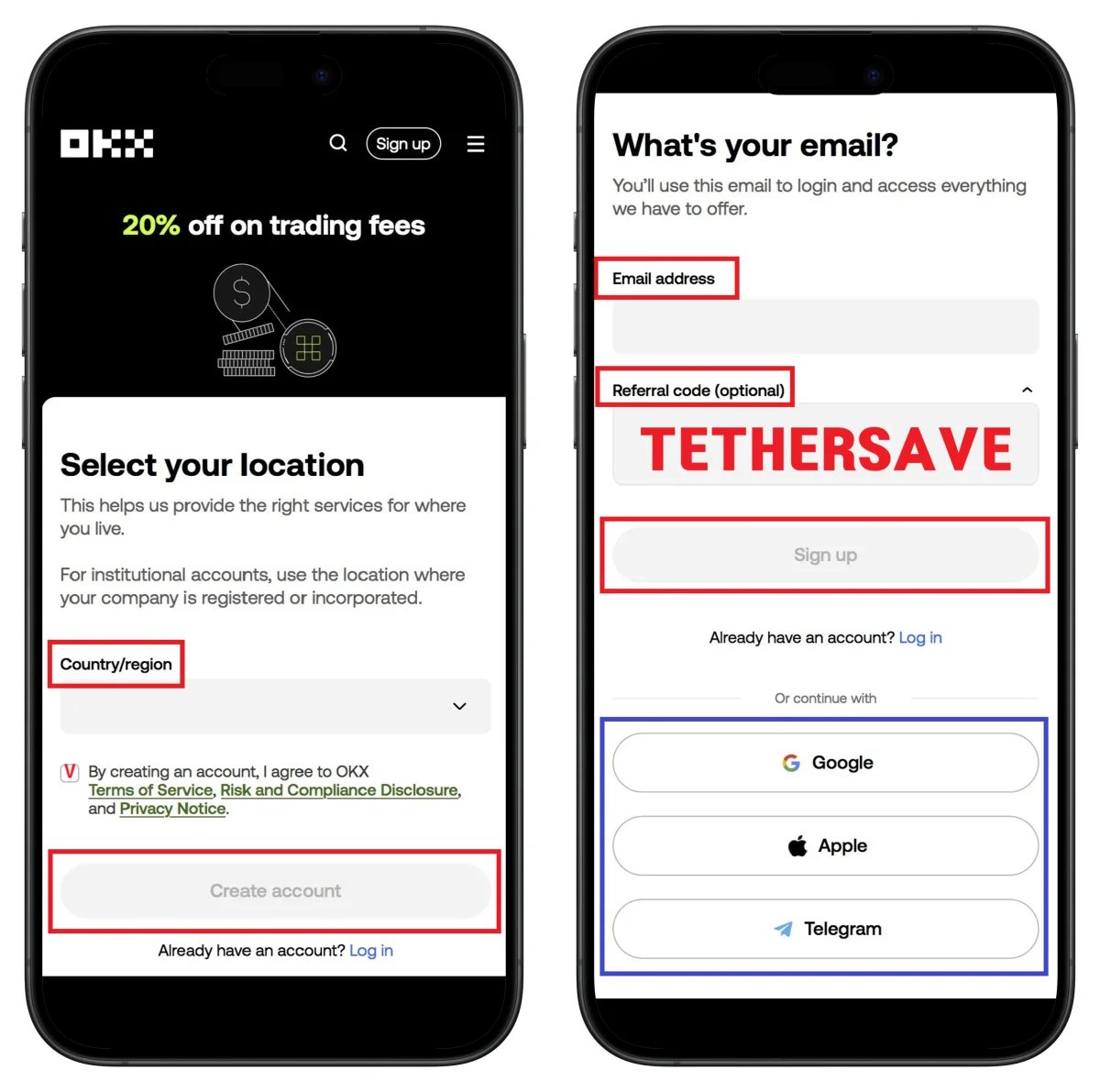
- Select country of residence
- Accept terms and conditions
- Click Create account
- Enter email address
- Confirm referral code TETHERSAVE
- Click Sign up
💡 Quick sign-up via Google, Apple, or Telegram is also available.
Step 3: Enter Email Verification Code
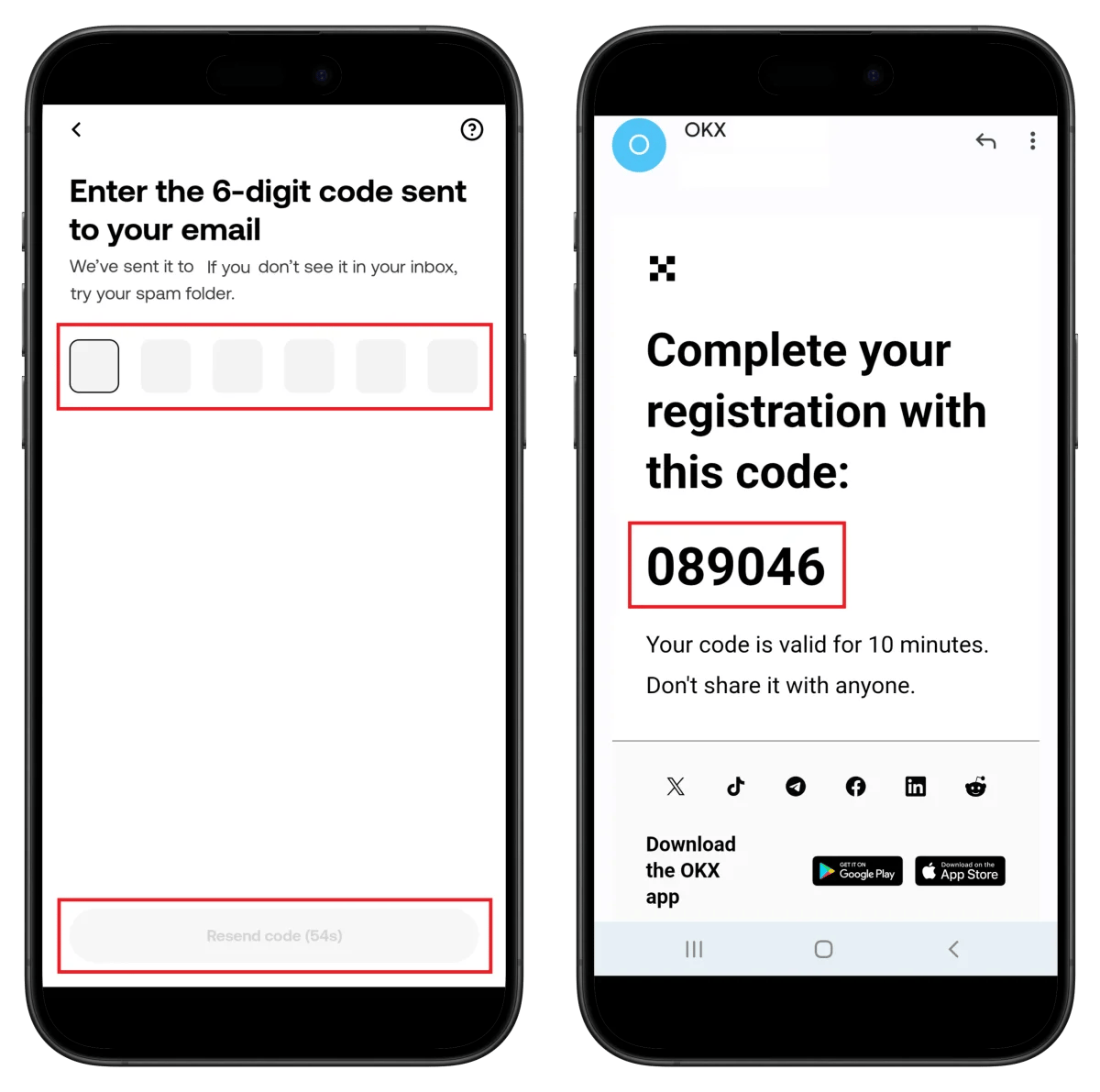
- Enter the 6-digit verification code received via email
⚠️ Verification code is valid for 10 minutes.
Step 4: Phone Number Verification
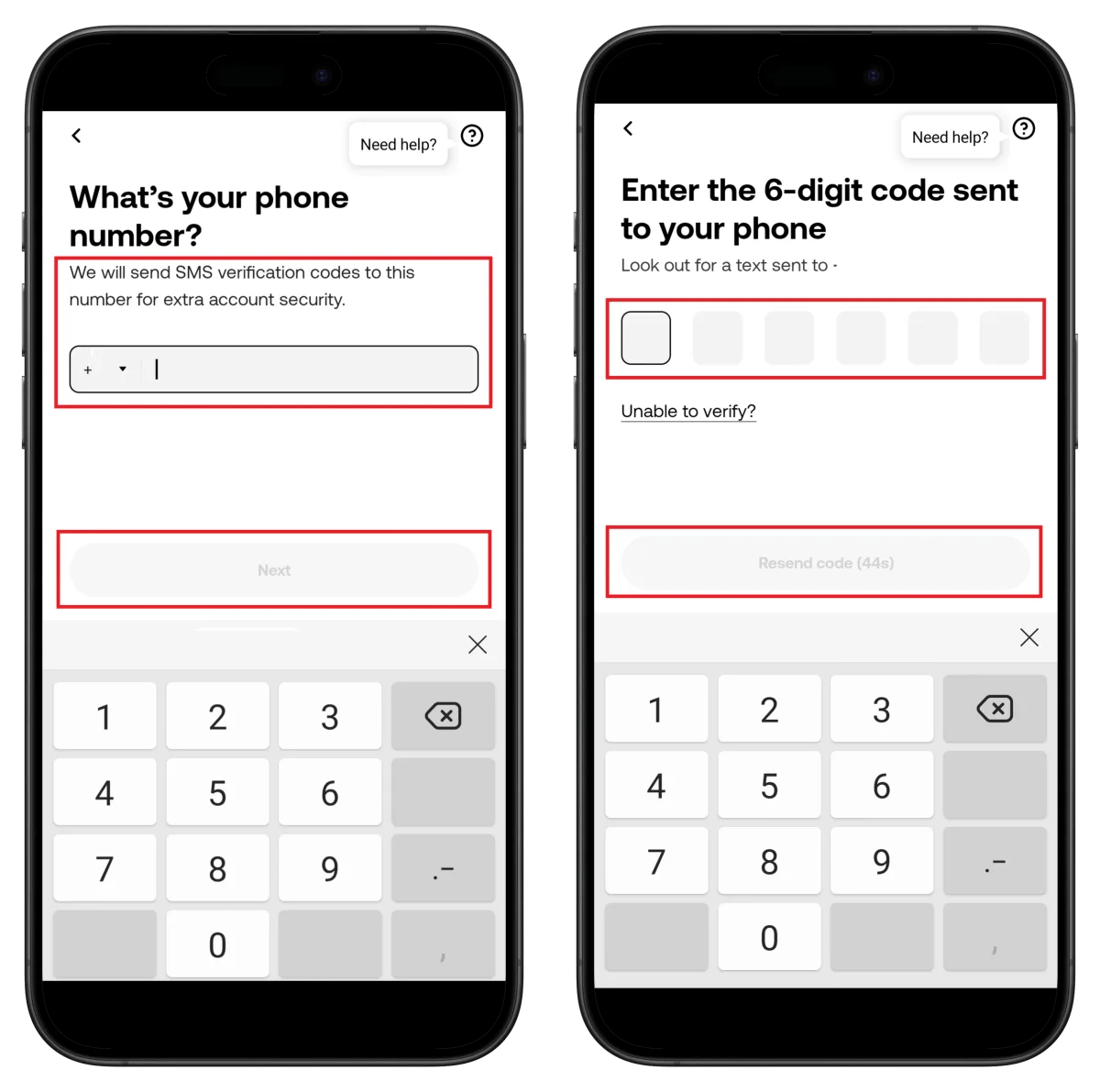
- Select country code and enter phone number
- Click Next
- Enter the 6-digit verification code received via SMS
Step 5: Confirm Residence Country and Allow Camera Access
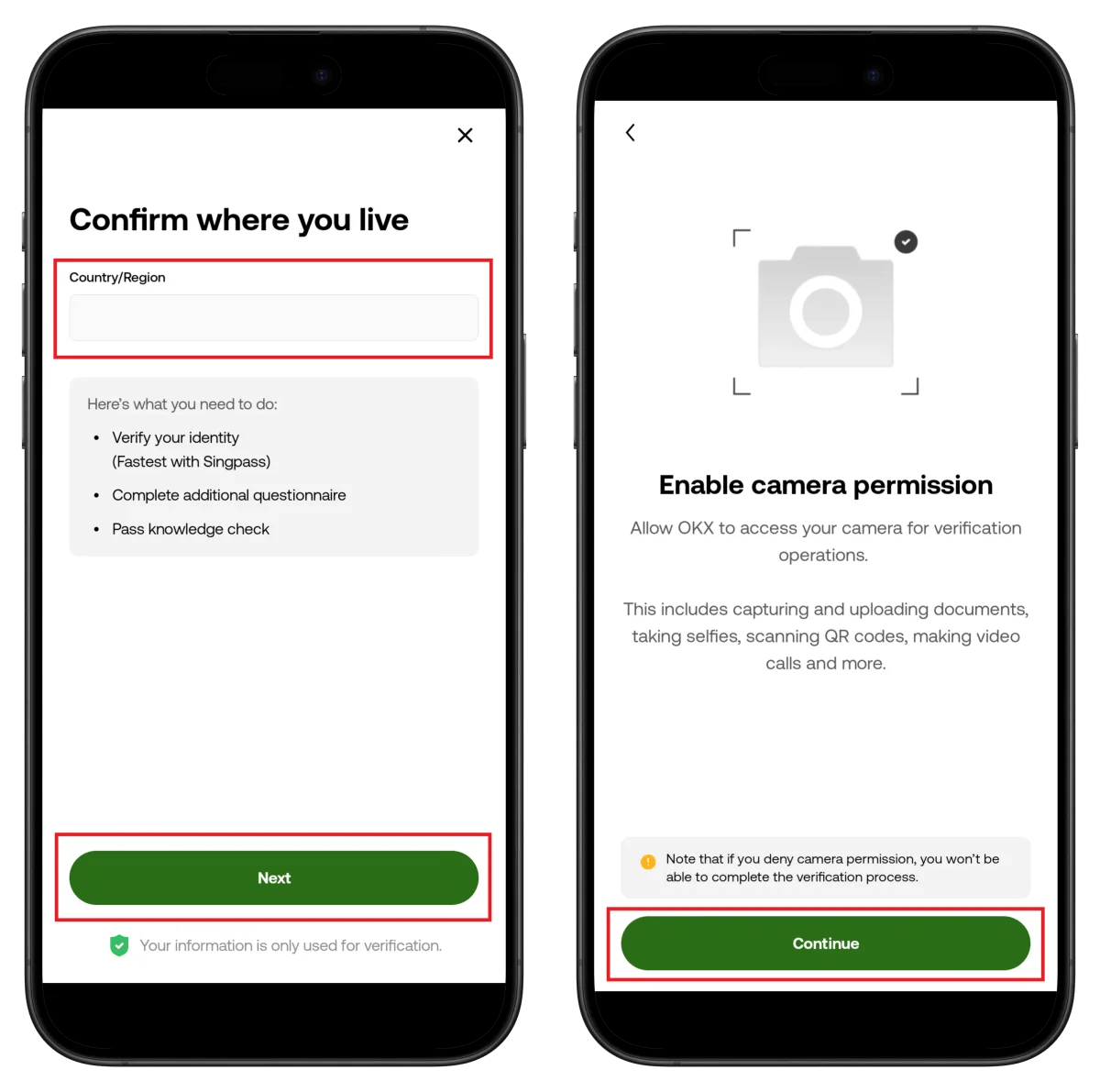
- Confirm your residence country
- Click Next
- Click Continue for camera access
Step 6: Prepare ID Document
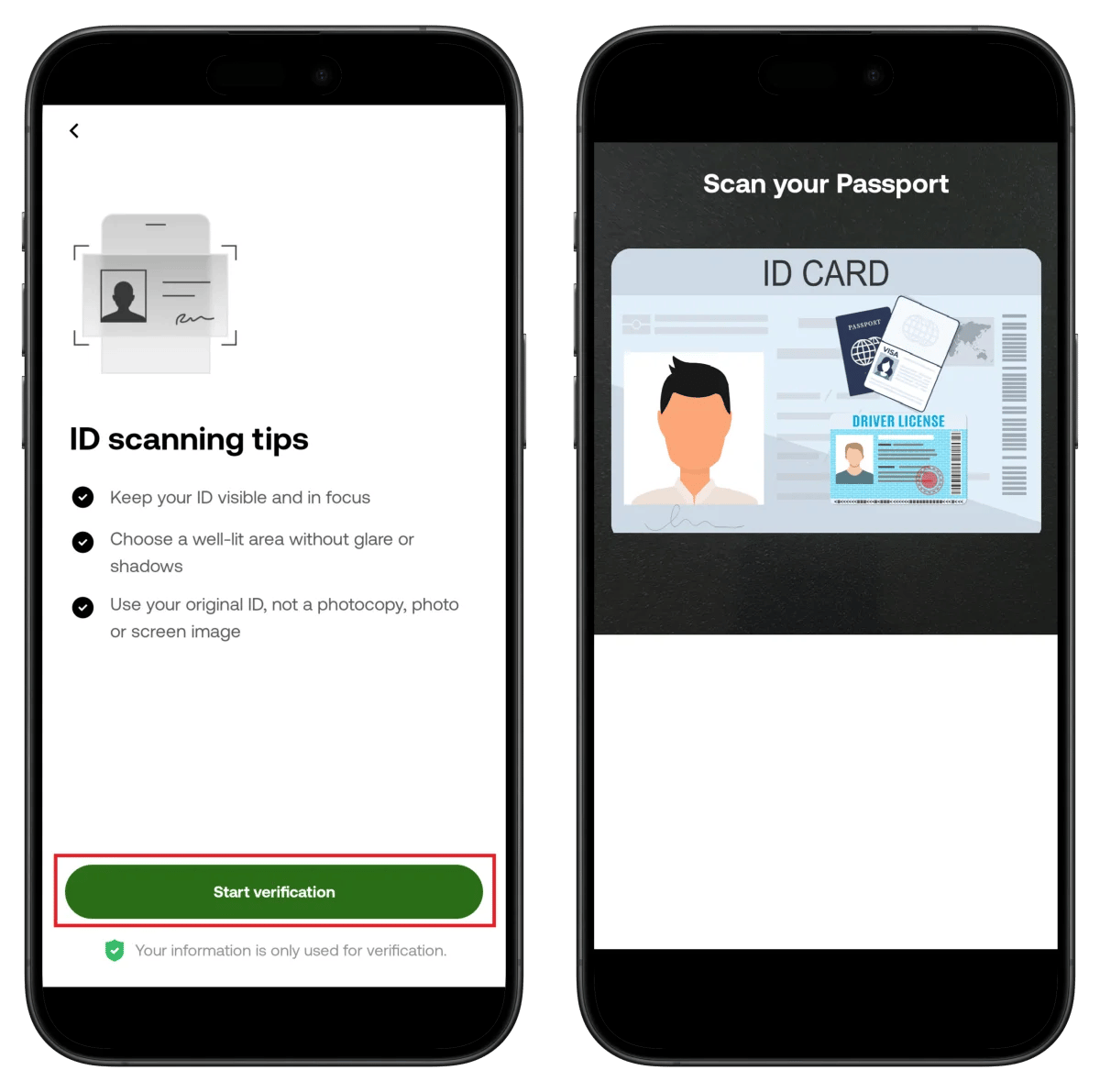
- Review capture instructions (clear, well-lit, use original)
- Click Start verification
- Align ID document in frame for automatic capture
Step 7: Take Selfie and Confirm ID
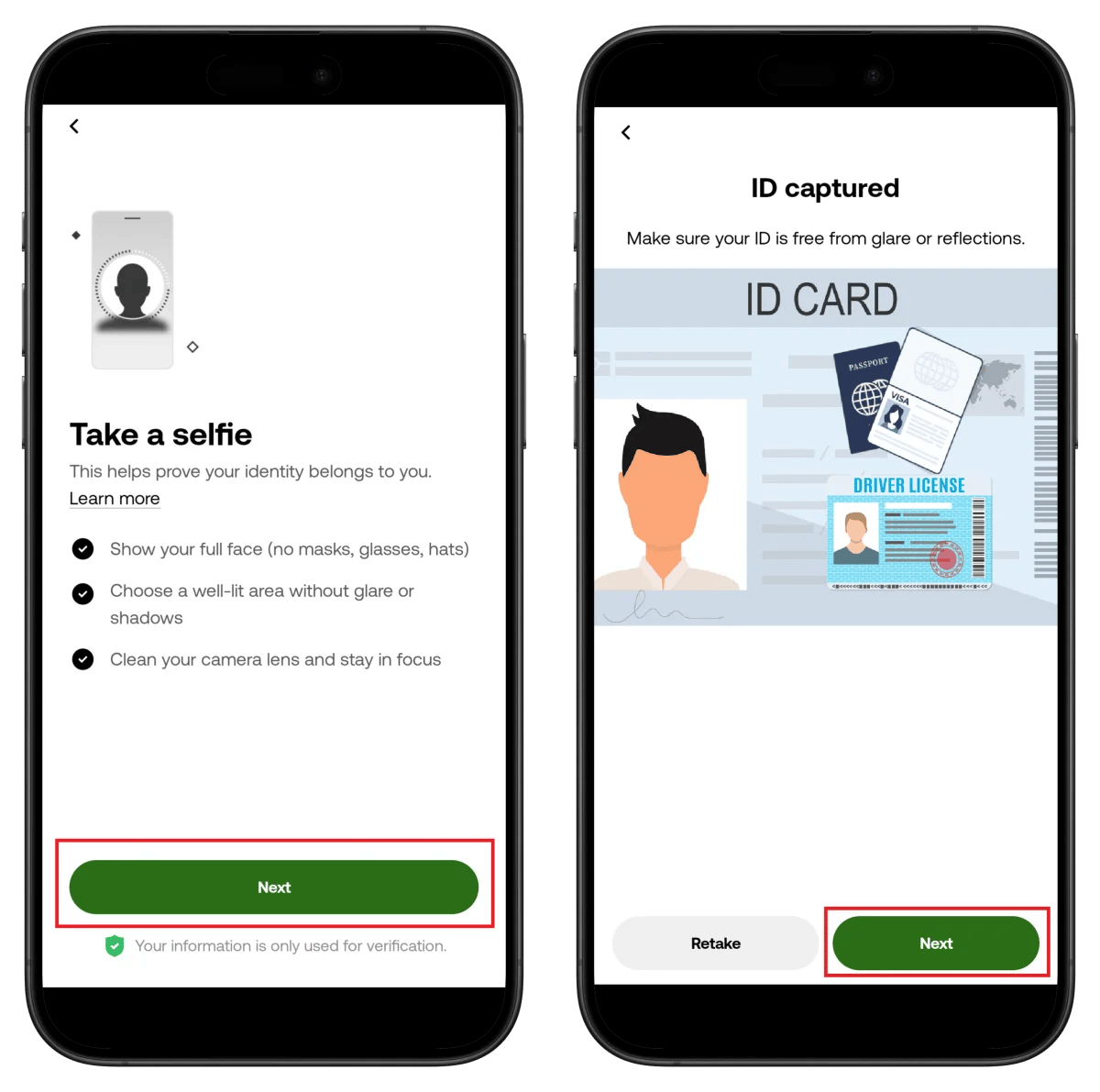
- Review selfie requirements (remove mask/glasses/hat)
- Click Next
- Confirm captured ID photo and click Next
Step 8: Liveness Check (Face Recognition)
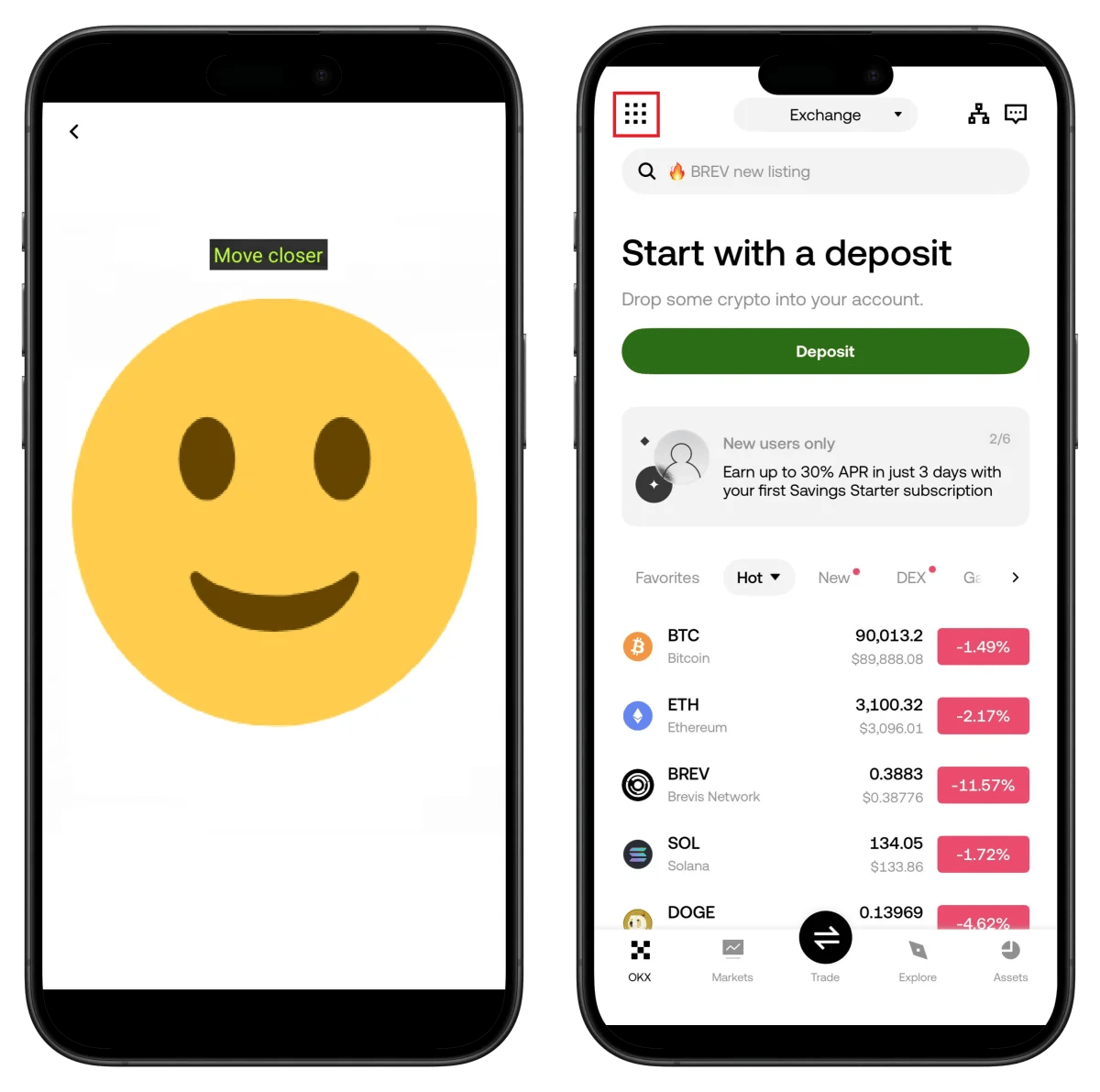
- Follow on-screen instructions to move closer to camera
- Automatic progression upon face recognition completion
Step 9: Verification Complete
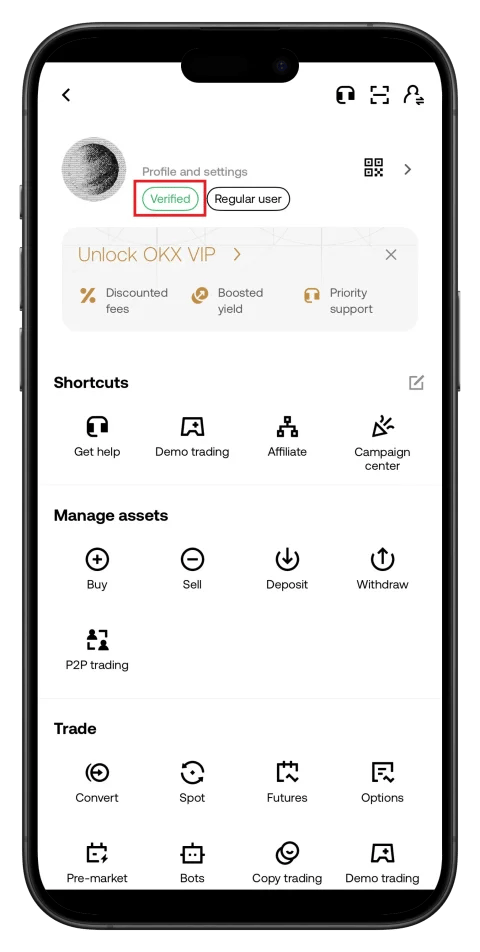
- Verified badge displayed on profile
- Regular user status confirmed
🎉 KYC verification complete!
How to Find Your OKX UID
To link cashback with TetherSave, you need your OKX UID (unique identifier).
- Log in to OKX app or website.
- Tap the profile icon.
- Check UID in Profile and settings.
👉 Detailed Guide to Find OKX UID
How to Link TetherSave Cashback
- OKX Sign Up - Sign Up
- Sign up for TetherSave - Sign Up
- Go to My Page → Exchange Connection menu
- Select OKX
- Enter your verified UID
- Connection complete!
Frequently Asked Questions (FAQ)
Q: How long does OKX KYC verification take?
OKX uses its own verification system and typically completes within minutes. Real-time identity verification is performed through Liveness Check.
Q: What benefits do I get from signing up through TetherSave referral link?
By signing up through TetherSave, you can receive cashback from a portion of your trading fees. You also get OKX's 20% trading fee discount benefit.
Q: What should I do if my ID verification is rejected?
Check the rejection reason and resubmit with clearer photos. Take photos in an environment without light reflection or shadows, and use an original ID document.
Q: Is phone verification mandatory on OKX?
Yes, OKX requires SMS verification for additional account security. A valid phone number is required.
Q: What if Liveness Check keeps failing?
Proceed under bright lighting and clean the camera lens. Follow instructions like Move closer and it will be recognized automatically.
Written in January 2026.
Related Posts

How to Sign Up for Gate.io (2026 Updated): Create a Cashback Account with KYC Verification

How to Sign Up for BingX (2026 Latest): Create a Cashback Account with KYC Verification