How to Sign Up for BitMart (2026 Update): Create a Cashback Account with KYC Verification
📚 Browse by Category
BitMart Registration Complete Guide 2026
Are you looking for how to sign up for BitMart?
In this guide, we'll explain in detail the entire process from BitMart account creation to KYC identity verification and TetherSave cashback integration, including actual screenshots.
What You Need Before Signing Up for BitMart
Please prepare the following 3 items before starting registration:
1. Email Address
- You need a valid email address for BitMart registration
2. ID Document (For KYC Verification)
Please prepare one of the following:
- Passport
- Driver's License
- ID Card
3. Smartphone
Needed for 2-step verification (2FA), ID photography, and facial recognition.
How to Sign Up for BitMart (Step-by-Step Guide)
Step 1: Access TetherSave Exclusive Sign-Up Link
👉 Create TetherSave Exclusive Cashback Account
👉 Go to BitMart Exchange Detail Page
When you sign up through the link above, TetherSave cashback benefits will be automatically linked.
Step 2: Enter Email/Password and Verification Code
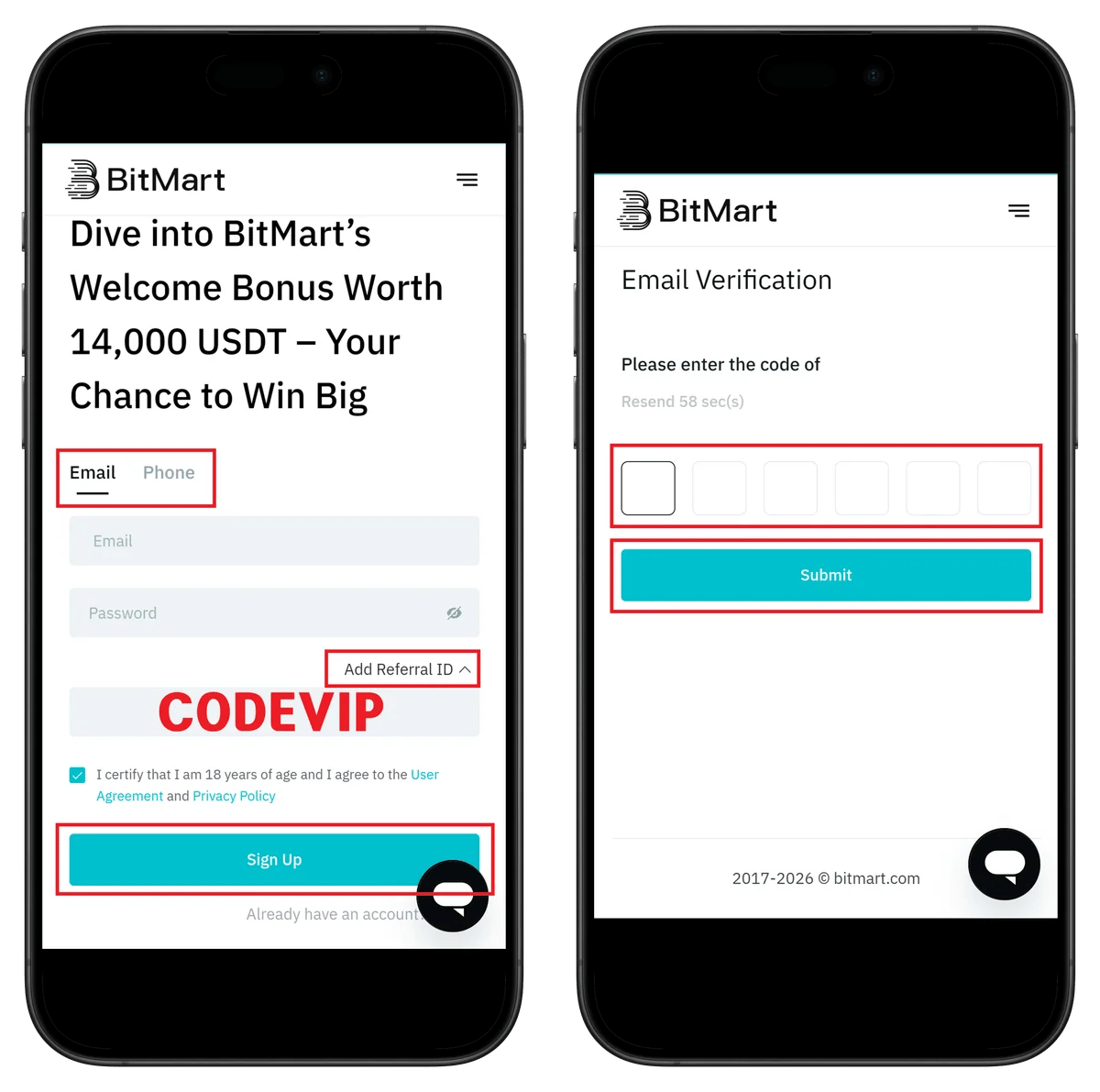
- Enter email address
- Enter password
- Confirm referral code CODEVIP
- Check terms agreement
- Click Sign Up
- Enter the 6-digit verification code received via email
- Click Submit
💡 New users can receive up to 14,000 USDT bonus benefits.
Step 3: Registration Complete
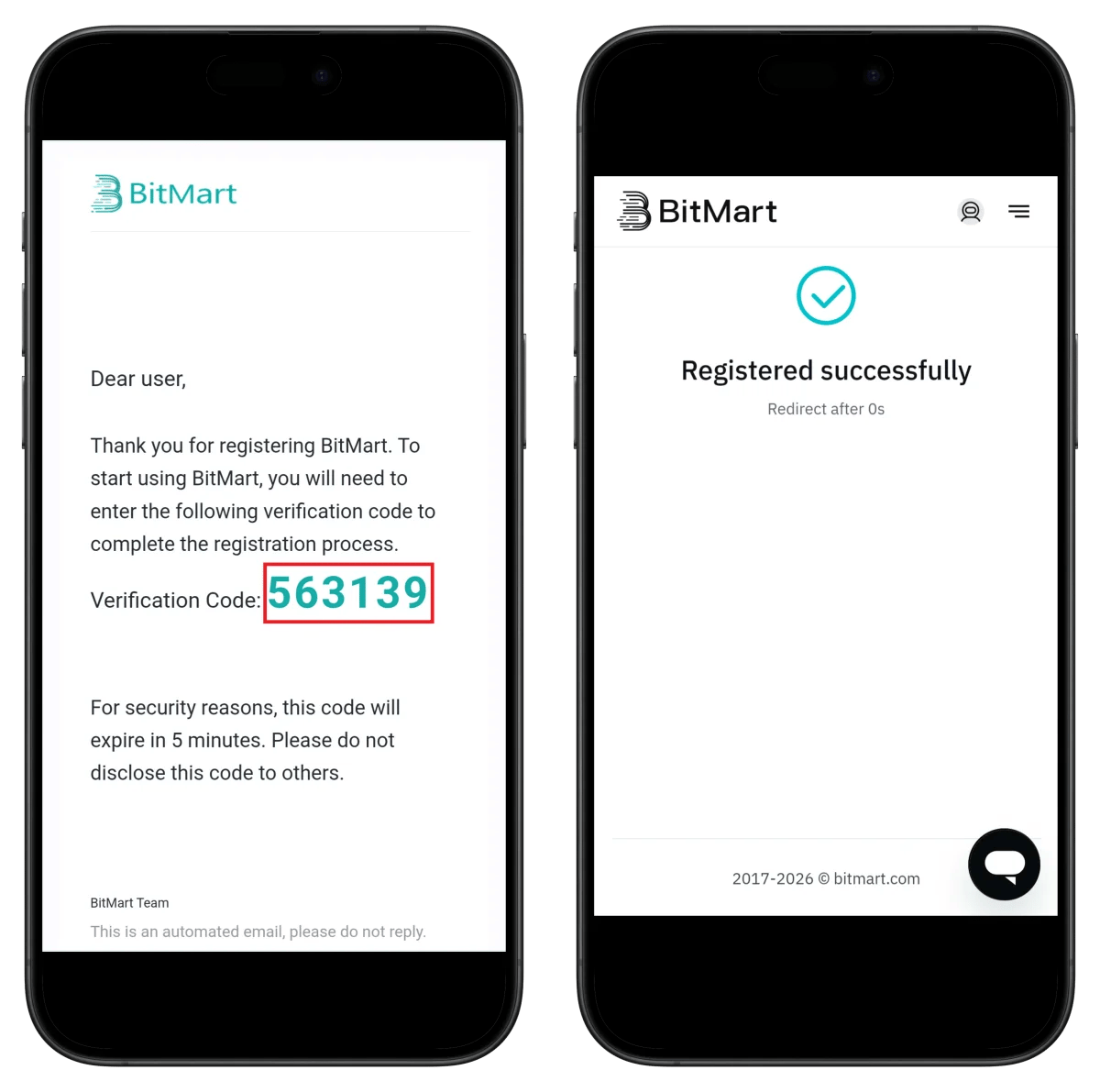
✅ Registration complete! You will be automatically redirected to the homepage.
⚠️ The verification code is valid for 5 minutes.
Step 4: Access KYC Verification Menu
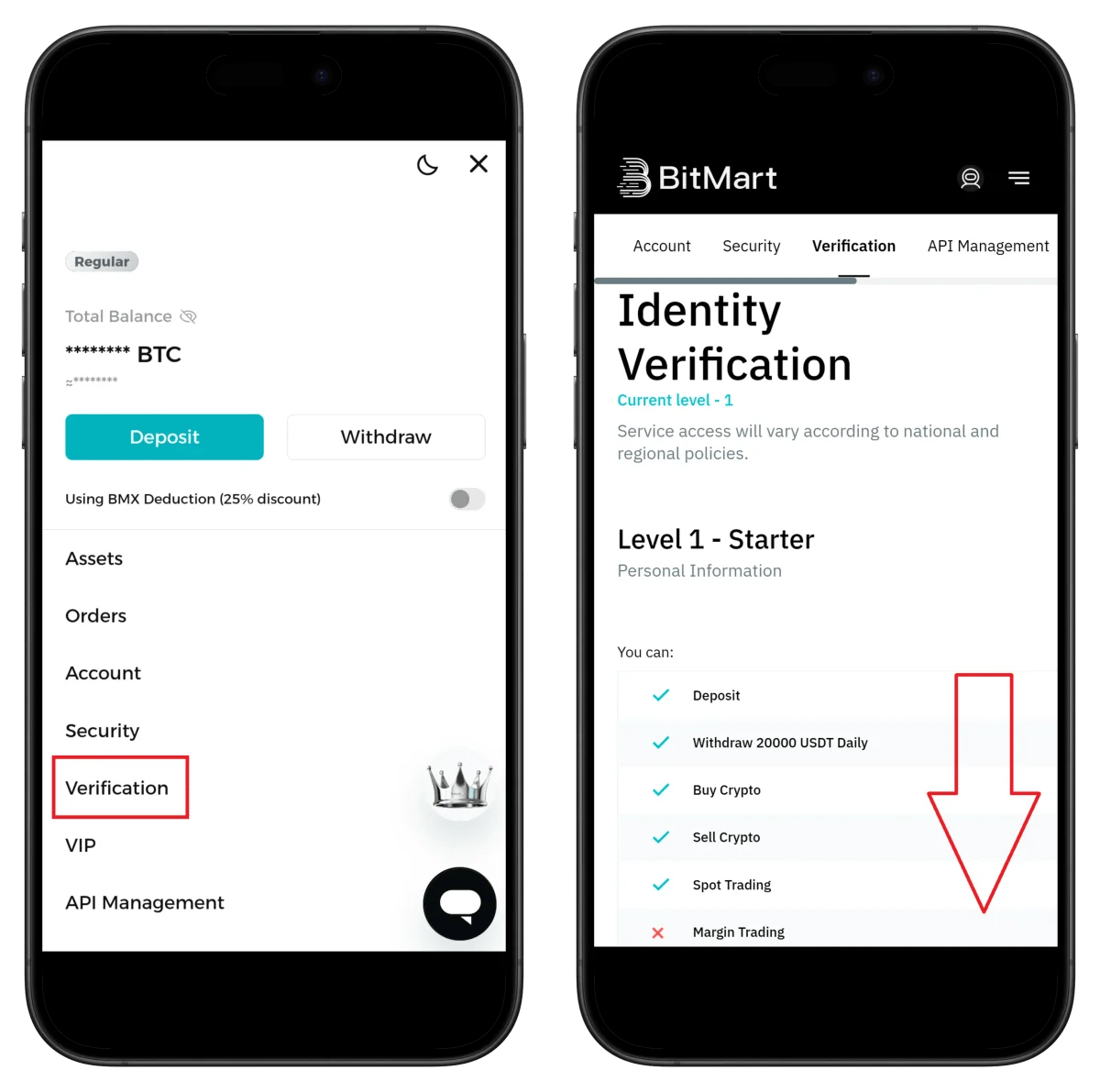
- Click Verification in the side menu
- Level 1 (Basic): Daily withdrawal limit 20,000 USDT
- Level 2: Margin/futures trading, P2P available
⚠️ You must complete Level 2 verification to use margin trading.
Step 5: Start Level 2 Verification
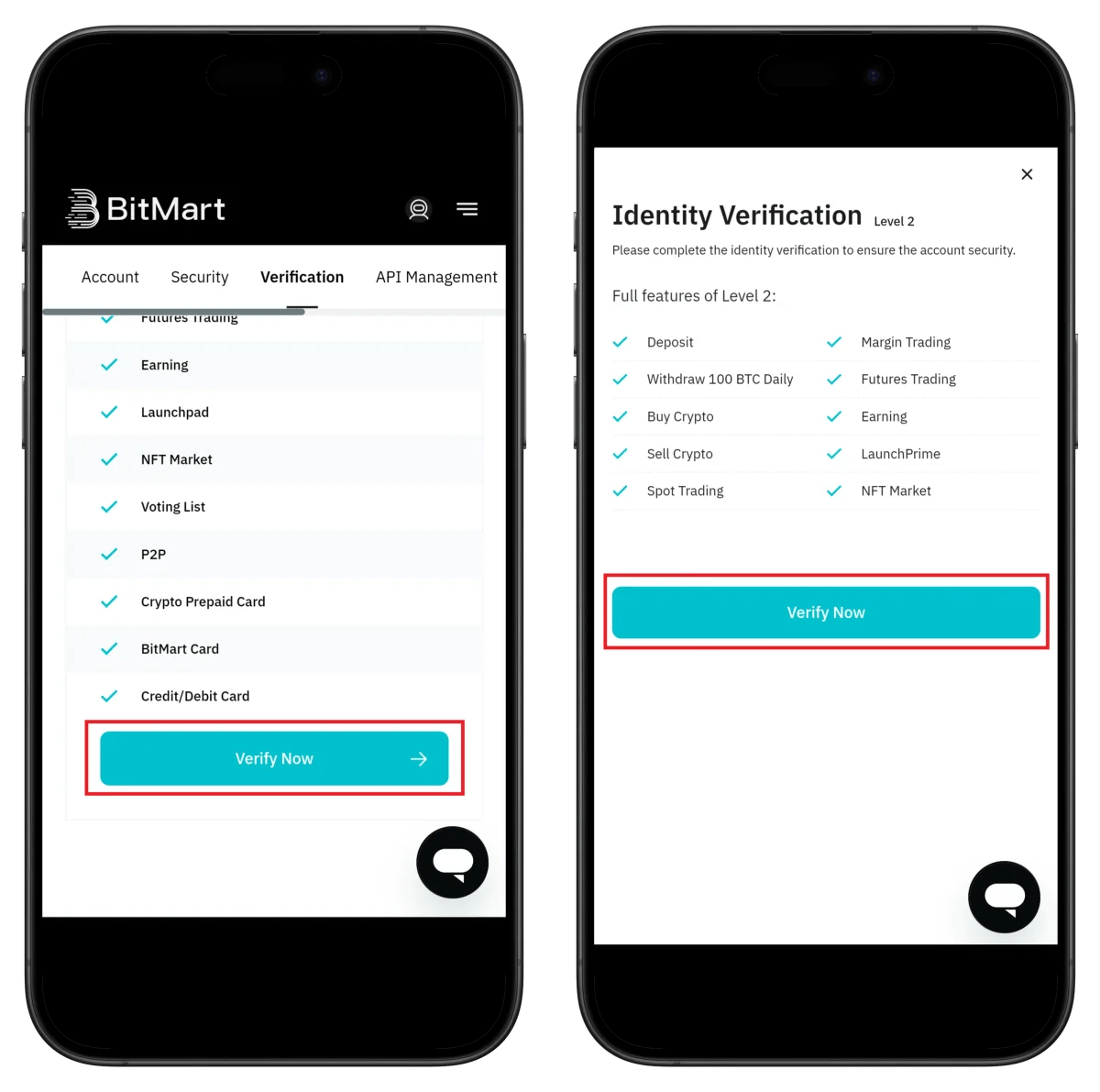
- Check Level 2 features (futures trading, P2P, NFT, etc.)
- Click Verify Now
Step 6: Start Sumsub Verification
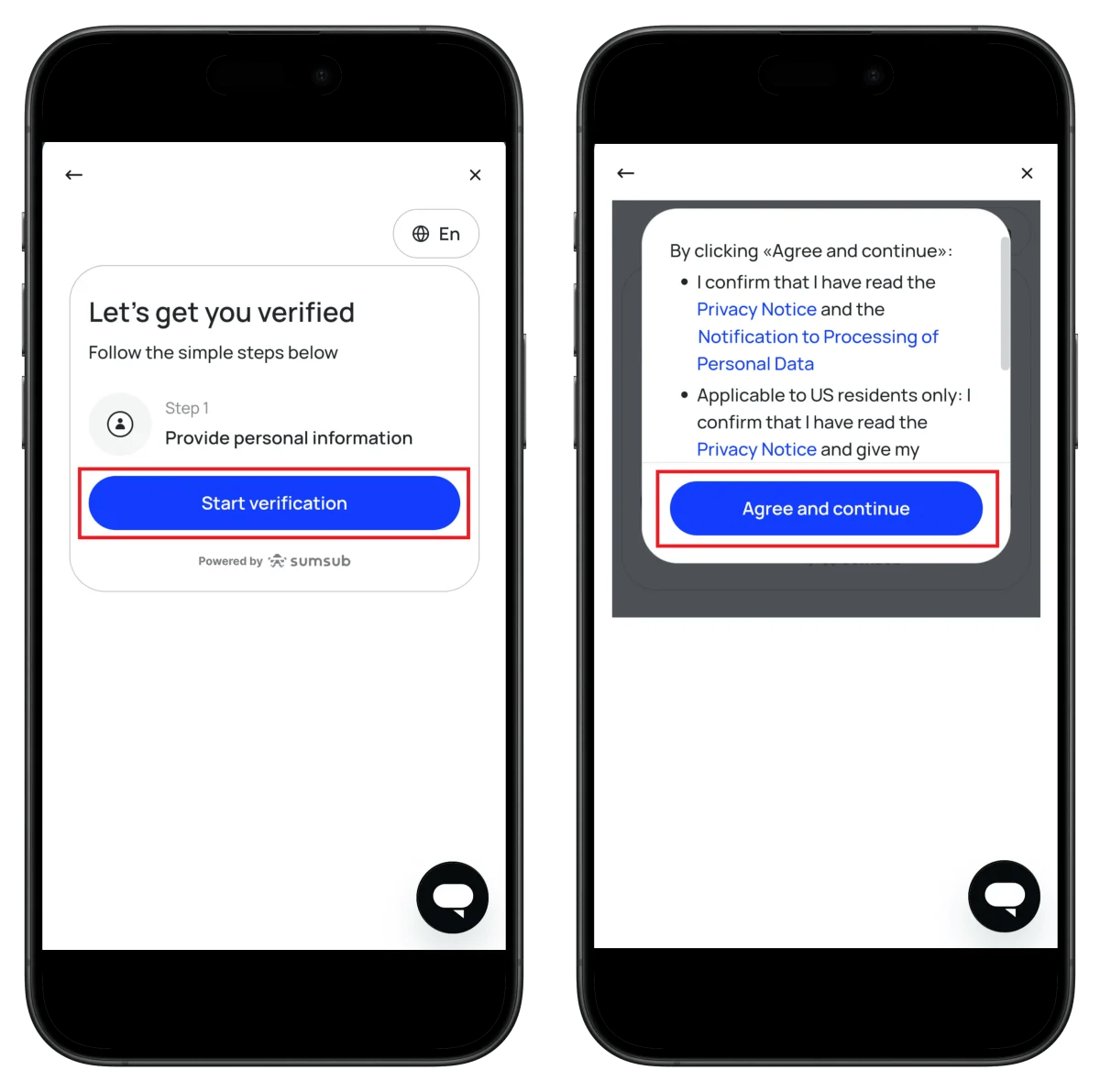
- Click Start verification
- After agreeing to terms, click Agree and continue
Step 7: Select Country
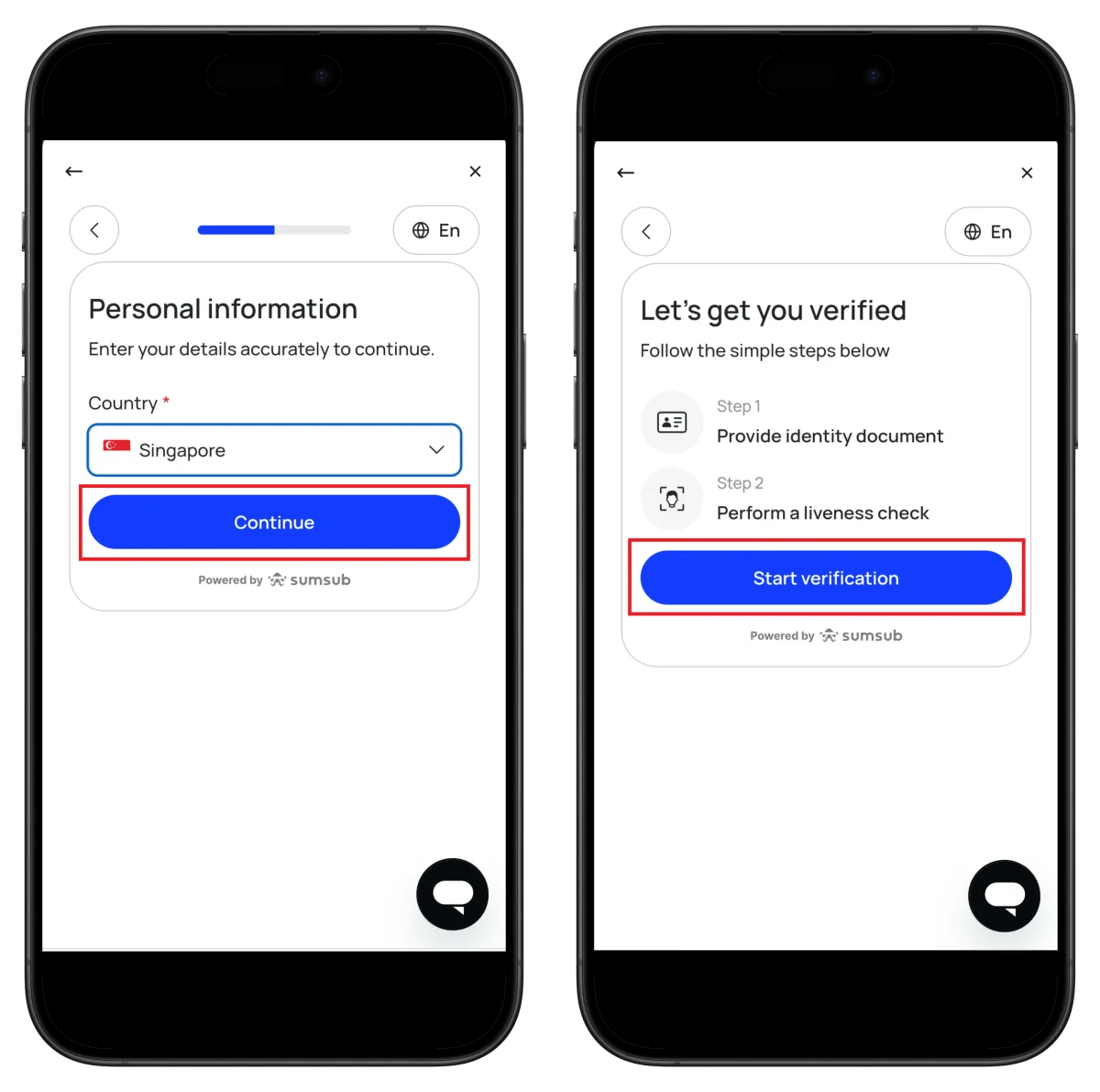
- Select your country of residence
- Click Continue
- Click Start verification
Step 8: Select ID Type

- Select ID issuing country
- Select ID type (passport recommended)
- Click Continue
- Allow camera permission
Step 9: Facial Recognition and Verification Complete
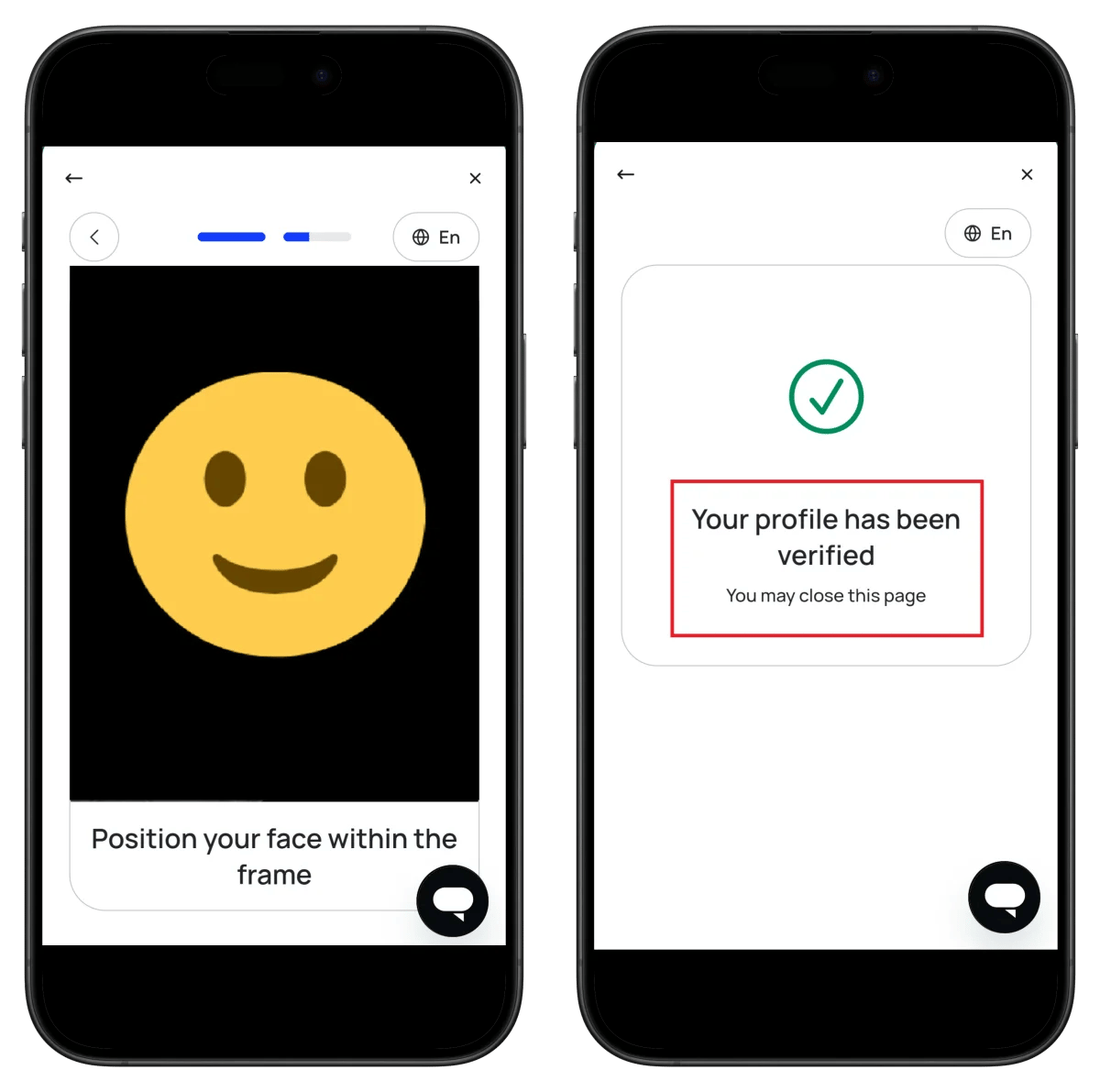
- Fit your face within the frame
- Auto-capture completes verification
🎉 Your profile has been verified - KYC verification complete!
Step 10: Check Verification Status
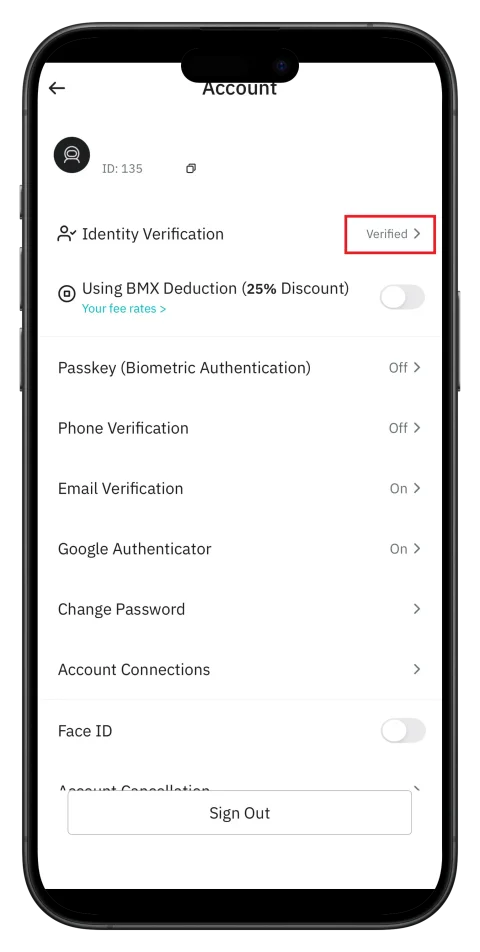
- Confirm Identity Verification: Verified ✅
- Check your ID number (needed for TetherSave integration)
How to Find Your BitMart UID
You need your BitMart UID (unique identification number) to link cashback on TetherSave.
- Check the ID number on the Account settings screen
- Or check the ID in App Profile → Account
- Enter this UID in TetherSave
How to Link TetherSave Cashback
After completing BitMart registration and UID confirmation, you can now link to TetherSave to receive cashback.
- BitMart Sign Up - Sign up
- TetherSave Sign-up - Sign up
- Go to My Page → Exchange Connection menu
- Select BitMart
- Enter your confirmed UID
- Linkage complete!
Frequently Asked Questions (FAQ)
Q: How long does BitMart KYC verification take?
Through the Sumsub verification service, it's completed instantly to within a few minutes.
Q: What benefits do I get by signing up through the TetherSave referral link?
By signing up through TetherSave, you can receive cashback from a portion of your trading fees.
Q: What should I do if ID verification is rejected?
Check the rejection reason and resubmit with a clearer photo. Using a passport is recommended.
Q: What's the difference between Level 1 and Level 2?
Level 1 allows basic trading only, while Level 2 enables all features including margin trading, futures trading, and P2P.
Q: How do I get the BMX fee discount?
You can get a 25% fee discount by enabling the Using BMX Deduction (25% Discount) option in Account settings.
Written as of January 2026.
Related Posts

How to Sign Up for Gate.io (2026 Updated): Create a Cashback Account with KYC Verification

How to Sign Up for BingX (2026 Latest): Create a Cashback Account with KYC Verification