How to Sign Up for Bybit (2026): Create a Cashback Account with KYC Verification

📚 Browse by Category
Complete Bybit Sign-Up Guide 2026
Looking for how to sign up for Bybit?
This guide covers the complete 2026 Bybit registration process from account creation to KYC identity verification and TetherSave cashback integration, with actual screenshots for each step.
What You Need to Sign Up for Bybit
1. Email Address
- A valid email address for Bybit registration
2. ID Document (for KYC Verification)
- Passport
- Driver's License
- ID Card
- Residence Permit
3. Smartphone
Required for two-factor authentication (2FA), ID document photography, and selfie verification.
Bybit Sign-Up Process (Step-by-Step)
Step 1: Access TetherSave Exclusive Sign-Up Link
👉 Create TetherSave Exclusive Cashback Account
👉 Go to Bybit Exchange Details Page
Signing up through this link automatically connects you to TetherSave cashback benefits.
Step 2: Enter Email and Complete Puzzle Verification
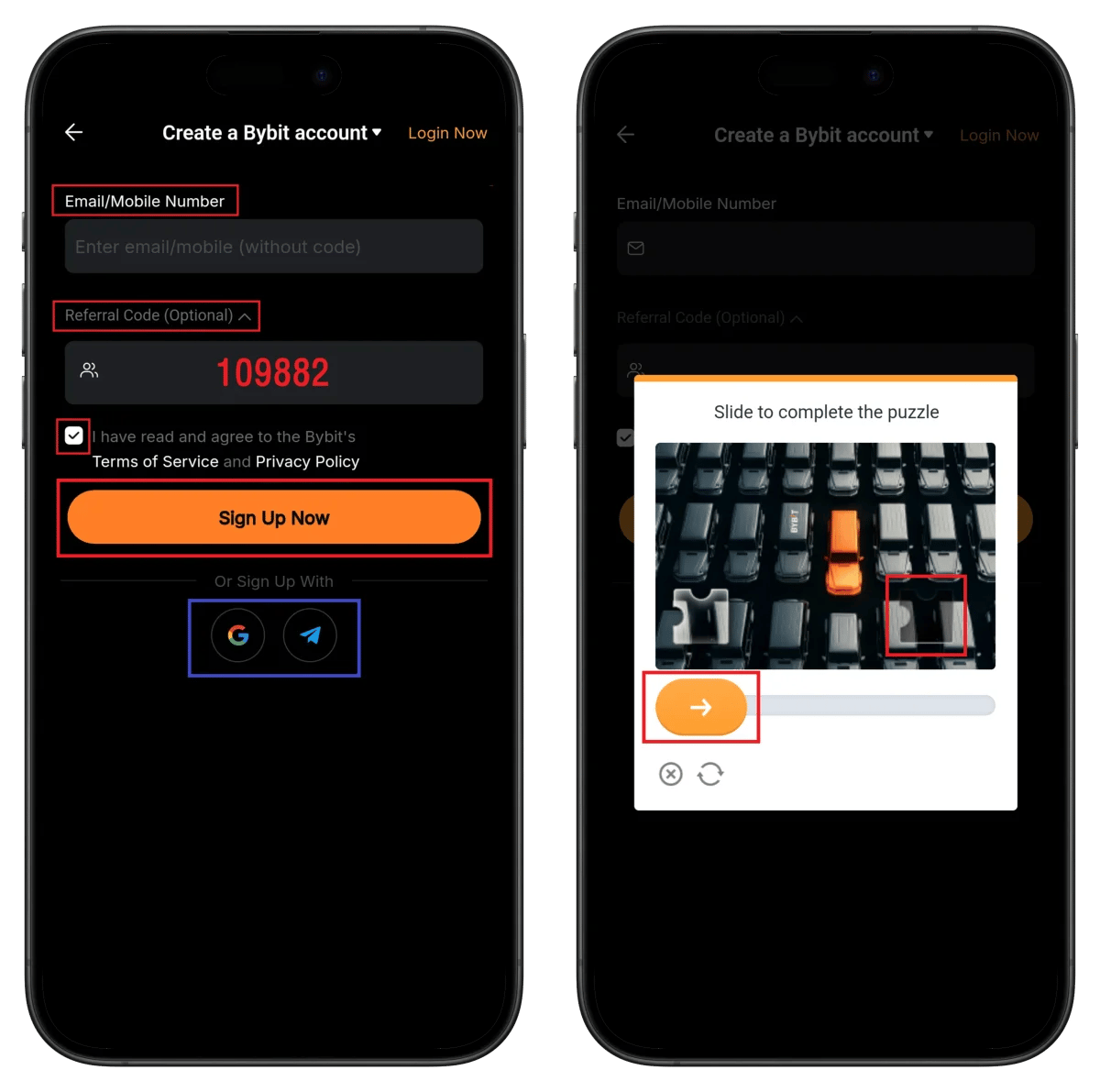
- Enter your email address
- Confirm referral code 109882
- Check terms agreement
- Click Sign Up Now
- Complete the puzzle slider verification
💡 Quick sign-up via Google or Telegram is also available.
Step 3: Enter Email Verification Code
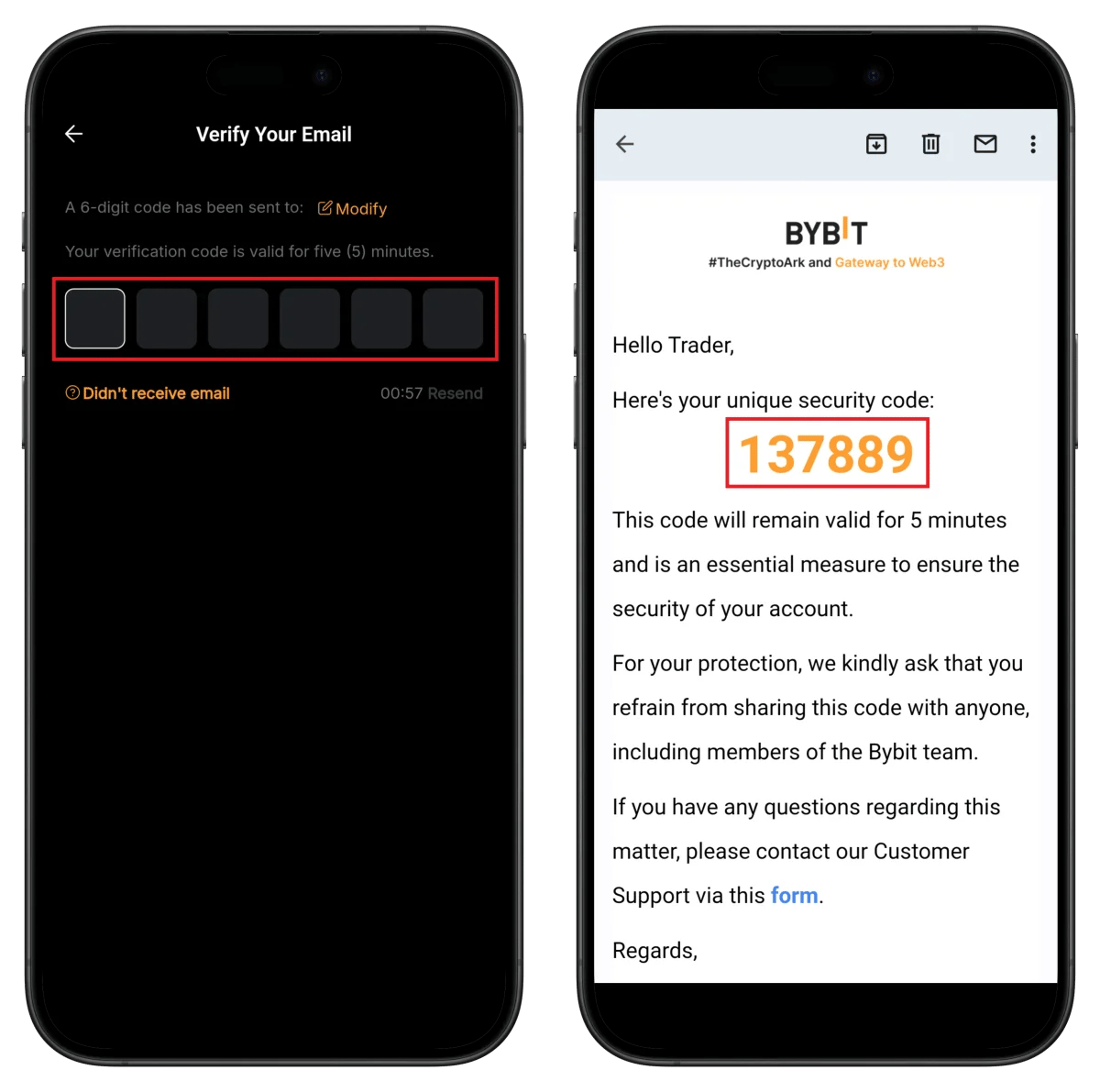
- Enter the 6-digit verification code sent to your email
⚠️ The verification code is valid for 5 minutes.
Step 4: Create Password and Start Identity Verification
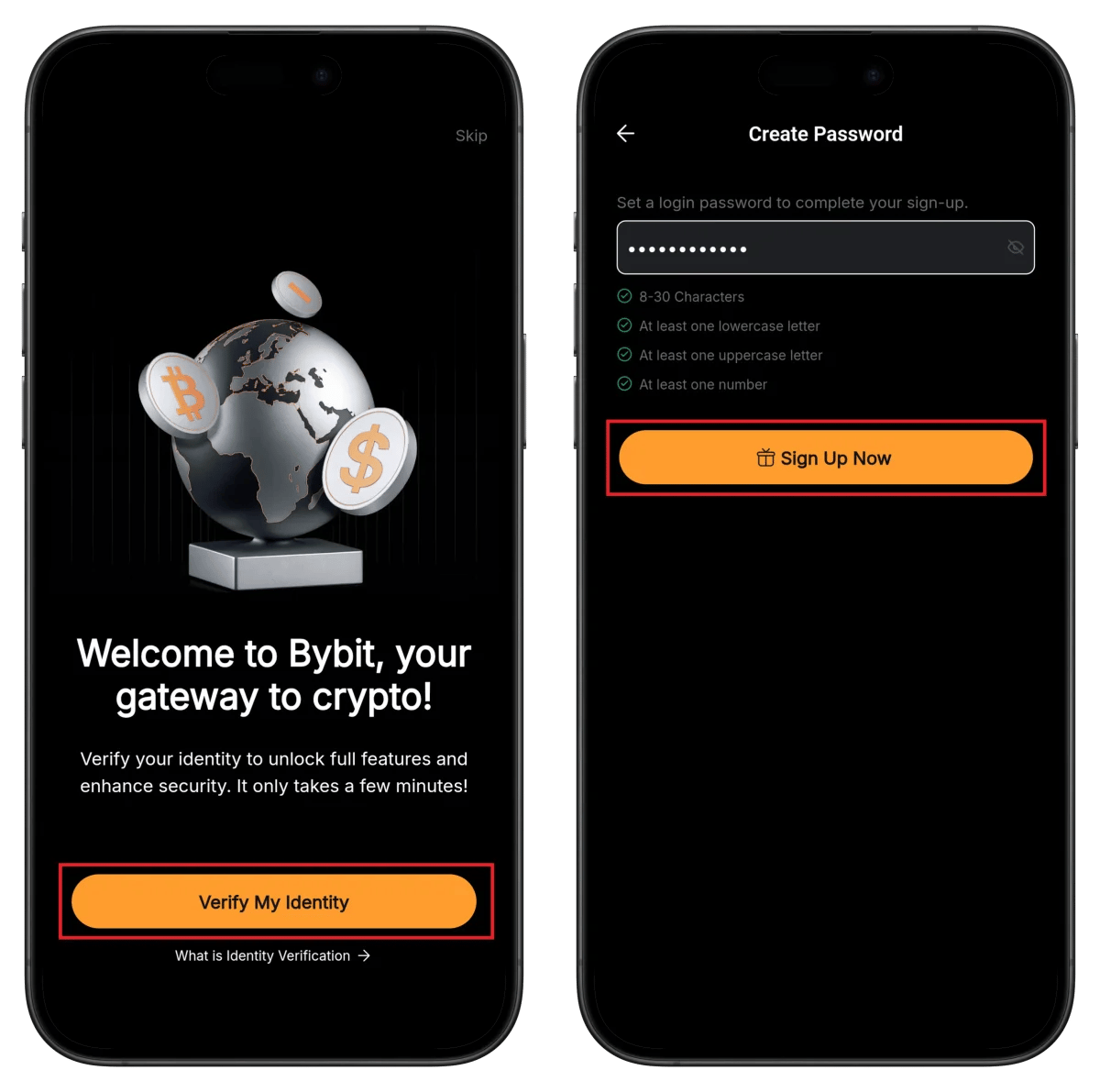
- Enter password (8-30 characters, uppercase + lowercase + numbers)
- Click Sign Up Now
- Click Verify My Identity to start KYC
Step 5: Select ID Document Type

- Click Verify Now
- Select your ID issuing country
- Choose ID document type (passport recommended)
- Click Verify to Earn
Step 6: Prepare Document and Start Sumsub Verification
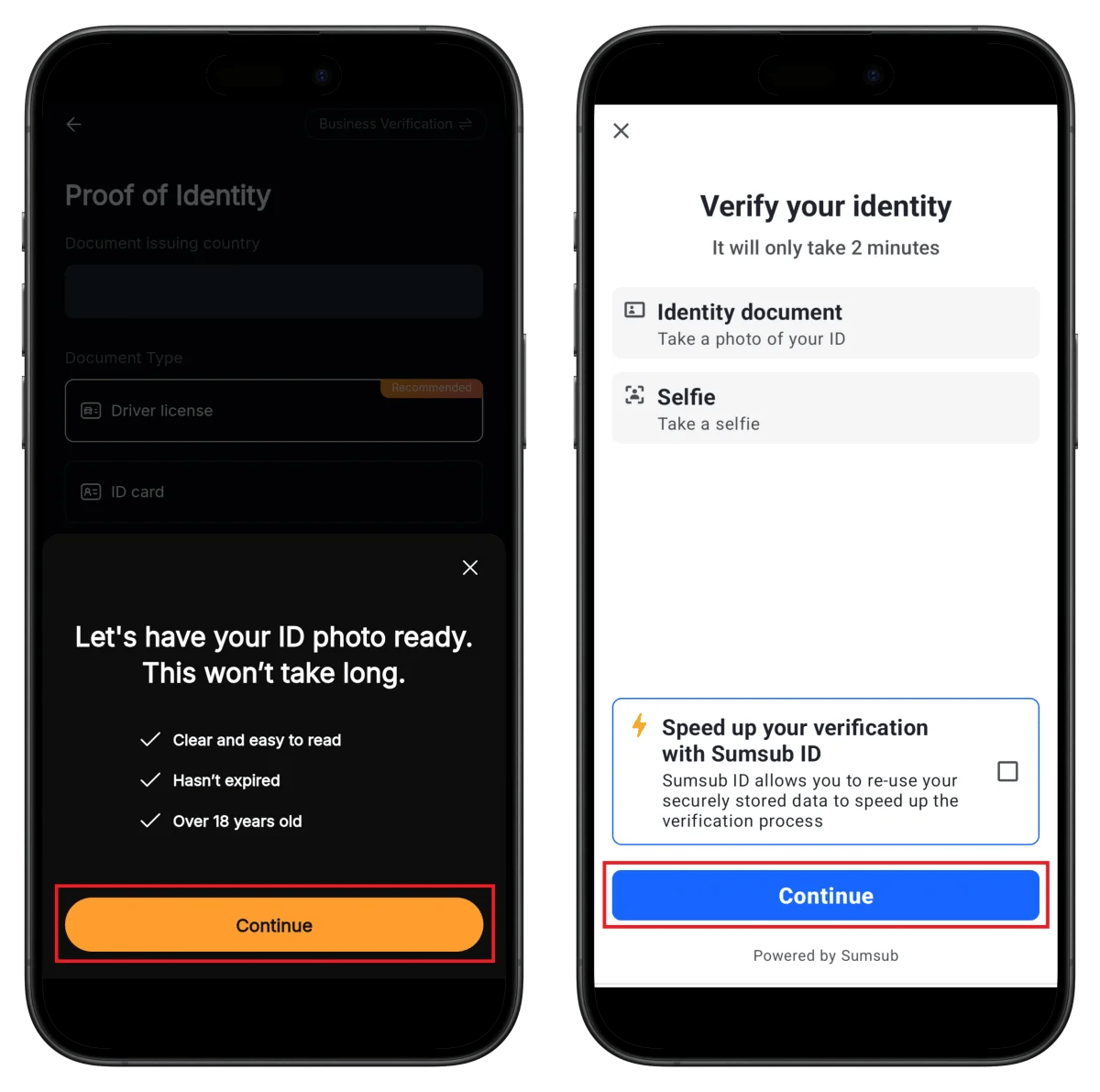
- Confirm document preparation conditions (clear, valid, 18+ years old)
- Click Continue
⏱️ Estimated time: about 2 minutes
Step 7: Photograph and Confirm ID Document
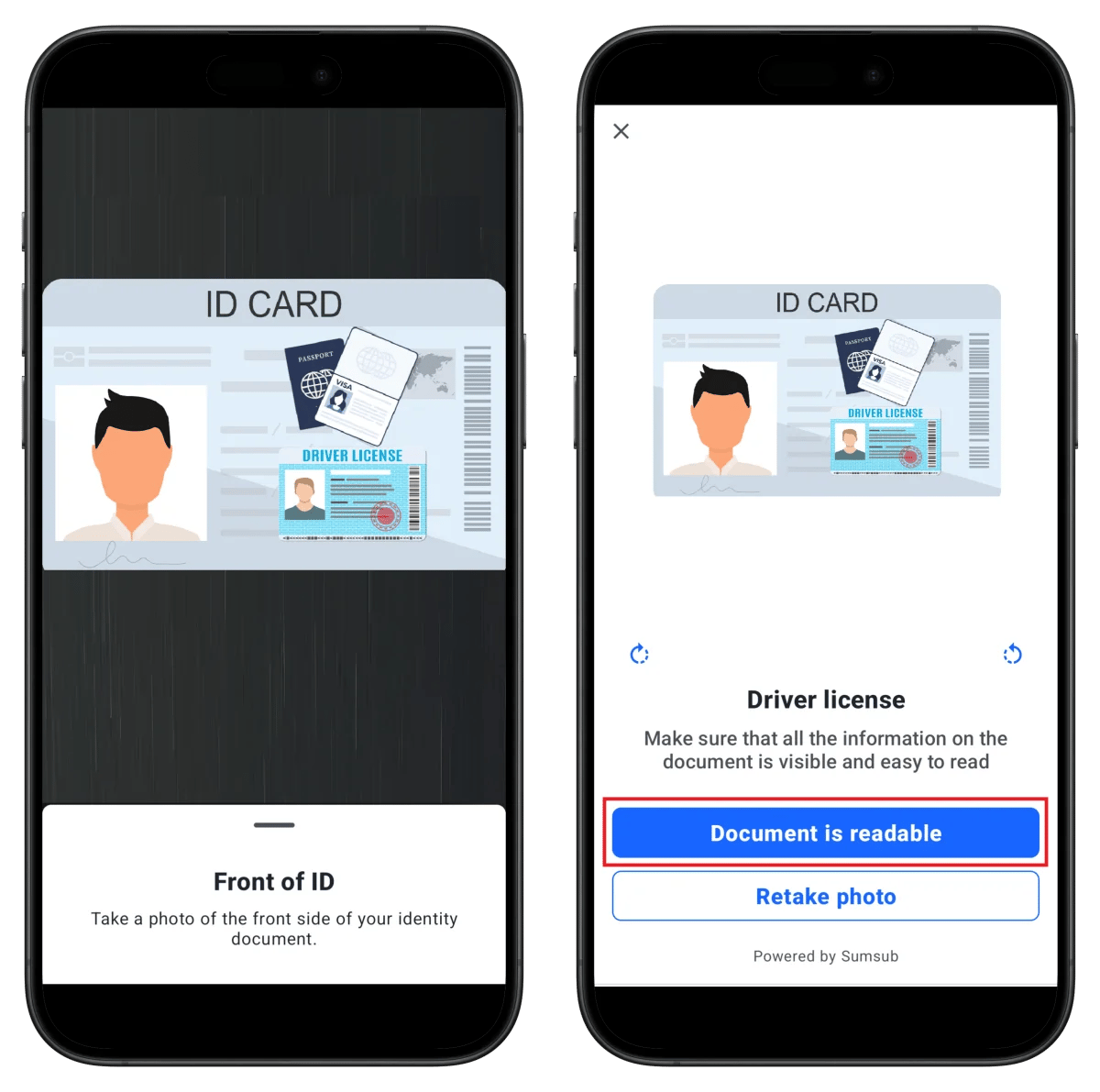
- Photograph the front of your ID
- Click Document is readable
- Photograph the back of your ID
💡 Make sure all information is clearly visible in the photos.
Step 8: Take Selfie and Complete Verification
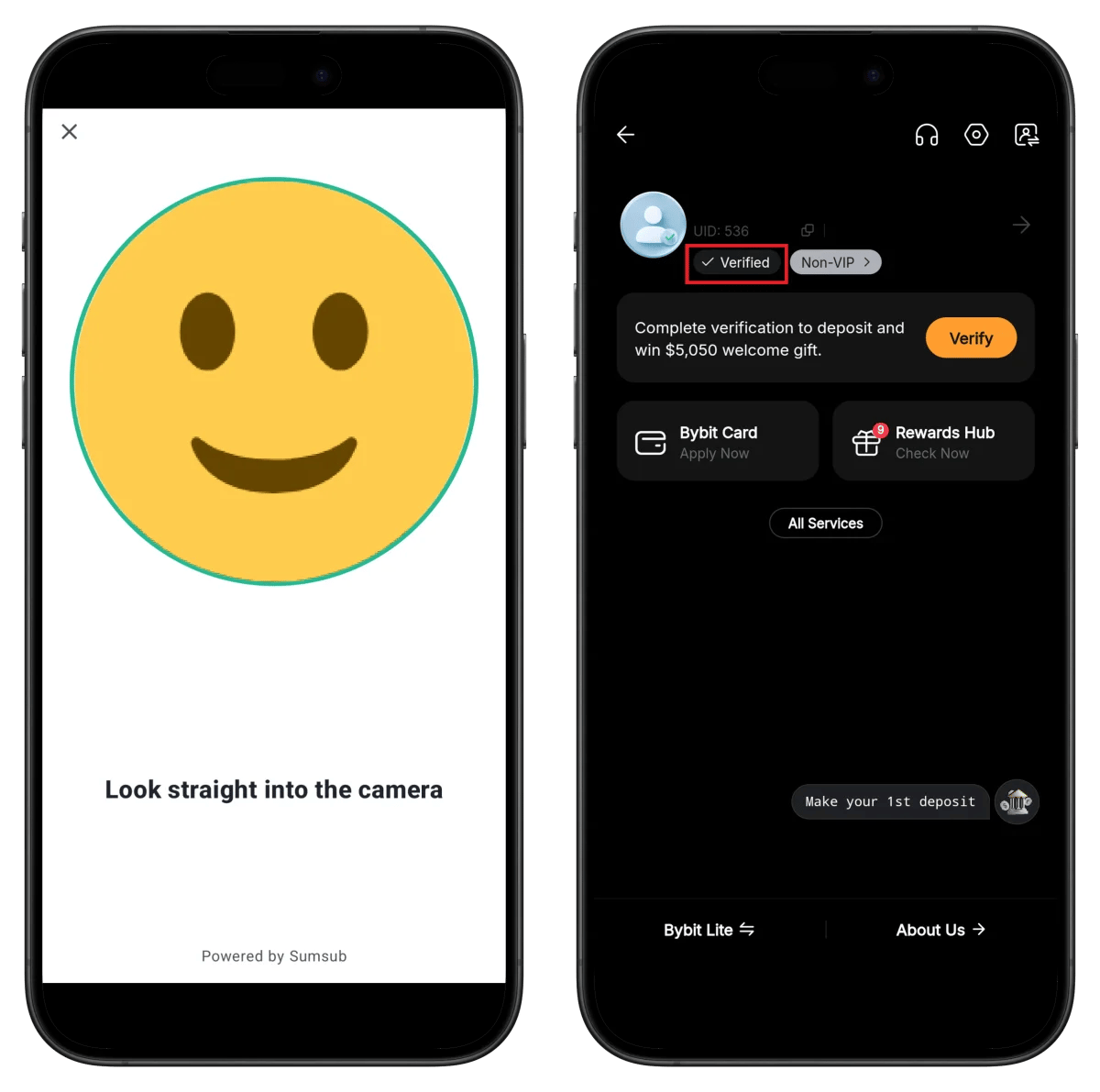
- Position your face within the circular frame
- Automatic capture proceeds
✅ Confirm the Verified badge
- Note your UID number (needed for TetherSave connection)
🎉 Upon verification completion, you can receive a $5,050 welcome gift!
How to Find Your Bybit UID
To connect your cashback with TetherSave, you'll need your Bybit UID (unique identifier).
- Log in to the Bybit app or website.
- Tap the profile icon in the upper right corner.
- Check the UID number displayed at the top of your profile.
👉 Detailed Guide on Finding Your Bybit UID
How to Connect TetherSave Cashback
- Bybit Sign Up - Register here
- Sign up for TetherSave - Register here
- Go to My Page → Exchange Connection menu
- Select Bybit
- Enter your confirmed UID
- Connection complete!
Frequently Asked Questions (FAQ)
Q: How long does Bybit KYC verification take?
Using the Sumsub automatic verification system, it usually completes within 2 minutes. Manual review may take up to 24 hours if required.
Q: What benefits do I get by signing up through TetherSave's referral link?
Signing up through TetherSave allows you to receive cashback on a portion of your trading fees. You also receive Bybit's $5,050 welcome gift.
Q: What should I do if my ID verification is rejected?
Check the rejection reason and resubmit with clearer photos. Passport use is recommended. Also verify that your ID hasn't expired.
Q: What types of ID can I use for Bybit verification?
You can use a driver's license, passport, ID card, or residence permit. All documents must be valid and not expired.
Q: What are the password requirements?
8-30 characters, must include at least one lowercase letter, uppercase letter, and number. Adding special characters is recommended for security.
Written as of January 2026
Related Posts

How to Sign Up for Gate.io (2026 Updated): Create a Cashback Account with KYC Verification

How to Sign Up for BingX (2026 Latest): Create a Cashback Account with KYC Verification